
byggareerik - Minecraft Skins & Skin History
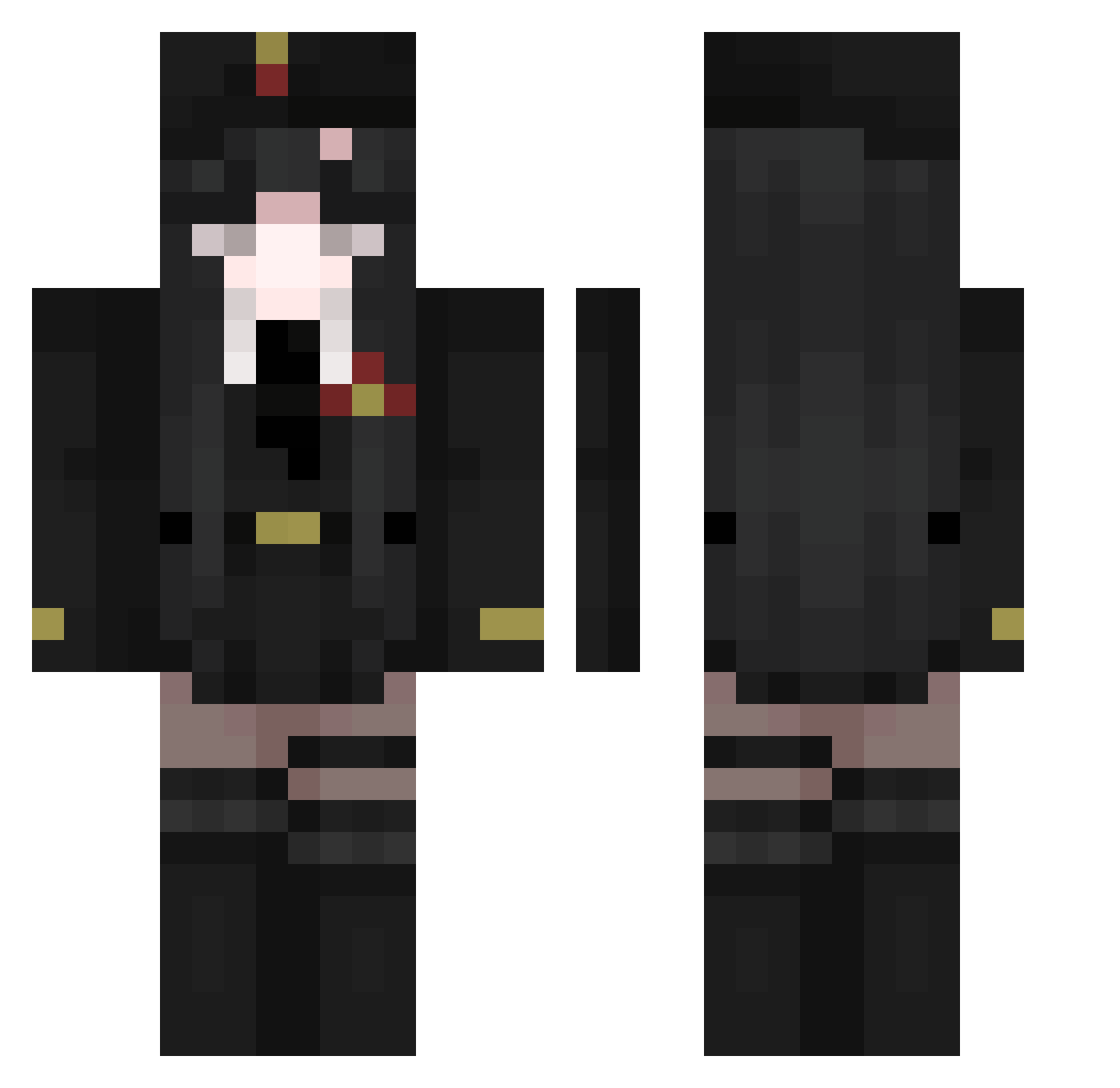
Current Minecraft skin of the player byggareerik, loaded from the official Mojang API. Rotate the 3D model with your mouse or finger, then download the skin as a PNG file and use it in Minecraft: Bedrock Edition or Java Edition for free. When byggareerik changes their skin, this page updates automatically and the old skin stays in the history below.
Other players with this skin (511)
byggareerik was the 492nd player we have seen with this skin, first spotted on 28.10.2026. The same skin was seen on these players. Open a nickname to see their current skin and skin history.
 ashes_331 trainwreckzz Toporoyade kitsumiru Mxh8443 amblemini BYAKKO_556 xinglongbalabal youvimii Icethebean9098 Autumn_DK GuenaVaria CONSTANTINE747 spyder22r ShyVein nouillexx MerryyS rnaxlol rueini Luoshuyan CavalierNounours Lillakaninen Satania_ Aarsy valkei1126 YELLUO g4brych44 Cheytacu FrostMoon7 Yivane Tsubaki5897 YoungKasztan TheArauwu Surgikal tean987 AnLittlePrincess Rhine_HK Enrji showiwaifu collienN Doutor_0220 Avarexia KorvinSilver riine1 hvrrow Falvi14 MisaPossing LOLI_1707 q4x1337 MeisonZ Enjulandia Jockin Welshh0 Lwximus Croconagi KingArh Sergio1177 Windcold9 qscy8 komarui
More Uniform Minecraft skins
How to install the byggareerik skin
- Press the Download button above to save the skin as a PNG file.
- Minecraft: Bedrock Edition (PE): open the Dressing Room from the main menu (or tap your character → Edit Character), go to Classic Skins → Owned, press the + (new skin) button, choose the downloaded PNG and pick the Classic (Steve) model. Works on PC and mobile; consoles cannot import custom skins.
- Minecraft: Java Edition: open the Minecraft Launcher, go to the Skins tab, click New Skin, load the PNG, pick the Classic (Steve) model and press Save & Use. You can also upload it at minecraft.net → Profile → Change Skin.
The skin does not show up after import - what should I do?
Restart Minecraft and open the Dressing Room again - imported skins sometimes appear only after a restart. Also make sure you selected the imported skin and picked the Classic (Steve) model.
Which model should I choose, Classic or Slim?
This skin is designed for the Classic (Steve) model. If you pick the wrong model, the arms of the skin will look stretched or squeezed.
Is the skin of byggareerik free to download?
Yes. Press Download, save the PNG file and use it in Minecraft: Bedrock Edition or Java Edition - no payment or registration needed. The skin also works on multiplayer servers and Realms.
More skins
Looking for more? Go back to all Minecraft skins and check the top skins of the week, month and all time, or find any player's skin by nickname.