
bureeen - Minecraft Skins & Skin History
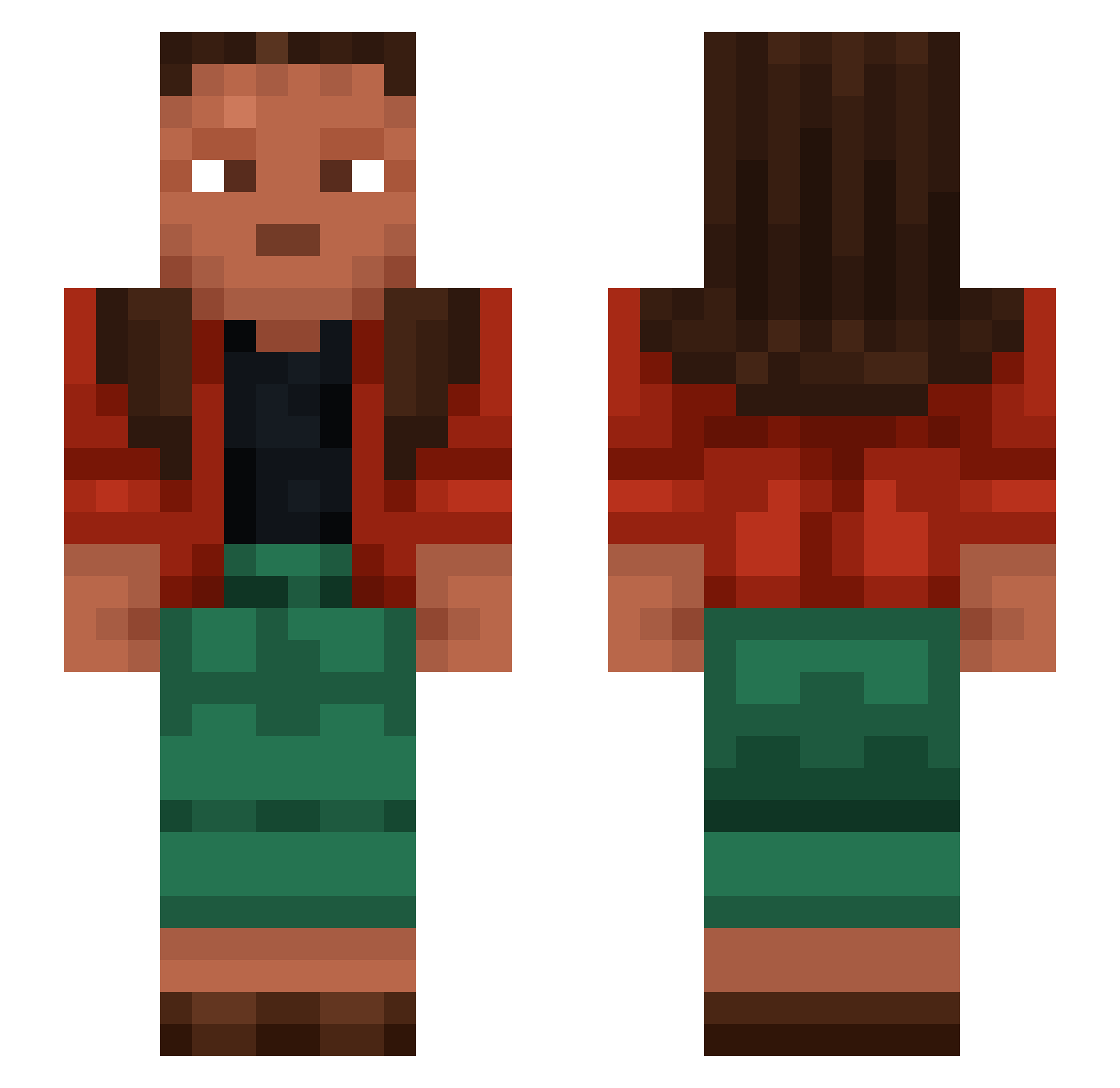
Current Minecraft skin of the player bureeen, loaded from the official Mojang API. Rotate the 3D model with your mouse or finger, then download the skin as a PNG file and use it in Minecraft: Bedrock Edition or Java Edition for free. When bureeen changes their skin, this page updates automatically and the old skin stays in the history below.
Other players with this skin (1455)
bureeen was the 1349th player we have seen with this skin, first spotted on 12.11.2026. The same skin was seen on these players. Open a nickname to see their current skin and skin history.
 jaguarundi Jsbro12 Trityl AzLogin nakaya199 addiiilee 2417 M4x1m00 unmarked canaglia Boswser unhuntable Raspiest Visier Irride Galleyman FleischZipfel Hippoplaty12 wheatgrass undss 3mag surplice Neutralizers nefritos Naann_ ProAction CounterLy Responder n0_r1sk djama47 bvckettt valexzinho ItzFearzMC DoggoTheWarrior Lanosity 4Tof200hzDDR1ram hellkorea SirWusch p1doRR BIGJAKUB Arratel Genocides tombak JadeFX SahaniIshmene ZooyDine Chrissypo05 Eyesights Payrock Scramasaxe Maiffraid jesus Thorfin ilonardo Idiocies flywheels Tweil IHWilli Capons SKN360
How to install the bureeen skin
- Press the Download button above to save the skin as a PNG file.
- Minecraft: Bedrock Edition (PE): open the Dressing Room from the main menu (or tap your character → Edit Character), go to Classic Skins → Owned, press the + (new skin) button, choose the downloaded PNG and pick the Slim (Alex) model. Works on PC and mobile; consoles cannot import custom skins.
- Minecraft: Java Edition: open the Minecraft Launcher, go to the Skins tab, click New Skin, load the PNG, pick the Slim (Alex) model and press Save & Use. You can also upload it at minecraft.net → Profile → Change Skin.
The skin does not show up after import - what should I do?
Restart Minecraft and open the Dressing Room again - imported skins sometimes appear only after a restart. Also make sure you selected the imported skin and picked the Slim (Alex) model.
Which model should I choose, Classic or Slim?
This skin is designed for the Slim (Alex) model. If you pick the wrong model, the arms of the skin will look stretched or squeezed.
Is the skin of bureeen free to download?
Yes. Press Download, save the PNG file and use it in Minecraft: Bedrock Edition or Java Edition - no payment or registration needed. The skin also works on multiplayer servers and Realms.
More skins
Looking for more? Go back to all Minecraft skins and check the top skins of the week, month and all time, or find any player's skin by nickname.