
bulta1 - Minecraft Skins & Skin History
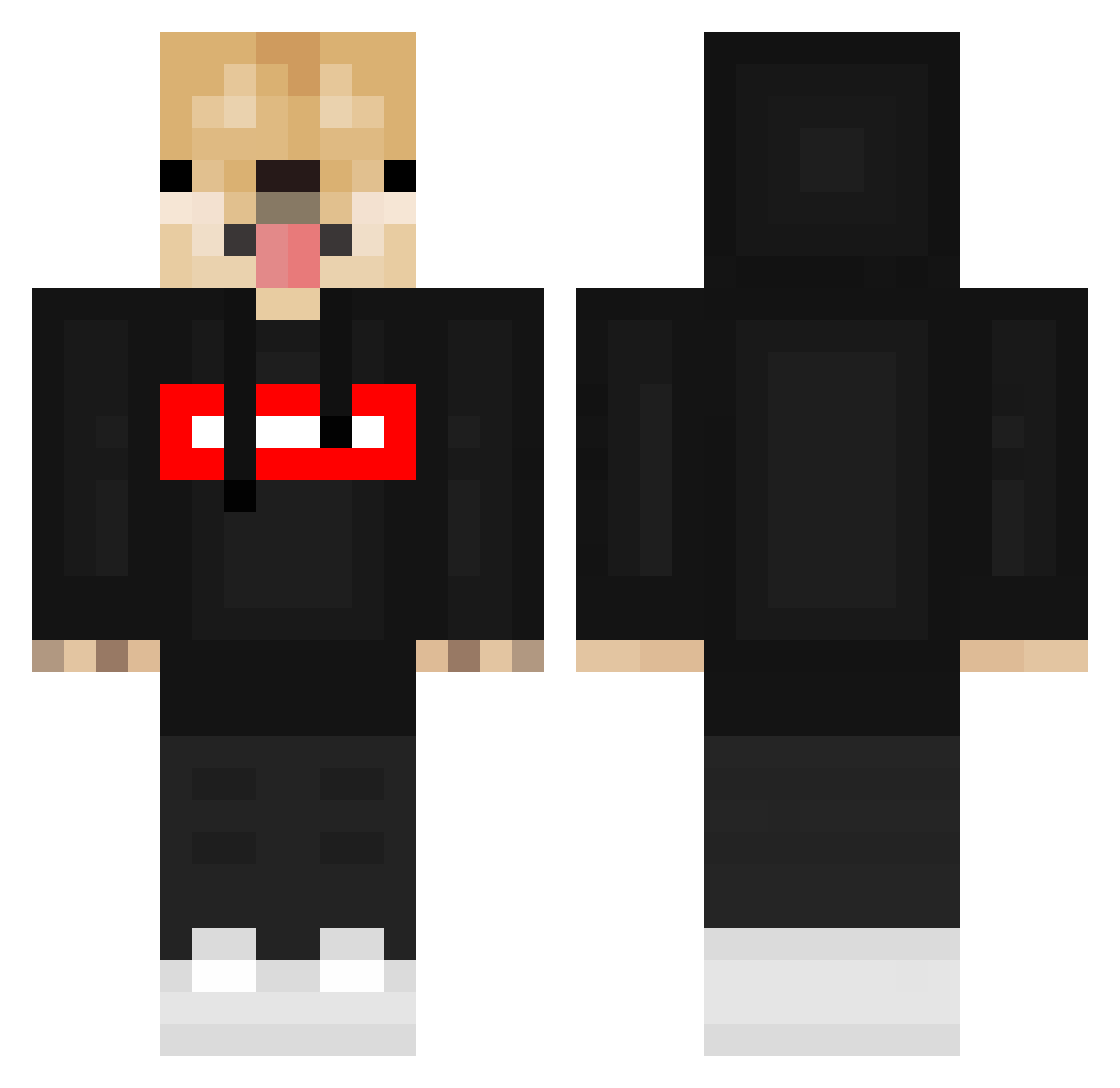
Current Minecraft skin of the player bulta1, loaded from the official Mojang API. Rotate the 3D model with your mouse or finger, then download the skin as a PNG file and use it in Minecraft: Bedrock Edition or Java Edition for free. When bulta1 changes their skin, this page updates automatically and the old skin stays in the history below.
Other players with this skin (672)
bulta1 was the 612th player we have seen with this skin, first spotted on 10.11.2026. The same skin was seen on these players. Open a nickname to see their current skin and skin history.
 Karotek34214 Joo_NamChang Stephaniec94 McDaddiooo Forest_xDD Waffles_X2 yabalhisusakiy Stormy077 Fehla14 Eyezx _WiKa_ YongYong_04 EVAN0328 Aym mrkoira20 Boggelito wolf_77777 TTheDoge Christo_Kiddo Kid1413 Kain5587 QAQ1 MikeIsntOk Daw_1000 Xenometrix Joh4n9 Wichtiger_Fvkplx zazazuzu2521 McAlexz Jojo1118 smelly1245 NEWJINSEO LukyMartinek444 ya_boi_Grey Gm90s _yoyoist_ podo_x liran1920 Stv9909 F4st_L4ne IpDwag118 uwu_Thomass JohnnyisTsunami ObamaOsamaLama Sinsunglee Nicolaus11 PomXML TheBiteBite rubys52525 Thomas_2006__ eric910823 TheAngel45 lkjhgfdsauk caseydecker Nathooby JasonLin_TW JAXDOGZ2000 miguel_linocas BlizDoggie PinkPrincess442
More Doge Minecraft skins
How to install the bulta1 skin
- Press the Download button above to save the skin as a PNG file.
- Minecraft: Bedrock Edition (PE): open the Dressing Room from the main menu (or tap your character → Edit Character), go to Classic Skins → Owned, press the + (new skin) button, choose the downloaded PNG and pick the Classic (Steve) model. Works on PC and mobile; consoles cannot import custom skins.
- Minecraft: Java Edition: open the Minecraft Launcher, go to the Skins tab, click New Skin, load the PNG, pick the Classic (Steve) model and press Save & Use. You can also upload it at minecraft.net → Profile → Change Skin.
The skin does not show up after import - what should I do?
Restart Minecraft and open the Dressing Room again - imported skins sometimes appear only after a restart. Also make sure you selected the imported skin and picked the Classic (Steve) model.
Which model should I choose, Classic or Slim?
This skin is designed for the Classic (Steve) model. If you pick the wrong model, the arms of the skin will look stretched or squeezed.
Is the skin of bulta1 free to download?
Yes. Press Download, save the PNG file and use it in Minecraft: Bedrock Edition or Java Edition - no payment or registration needed. The skin also works on multiplayer servers and Realms.
More skins
Looking for more? Go back to all Minecraft skins and check the top skins of the week, month and all time, or find any player's skin by nickname.