
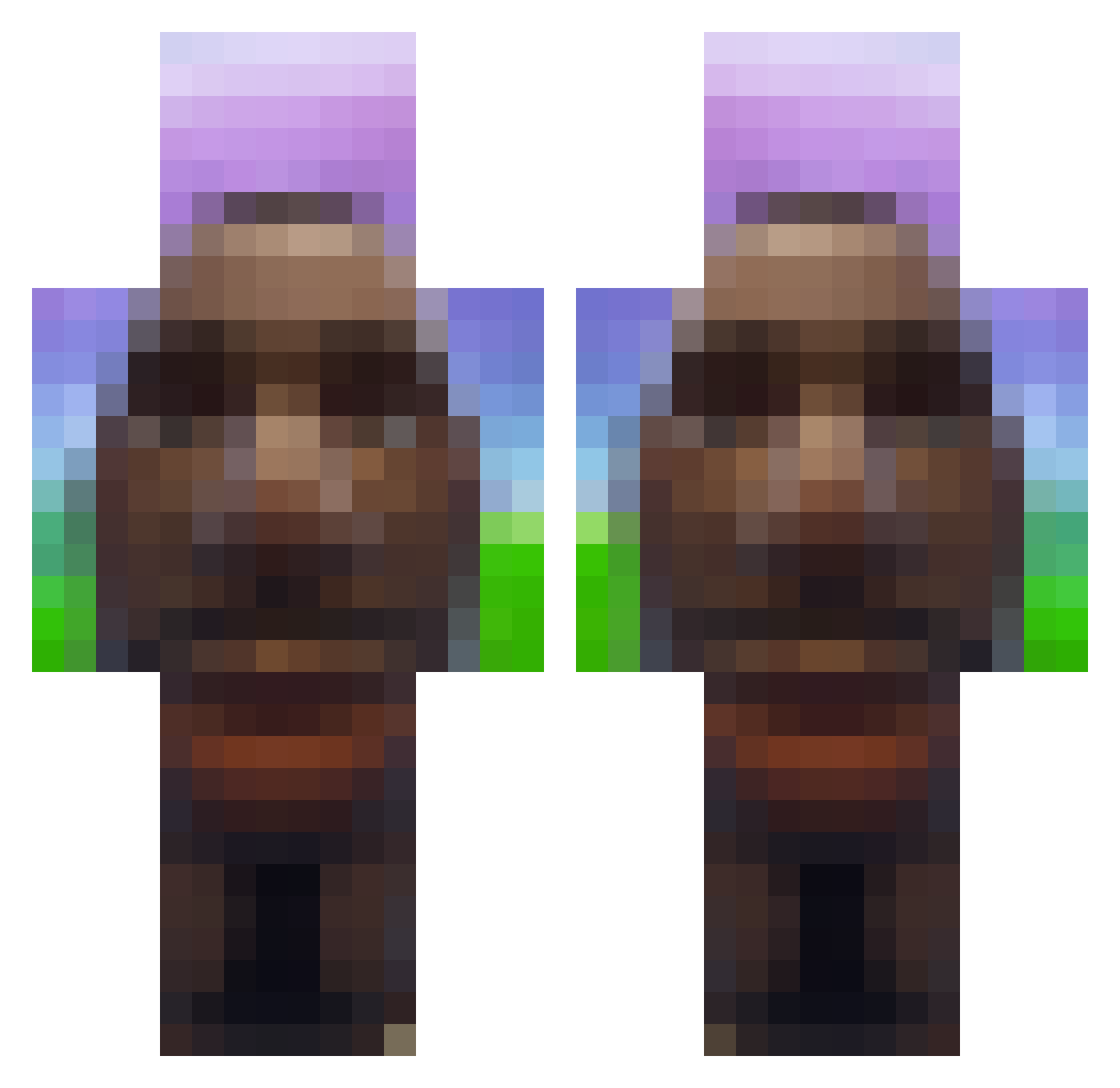
Current Minecraft skin of the player bu_mcbennykins, loaded from the official Mojang API. Rotate the 3D model with your mouse or finger, then download the skin as a PNG file and use it in Minecraft: Bedrock Edition or Java Edition for free. When bu_mcbennykins changes their skin, this page updates automatically and the old skin stays in the history below.
Other players with this skin (578)
bu_mcbennykins was the 275th player we have seen with this skin, first spotted on 03.09.2026. The same skin was seen on these players. Open a nickname to see their current skin and skin history.
 ILikeBlackedIce ErwanBey DJKatzenKippe M_Makarov H0arah japour1 T90210 BWAAHX Aztekkno oLuxky treenut0 pluhhgs GolinMX2009 ahhamadhx MariaStupak Ryanbigboy zigeuneraus69 Pal1c Star_Dust60 etjl GungWithAGun VoltZ8 jmwet Tempo_btw IkBenNietTeunc artoxbruh ShaIsNotAGirl Mercexary MiauXD troutdaddy AboveScarf Buttbanana1504 CheeseChomper200
 ItzDaRealAsti sasayaka0629 Denzo1418 bbenesch guilherme280 beal51 dasaggyman4 EuronJuust0 luvroktopus Nesc0s_ LilFartStain Darwish_ Noaaaaar 638s RamiV9 Vortex6479 caiqu lmaggiee Kjens1003 ignHail RTNGcatus Hercegg HappyPanda1201 LeoHiggins BurritoBoy420 SludgeSniffer67 i360noscopedMLK
More Moai Minecraft skins
How to install the bu_mcbennykins skin
- Press the Download button above to save the skin as a PNG file.
- Minecraft: Bedrock Edition (PE): open the Dressing Room from the main menu (or tap your character → Edit Character), go to Classic Skins → Owned, press the + (new skin) button, choose the downloaded PNG and pick the Classic (Steve) model. Works on PC and mobile; consoles cannot import custom skins.
- Minecraft: Java Edition: open the Minecraft Launcher, go to the Skins tab, click New Skin, load the PNG, pick the Classic (Steve) model and press Save & Use. You can also upload it at minecraft.net → Profile → Change Skin.
The skin does not show up after import - what should I do?
Restart Minecraft and open the Dressing Room again - imported skins sometimes appear only after a restart. Also make sure you selected the imported skin and picked the Classic (Steve) model.
Which model should I choose, Classic or Slim?
This skin is designed for the Classic (Steve) model. If you pick the wrong model, the arms of the skin will look stretched or squeezed.
Is the skin of bu_mcbennykins free to download?
Yes. Press Download, save the PNG file and use it in Minecraft: Bedrock Edition or Java Edition - no payment or registration needed. The skin also works on multiplayer servers and Realms.
More skins
Looking for more? Go back to all Minecraft skins and check the top skins of the week, month and all time, or find any player's skin by nickname.