
bryn1_ - Minecraft Skins & Skin History
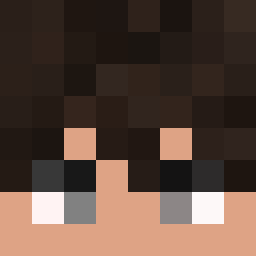
Current Minecraft skin of the player bryn1_, loaded from the official Mojang API. Rotate the 3D model with your mouse or finger, then download the skin as a PNG file and use it in Minecraft: Bedrock Edition or Java Edition for free. When bryn1_ changes their skin, this page updates automatically and the old skin stays in the history below.

Other players with this skin (1785)
bryn1_ was the 71st player we have seen with this skin, first spotted on 28.07.2026. The same skin was seen on these players. Open a nickname to see their current skin and skin history.
 Gizerx33 Voskyr AntiCynical CUNGUA LY304 Samuth2004 Rematched Goalkeeper DinaxYT Urticant soledbyflexxq kasta Flapjack634 Bloodlessness skydiver Mayoneisen sheikhh FlawlessTommyGun Mahmutberke areel
 AESPA_Karina__ euugqh Lath hi0120
 ishaxse Vezusin YungToke stewyTSK LinhouTOI0203 O196 Hydrochoerus Kleptomaniac Multiroy ReferredShoe454 oasis Atiwit01 Noahnal Briolet Perkin candlebomb OnRage_ tenlove Alcoves Bishop1987 Cardiograph Shammied Epigastrium Uxsy ErikBored A_nthoni Devin_Varnadoe OrdenewiTz89 Adeny kdh5839 ___Furkan___ Bekfest swcvetkov EdeeeQ Monachate k1ra___
How to install the bryn1_ skin
- Press the Download button above to save the skin as a PNG file.
- Minecraft: Bedrock Edition (PE): open the Dressing Room from the main menu (or tap your character → Edit Character), go to Classic Skins → Owned, press the + (new skin) button, choose the downloaded PNG and pick the Classic (Steve) model. Works on PC and mobile; consoles cannot import custom skins.
- Minecraft: Java Edition: open the Minecraft Launcher, go to the Skins tab, click New Skin, load the PNG, pick the Classic (Steve) model and press Save & Use. You can also upload it at minecraft.net → Profile → Change Skin.
The skin does not show up after import - what should I do?
Restart Minecraft and open the Dressing Room again - imported skins sometimes appear only after a restart. Also make sure you selected the imported skin and picked the Classic (Steve) model.
Which model should I choose, Classic or Slim?
This skin is designed for the Classic (Steve) model. If you pick the wrong model, the arms of the skin will look stretched or squeezed.
Is the skin of bryn1_ free to download?
Yes. Press Download, save the PNG file and use it in Minecraft: Bedrock Edition or Java Edition - no payment or registration needed. The skin also works on multiplayer servers and Realms.
More skins
Looking for more? Go back to all Minecraft skins and check the top skins of the week, month and all time, or find any player's skin by nickname.