
browntown10706 - Minecraft Skins & Skin History
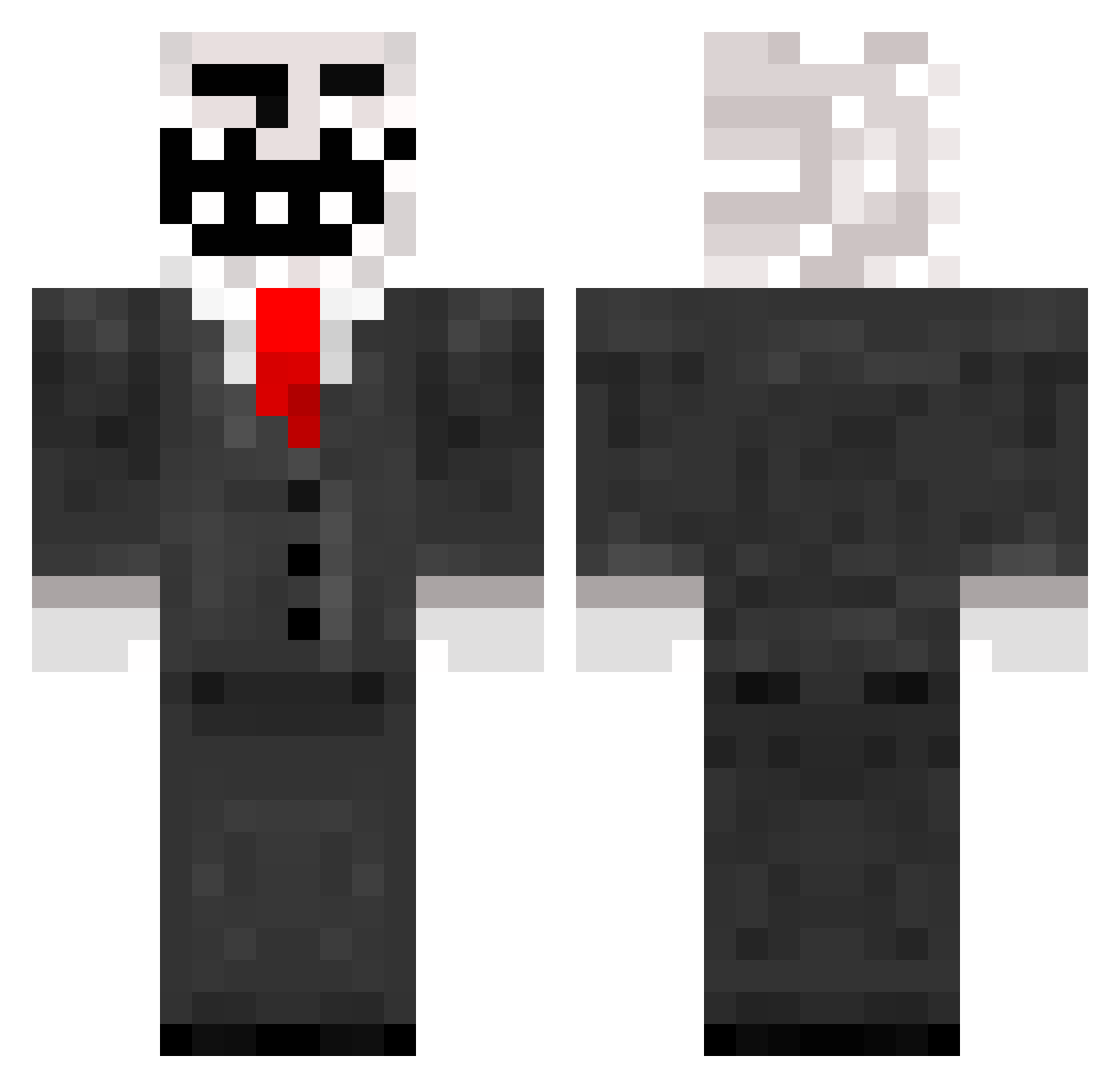
Current Minecraft skin of the player browntown10706, loaded from the official Mojang API. Rotate the 3D model with your mouse or finger, then download the skin as a PNG file and use it in Minecraft: Bedrock Edition or Java Edition for free. When browntown10706 changes their skin, this page updates automatically and the old skin stays in the history below.
Other players with this skin (259)
browntown10706 was the 206th player we have seen with this skin, first spotted on 14.10.2026. The same skin was seen on these players. Open a nickname to see their current skin and skin history.
 Fetdressing orangejuice0101 Butterfish2 JATOSO2002 AyrA Jam_Bob_Marley skillerkiller12 willmort56 jamesvm TheAirbusGuy NOT_HEROBRINE510 LSJ16 pb231 Bruti69 Freddy1954 monetarypolicy Summ3rS3R craigv684 Martinkung02 tom__97 MattHodgie Adrian0617 pnut103 _CHONK___ Mausinator987 xYEatx alexanderaw conor7878 Zombieking820 EpicJicky tenu1 richie_reyes pickypickle46 Bobbykill666 LacrosseMan12345 ThexJejex mojostorm tzarex WTFplayer timothysmith127 ZombiePhart Botrky oggersheim JoeweaserkingXD bullsooneshot 22405creeper LimitedSwag xMaDzZ Icebear999 FeverOfGaming hornetispaghetti lucasfly Potato199X VukDjokovic SneerFulEagle willB8 Ice_cream_man117 meleebrawler69 iA1ex Squizzah
More Trollface Minecraft skins
How to install the browntown10706 skin
- Press the Download button above to save the skin as a PNG file.
- Minecraft: Bedrock Edition (PE): open the Dressing Room from the main menu (or tap your character → Edit Character), go to Classic Skins → Owned, press the + (new skin) button, choose the downloaded PNG and pick the Classic (Steve) model. Works on PC and mobile; consoles cannot import custom skins.
- Minecraft: Java Edition: open the Minecraft Launcher, go to the Skins tab, click New Skin, load the PNG, pick the Classic (Steve) model and press Save & Use. You can also upload it at minecraft.net → Profile → Change Skin.
The skin does not show up after import - what should I do?
Restart Minecraft and open the Dressing Room again - imported skins sometimes appear only after a restart. Also make sure you selected the imported skin and picked the Classic (Steve) model.
Which model should I choose, Classic or Slim?
This skin is designed for the Classic (Steve) model. If you pick the wrong model, the arms of the skin will look stretched or squeezed.
Is the skin of browntown10706 free to download?
Yes. Press Download, save the PNG file and use it in Minecraft: Bedrock Edition or Java Edition - no payment or registration needed. The skin also works on multiplayer servers and Realms.
More skins
Looking for more? Go back to all Minecraft skins and check the top skins of the week, month and all time, or find any player's skin by nickname.