
breekmendeuropen - Minecraft Skins & Skin History
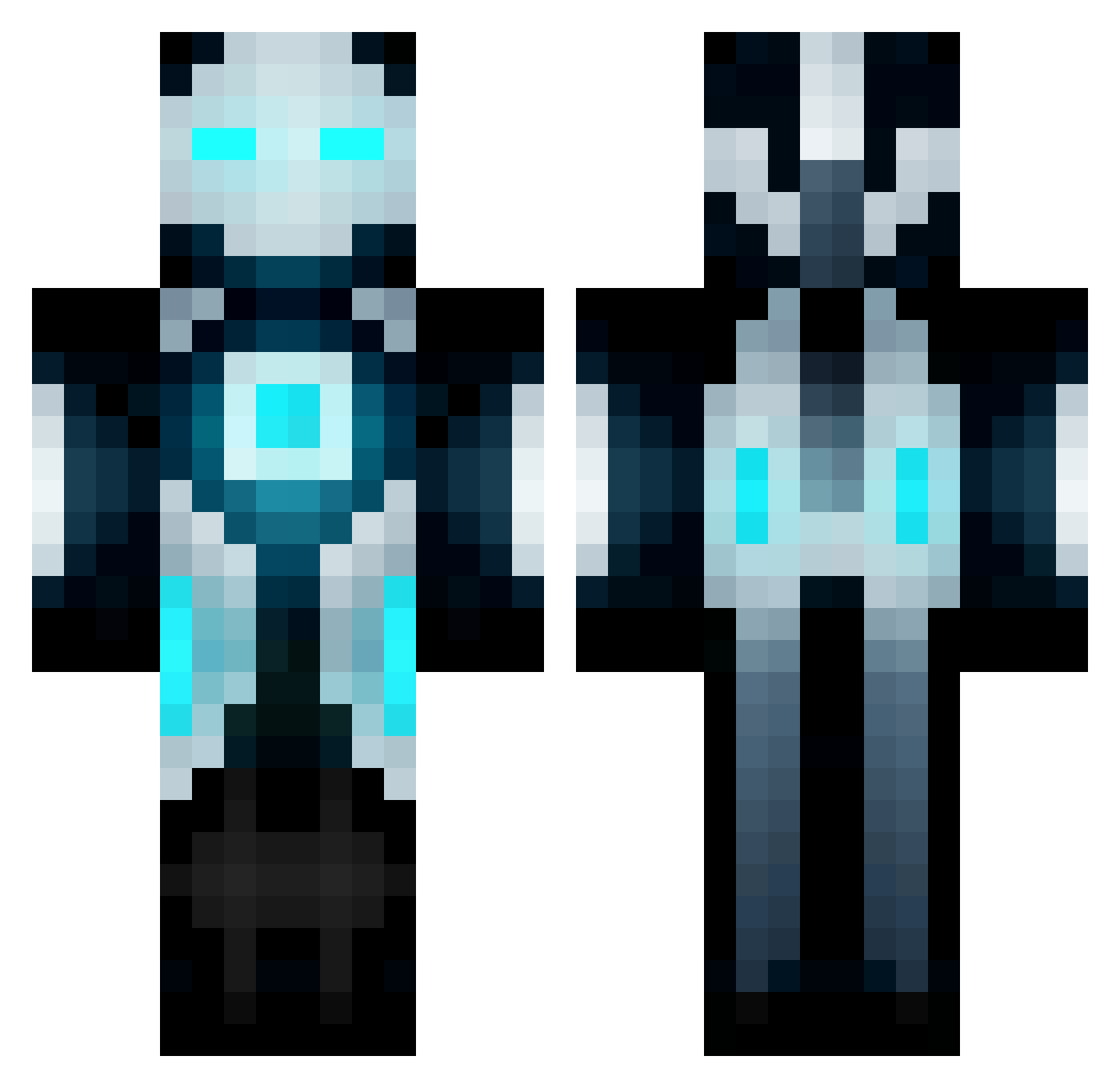
Current Minecraft skin of the player breekmendeuropen, loaded from the official Mojang API. Rotate the 3D model with your mouse or finger, then download the skin as a PNG file and use it in Minecraft: Bedrock Edition or Java Edition for free. When breekmendeuropen changes their skin, this page updates automatically and the old skin stays in the history below.
Other players with this skin (655)
breekmendeuropen was the 565th player we have seen with this skin, first spotted on 23.10.2026. The same skin was seen on these players. Open a nickname to see their current skin and skin history.
 Datguy21 pongar Spiriscorp Azuzu22 Wolfwarrior02 ll_NeO_ll patriot14 storage_account Qek88 monster8142 CammyNield97 whiteballoon Blackgold211 Dastillion 77celtics Django_Fandango Fable_900 CAPTAIN_GOTENKS Black_Humour joshyy97 YakuzaOps jellydonat123 Oocca_Truth Cairawr LocalLut MaltaFTW Rejoiced zack_hedblom Addison_T Panthro1 Zacman69 MaksDevil MilkMan069 krembo thecraftshow Trent58 UnstopablePvper DannFunx weltybox xQuepa DLA201113 Mimphus_99 SystemFailurePT theothe7king Adham_2002 BlockBuilder097 zephyr97 AustonWheels tron2006 Backlash19 CadeMedema88 The_Hummingbird Lin_Xiao_4 Cker Outside_world Khan80772 Chaserr98 Serp57 Ammo987 zachepp
More Futuristic Minecraft skins
How to install the breekmendeuropen skin
- Press the Download button above to save the skin as a PNG file.
- Minecraft: Bedrock Edition (PE): open the Dressing Room from the main menu (or tap your character → Edit Character), go to Classic Skins → Owned, press the + (new skin) button, choose the downloaded PNG and pick the Classic (Steve) model. Works on PC and mobile; consoles cannot import custom skins.
- Minecraft: Java Edition: open the Minecraft Launcher, go to the Skins tab, click New Skin, load the PNG, pick the Classic (Steve) model and press Save & Use. You can also upload it at minecraft.net → Profile → Change Skin.
The skin does not show up after import - what should I do?
Restart Minecraft and open the Dressing Room again - imported skins sometimes appear only after a restart. Also make sure you selected the imported skin and picked the Classic (Steve) model.
Which model should I choose, Classic or Slim?
This skin is designed for the Classic (Steve) model. If you pick the wrong model, the arms of the skin will look stretched or squeezed.
Is the skin of breekmendeuropen free to download?
Yes. Press Download, save the PNG file and use it in Minecraft: Bedrock Edition or Java Edition - no payment or registration needed. The skin also works on multiplayer servers and Realms.
More skins
Looking for more? Go back to all Minecraft skins and check the top skins of the week, month and all time, or find any player's skin by nickname.