
boujeebea - Minecraft Skins & Skin History
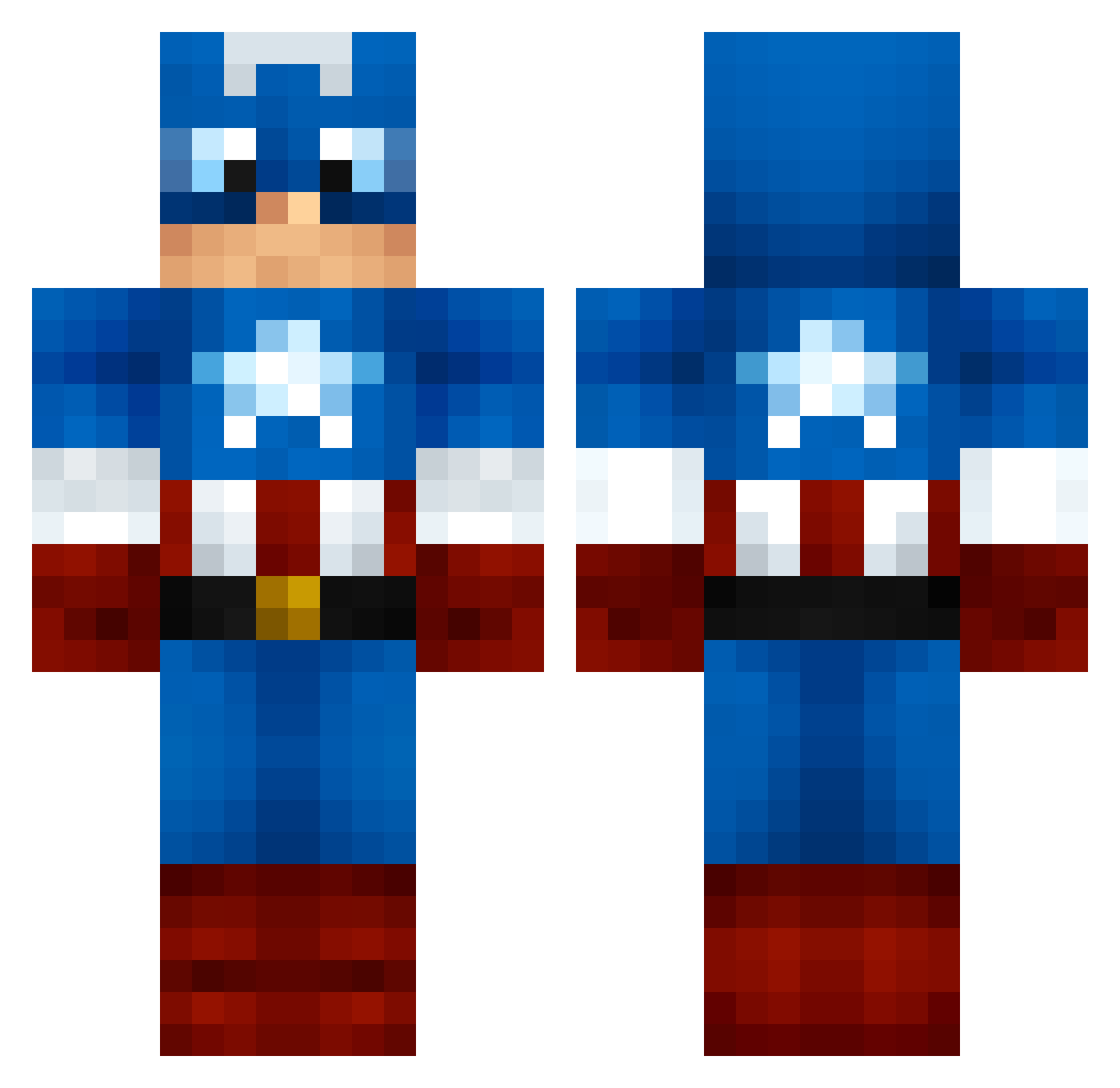
Current Minecraft skin of the player boujeebea, loaded from the official Mojang API. Rotate the 3D model with your mouse or finger, then download the skin as a PNG file and use it in Minecraft: Bedrock Edition or Java Edition for free. When boujeebea changes their skin, this page updates automatically and the old skin stays in the history below.
Other players with this skin (999)
boujeebea was the 17th player we have seen with this skin, first spotted on 23.07.2026. The same skin was seen on these players. Open a nickname to see their current skin and skin history.
 MolloXx chunkymayo YaBoyWalka Steelbuckets Cirexx PCrabz JDPMac saintluccii yNono Sketchycriminal WOLFVR Exo_May MrFapple littlesun0240 Slendr1x McVizzy CHeckaRad17 Poeddel DarBear525 Gold_Penguins PhillyCheese15 Cherry_Boy_ Piaulin erif13_ thibaudB TheGuardians32 AwesomeMax99 toofastmike cooledjay5i FBaran xdmateuszdx BNminecraft12 IvTTerVix CrazyFanboy101 Woodyv Avorian89 UNIpopplewell99 apriljoke doubleagentzero Lumberjack37 basketbeast111 Just_Kobe11 Texazmade23 yarnalchemist adrianolko Simon_4205 MaileyMan MigoTrio KingCubano yb123 MichMan44 barrington10 Heartache Willi265 taeho9 WanderlingHD eymir_77 Stinjo cojo7 ColbyJack
More Captain America Minecraft skins
See all 147 Captain America skins
How to install the boujeebea skin
- Press the Download button above to save the skin as a PNG file.
- Minecraft: Bedrock Edition (PE): open the Dressing Room from the main menu (or tap your character → Edit Character), go to Classic Skins → Owned, press the + (new skin) button, choose the downloaded PNG and pick the Classic (Steve) model. Works on PC and mobile; consoles cannot import custom skins.
- Minecraft: Java Edition: open the Minecraft Launcher, go to the Skins tab, click New Skin, load the PNG, pick the Classic (Steve) model and press Save & Use. You can also upload it at minecraft.net → Profile → Change Skin.
The skin does not show up after import - what should I do?
Restart Minecraft and open the Dressing Room again - imported skins sometimes appear only after a restart. Also make sure you selected the imported skin and picked the Classic (Steve) model.
Which model should I choose, Classic or Slim?
This skin is designed for the Classic (Steve) model. If you pick the wrong model, the arms of the skin will look stretched or squeezed.
Is the skin of boujeebea free to download?
Yes. Press Download, save the PNG file and use it in Minecraft: Bedrock Edition or Java Edition - no payment or registration needed. The skin also works on multiplayer servers and Realms.
More skins
Looking for more? Go back to all Minecraft skins and check the top skins of the week, month and all time, or find any player's skin by nickname.