
bogeyedbill - Minecraft Skins & Skin History
Current Minecraft skin of the player bogeyedbill, loaded from the official Mojang API. Rotate the 3D model with your mouse or finger, then download the skin as a PNG file and use it in Minecraft: Bedrock Edition or Java Edition for free. When bogeyedbill changes their skin, this page updates automatically and the old skin stays in the history below.
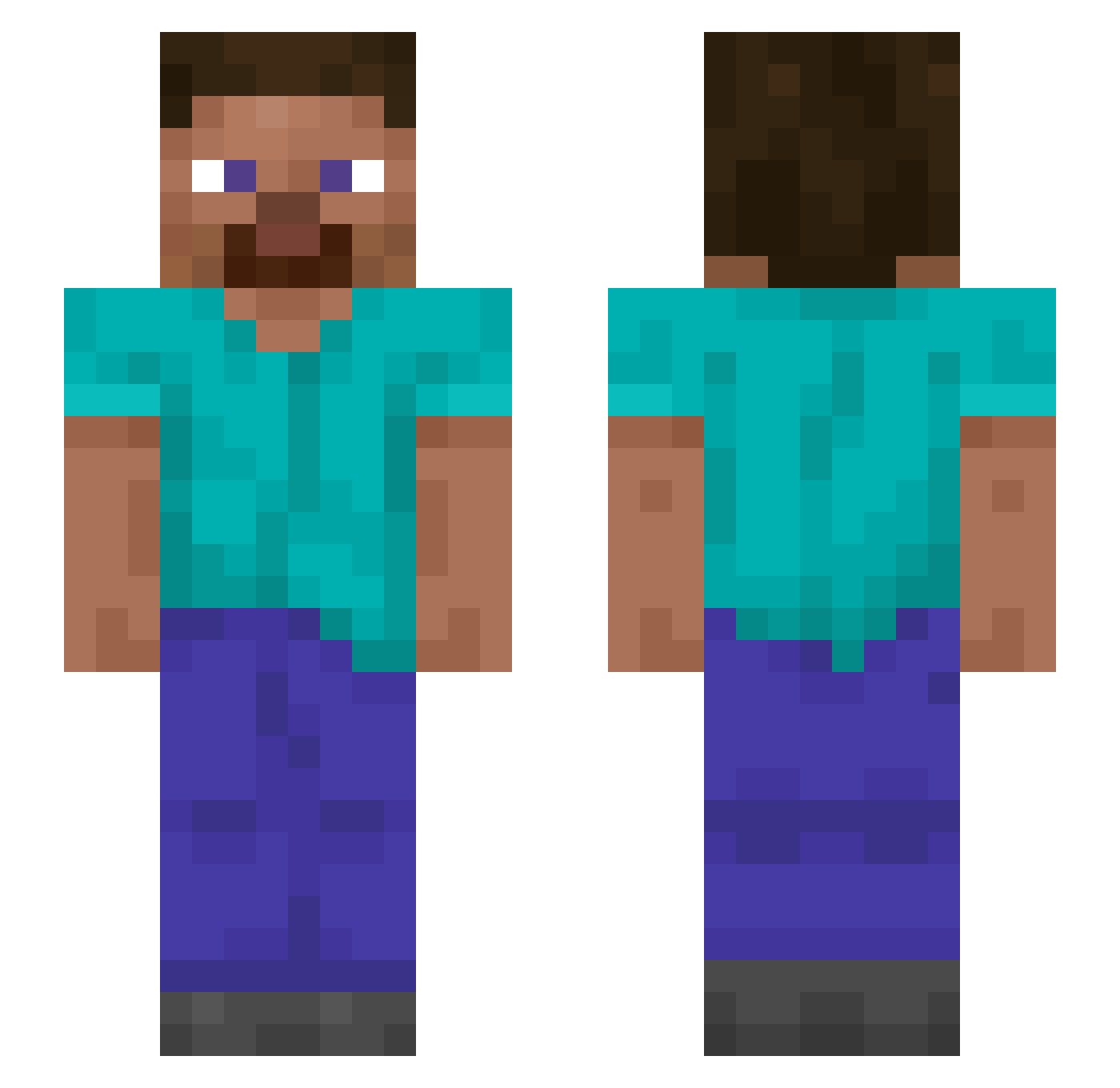
Other players with this skin (1313)
bogeyedbill was the 847th player we have seen with this skin, first spotted on 03.10.2026. The same skin was seen on these players. Open a nickname to see their current skin and skin history.
 theso1oist BlueJichi kayman4 PumpkinPi5 Skibidi_rizler69 Preordinance RustePro666 OxTongue Chunkydumb Biebermann004 Willash1997 oxide LeanderHenriks1 RedRoninR goopysack69 Sidoney Totem_Irha Isolde Pisote ArthurTekashi DrHoneyBadgerLK lavi_3000 pphehe Blu2011 blueranium joebidenreal2024 Trek1906 Enoziken unrealized Kick minedpeache Disformed linearly Seigneurs Unstruck 8HugSSM nnnjoy TV_Bot gledy _Chazza Mizugachette Lymphogranuloma Unshoveled Schniedelwuzzi99 ZXCV_ZX Sebaselnoob123 xMockingJay CasinoBuddyy MaDrilla69 Upfolds Uncomfortable_ Skidway PPyounglad_ dennis225 Wiktorxd123 Elemtael Barney67 Claro GhostRaze_ NukeSon
How to install the bogeyedbill skin
- Press the Download button above to save the skin as a PNG file.
- Minecraft: Bedrock Edition (PE): open the Dressing Room from the main menu (or tap your character → Edit Character), go to Classic Skins → Owned, press the + (new skin) button, choose the downloaded PNG and pick the Slim (Alex) model. Works on PC and mobile; consoles cannot import custom skins.
- Minecraft: Java Edition: open the Minecraft Launcher, go to the Skins tab, click New Skin, load the PNG, pick the Slim (Alex) model and press Save & Use. You can also upload it at minecraft.net → Profile → Change Skin.
The skin does not show up after import - what should I do?
Restart Minecraft and open the Dressing Room again - imported skins sometimes appear only after a restart. Also make sure you selected the imported skin and picked the Slim (Alex) model.
Which model should I choose, Classic or Slim?
This skin is designed for the Slim (Alex) model. If you pick the wrong model, the arms of the skin will look stretched or squeezed.
Is the skin of bogeyedbill free to download?
Yes. Press Download, save the PNG file and use it in Minecraft: Bedrock Edition or Java Edition - no payment or registration needed. The skin also works on multiplayer servers and Realms.
More skins
Looking for more? Go back to all Minecraft skins and check the top skins of the week, month and all time, or find any player's skin by nickname.