
bobgerts - Minecraft Skins & Skin History
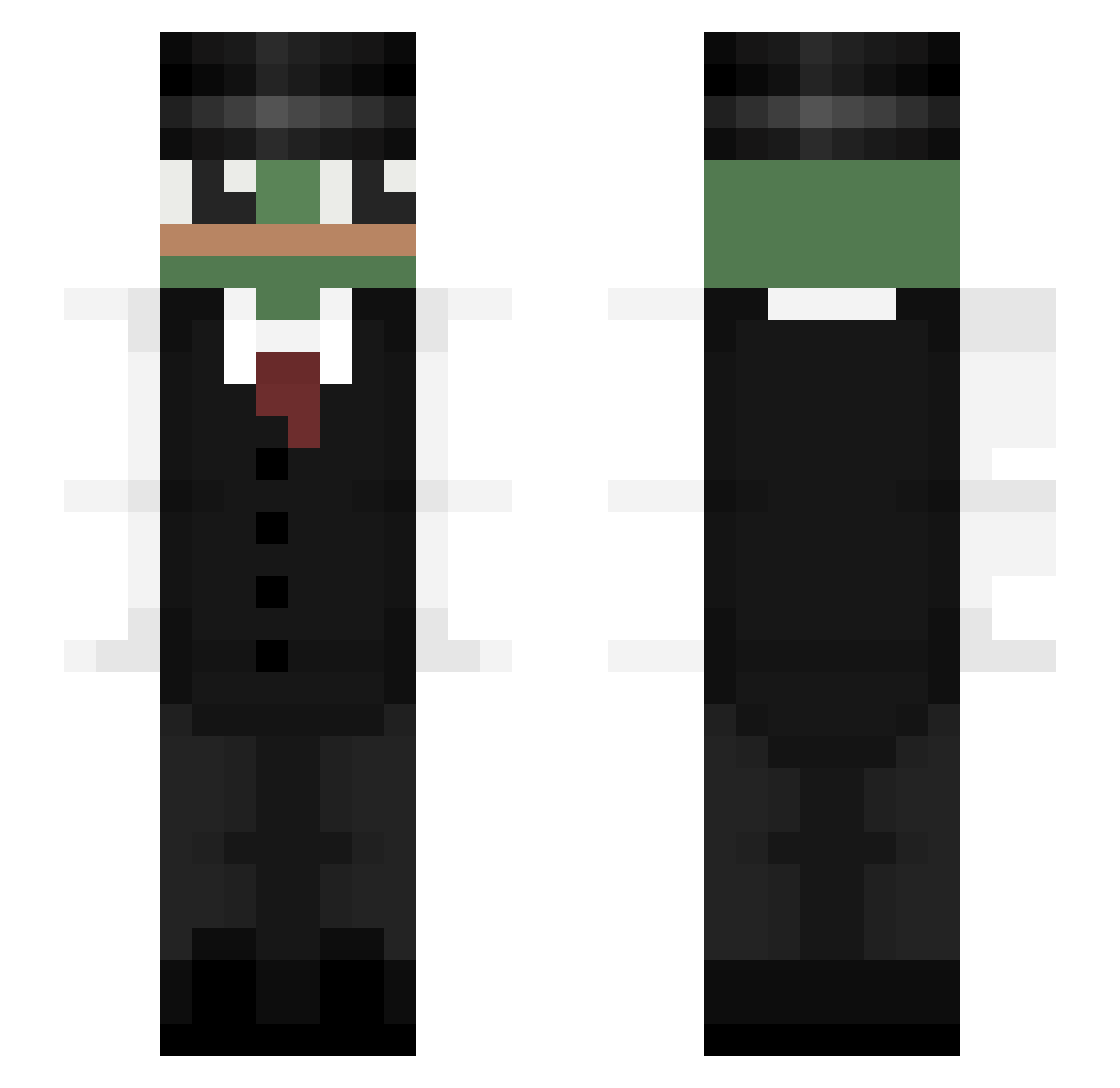
Current Minecraft skin of the player bobgerts, loaded from the official Mojang API. Rotate the 3D model with your mouse or finger, then download the skin as a PNG file and use it in Minecraft: Bedrock Edition or Java Edition for free. When bobgerts changes their skin, this page updates automatically and the old skin stays in the history below.
Other players with this skin (323)
bobgerts was the 246th player we have seen with this skin, first spotted on 10.10.2026. The same skin was seen on these players. Open a nickname to see their current skin and skin history.
 Fxceless_Trees trashtroll22 littlestar4ever Misp Wippekk PetrikStar mastah7991 Zaba221 Bespreyer 0708day CLEITINDAPITUBA VeruFaruu 28lqx Axderino PUPLAP n3wko Elcreatix Pepe_G __COBRA_ Xanderbuddyy miglol1m DekoWWW Nauw Olsssssss Jaq2283 Guiproiug xx_alperen_xx SevenSeventy lynx1llya CALIA2868 PepeArgento24 Jacuboo Klagust Paylex__ krovocic9 umberone1 iAstrxo leolabricot AGuyWithOneLung ja015 Rokkstarr Cha_Rospo Zipsss_ Troyza_01 Kacperro17 BorixonGames Lellyx PepeLePew11 BarbeBrousse Mon_Siege simon823456 lTweakl imBiibo Freneo ItsLuuh kiminjik1204 Koper1 Henriquejsd Spiner1303 PastryChef87
More Pepe Minecraft skins
How to install the bobgerts skin
- Press the Download button above to save the skin as a PNG file.
- Minecraft: Bedrock Edition (PE): open the Dressing Room from the main menu (or tap your character → Edit Character), go to Classic Skins → Owned, press the + (new skin) button, choose the downloaded PNG and pick the Slim (Alex) model. Works on PC and mobile; consoles cannot import custom skins.
- Minecraft: Java Edition: open the Minecraft Launcher, go to the Skins tab, click New Skin, load the PNG, pick the Slim (Alex) model and press Save & Use. You can also upload it at minecraft.net → Profile → Change Skin.
The skin does not show up after import - what should I do?
Restart Minecraft and open the Dressing Room again - imported skins sometimes appear only after a restart. Also make sure you selected the imported skin and picked the Slim (Alex) model.
Which model should I choose, Classic or Slim?
This skin is designed for the Slim (Alex) model. If you pick the wrong model, the arms of the skin will look stretched or squeezed.
Is the skin of bobgerts free to download?
Yes. Press Download, save the PNG file and use it in Minecraft: Bedrock Edition or Java Edition - no payment or registration needed. The skin also works on multiplayer servers and Realms.
More skins
Looking for more? Go back to all Minecraft skins and check the top skins of the week, month and all time, or find any player's skin by nickname.