
bobamem - Minecraft Skins & Skin History
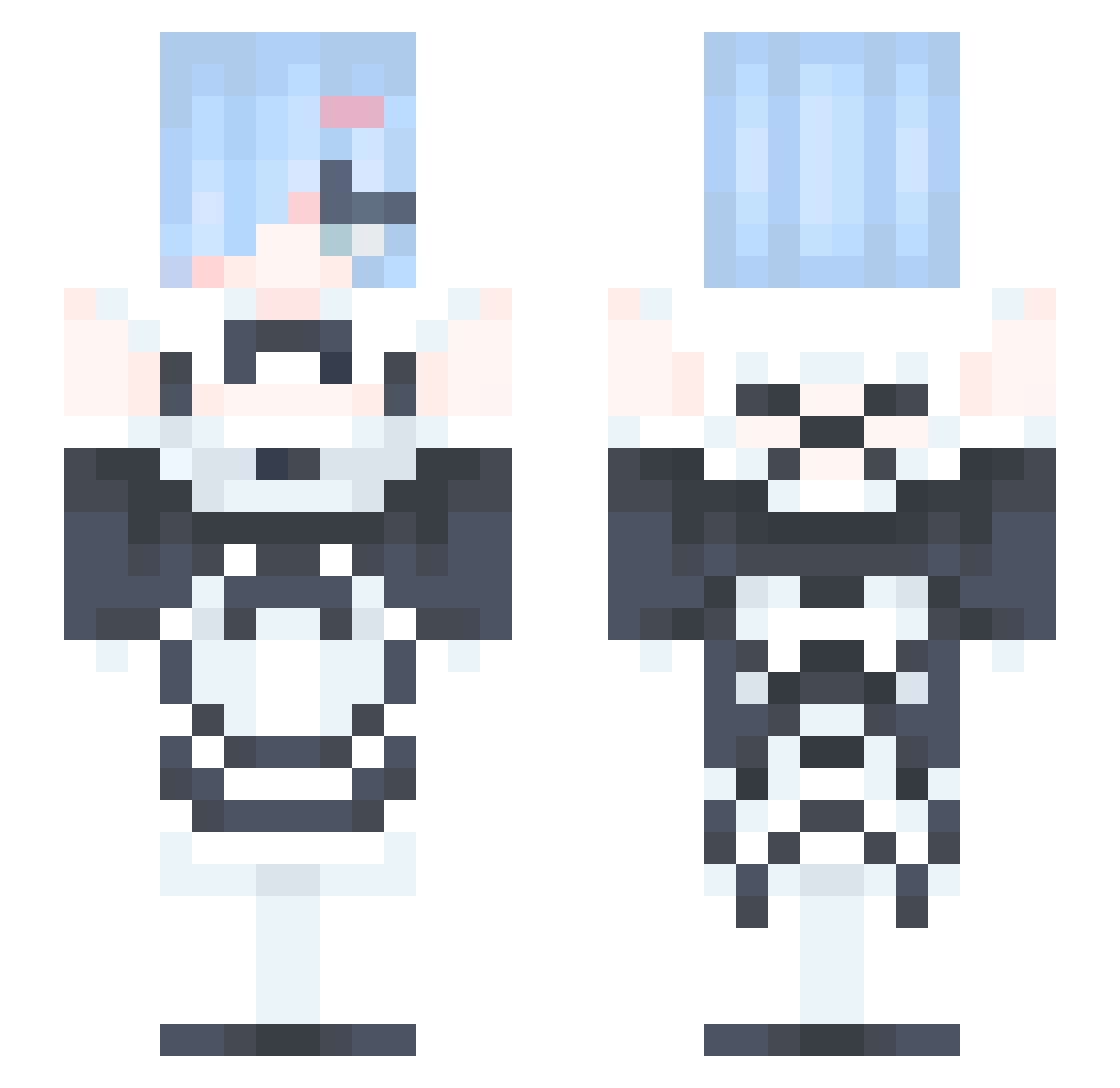
Current Minecraft skin of the player bobamem, loaded from the official Mojang API. Rotate the 3D model with your mouse or finger, then download the skin as a PNG file and use it in Minecraft: Bedrock Edition or Java Edition for free. When bobamem changes their skin, this page updates automatically and the old skin stays in the history below.
Other players with this skin (329)
bobamem was the 302nd player we have seen with this skin, first spotted on 18.10.2026. The same skin was seen on these players. Open a nickname to see their current skin and skin history.
 koreyoshine joowan200804 ZZVXC JoshuaxDwes MarzMyLove KAJUNE_ wofczc belzziwren Shi1i lilou42069 RabidSquishy Remlinlin YUIZANG skteg Liquiix nekogamer_gb LIYOO RO0__REM Rem__21 Isabellarhw Ghosthunter110 mmmmmmayo Rina_Arisugawa yun_seongj VioletDay1 JungkookUnicorn MrRicky_TW Urielkk EasyLove77 SSagagee Baschny StarBell1004 a_y_a_ WhosRemSrsl star_kun Giugia8 qingkongya_ stellaotn brokenhearttt RugZanny Andr00_ grassmon Ritorumizumi1118 adoreabbey Term_Noob PiercePP chaechuu Yeah_Perdonen bicuis zuimeng14 Rhccnl dadarush PeterWong718 darulord Kubra569 Ericrice _Kinax_ gumbatroopa sinbbang Hiyorem
More Rem Minecraft skins
How to install the bobamem skin
- Press the Download button above to save the skin as a PNG file.
- Minecraft: Bedrock Edition (PE): open the Dressing Room from the main menu (or tap your character → Edit Character), go to Classic Skins → Owned, press the + (new skin) button, choose the downloaded PNG and pick the Slim (Alex) model. Works on PC and mobile; consoles cannot import custom skins.
- Minecraft: Java Edition: open the Minecraft Launcher, go to the Skins tab, click New Skin, load the PNG, pick the Slim (Alex) model and press Save & Use. You can also upload it at minecraft.net → Profile → Change Skin.
The skin does not show up after import - what should I do?
Restart Minecraft and open the Dressing Room again - imported skins sometimes appear only after a restart. Also make sure you selected the imported skin and picked the Slim (Alex) model.
Which model should I choose, Classic or Slim?
This skin is designed for the Slim (Alex) model. If you pick the wrong model, the arms of the skin will look stretched or squeezed.
Is the skin of bobamem free to download?
Yes. Press Download, save the PNG file and use it in Minecraft: Bedrock Edition or Java Edition - no payment or registration needed. The skin also works on multiplayer servers and Realms.
More skins
Looking for more? Go back to all Minecraft skins and check the top skins of the week, month and all time, or find any player's skin by nickname.