
blxtzu - Minecraft Skins & Skin History
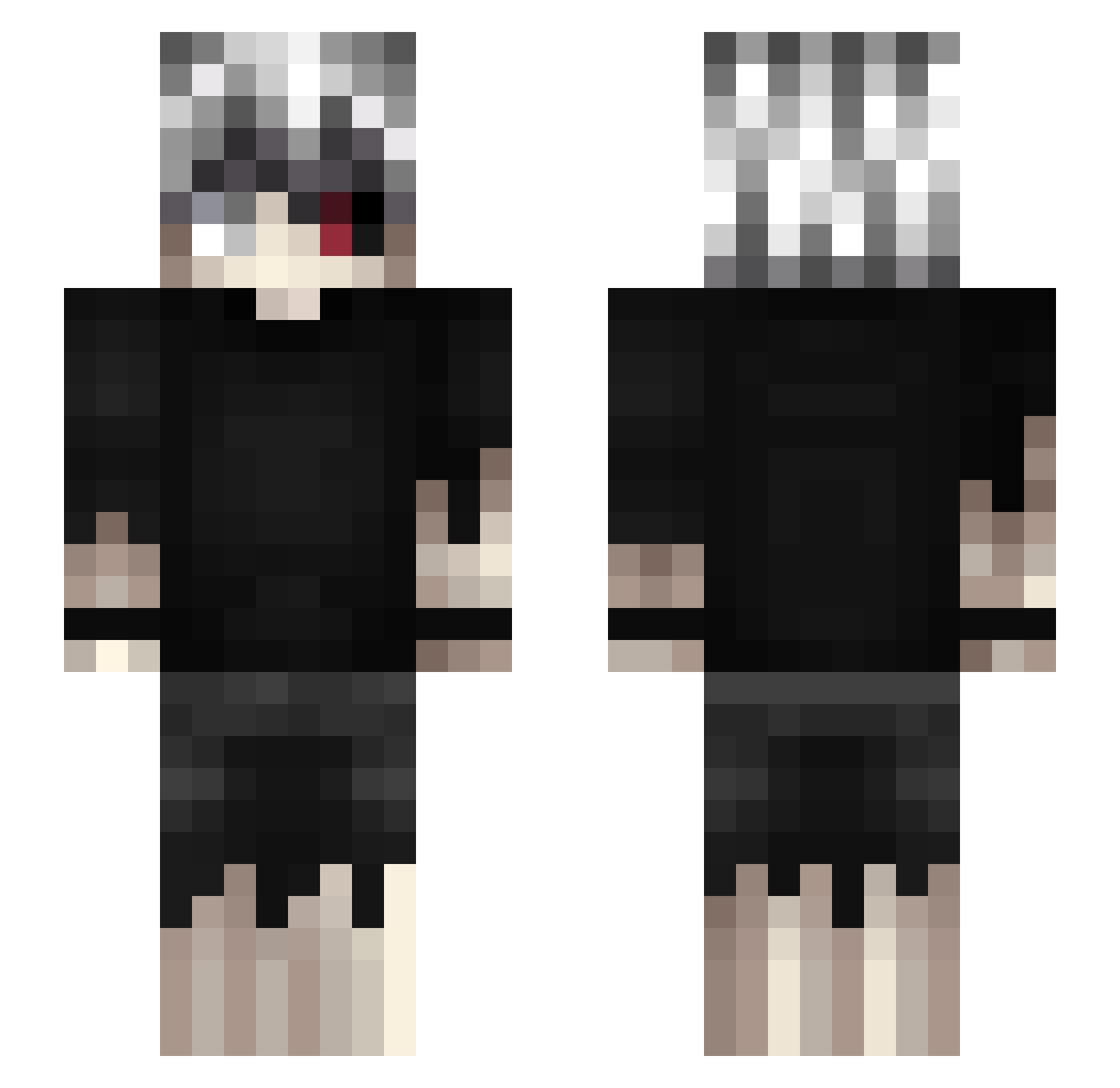
Current Minecraft skin of the player blxtzu, loaded from the official Mojang API. Rotate the 3D model with your mouse or finger, then download the skin as a PNG file and use it in Minecraft: Bedrock Edition or Java Edition for free. When blxtzu changes their skin, this page updates automatically and the old skin stays in the history below.
Other players with this skin (462)
blxtzu was the 372nd player we have seen with this skin, first spotted on 15.10.2026. The same skin was seen on these players. Open a nickname to see their current skin and skin history.
 vargabnc VoidLupus KgAa_Dz inwazjakomornika Yarikuzo Ramis2007 pikabu86 jahaba antiqueghoul _Fairyy miigou ultimate2010 Kelen231 ChrxsS2K DijLJ danechka2009 NyxValentine alcaamado arslanyigit Roanokke Manfel4k Dxmienn Kessil8 Lukeiria unholyist TawSword PingXiaoPo Natacha766 RaGeQuiT04 Hipp00 Ha1sha bobZghoul NIKEZEBI34 UwUXDUwU DeaDLinfa ArkroWith2Tb TryHarder6 bigSVLOL Kaluta Tzeion Danblf Ayrox1_ KenZaras Kaelneki naoki0707 H1d3k1 ukSery okizeme_ KaanLuiz Nblsheng DukeOfCupCakes jaramun morhuhn Yuzii157 FalseLuvv Gr8Greeen Takashy Kaizenxrdd KingLuc1fer filyaq
More Kaneki Ken Minecraft skins
How to install the blxtzu skin
- Press the Download button above to save the skin as a PNG file.
- Minecraft: Bedrock Edition (PE): open the Dressing Room from the main menu (or tap your character → Edit Character), go to Classic Skins → Owned, press the + (new skin) button, choose the downloaded PNG and pick the Slim (Alex) model. Works on PC and mobile; consoles cannot import custom skins.
- Minecraft: Java Edition: open the Minecraft Launcher, go to the Skins tab, click New Skin, load the PNG, pick the Slim (Alex) model and press Save & Use. You can also upload it at minecraft.net → Profile → Change Skin.
The skin does not show up after import - what should I do?
Restart Minecraft and open the Dressing Room again - imported skins sometimes appear only after a restart. Also make sure you selected the imported skin and picked the Slim (Alex) model.
Which model should I choose, Classic or Slim?
This skin is designed for the Slim (Alex) model. If you pick the wrong model, the arms of the skin will look stretched or squeezed.
Is the skin of blxtzu free to download?
Yes. Press Download, save the PNG file and use it in Minecraft: Bedrock Edition or Java Edition - no payment or registration needed. The skin also works on multiplayer servers and Realms.
More skins
Looking for more? Go back to all Minecraft skins and check the top skins of the week, month and all time, or find any player's skin by nickname.