
bluedrhjhjhj - Minecraft Skins & Skin History
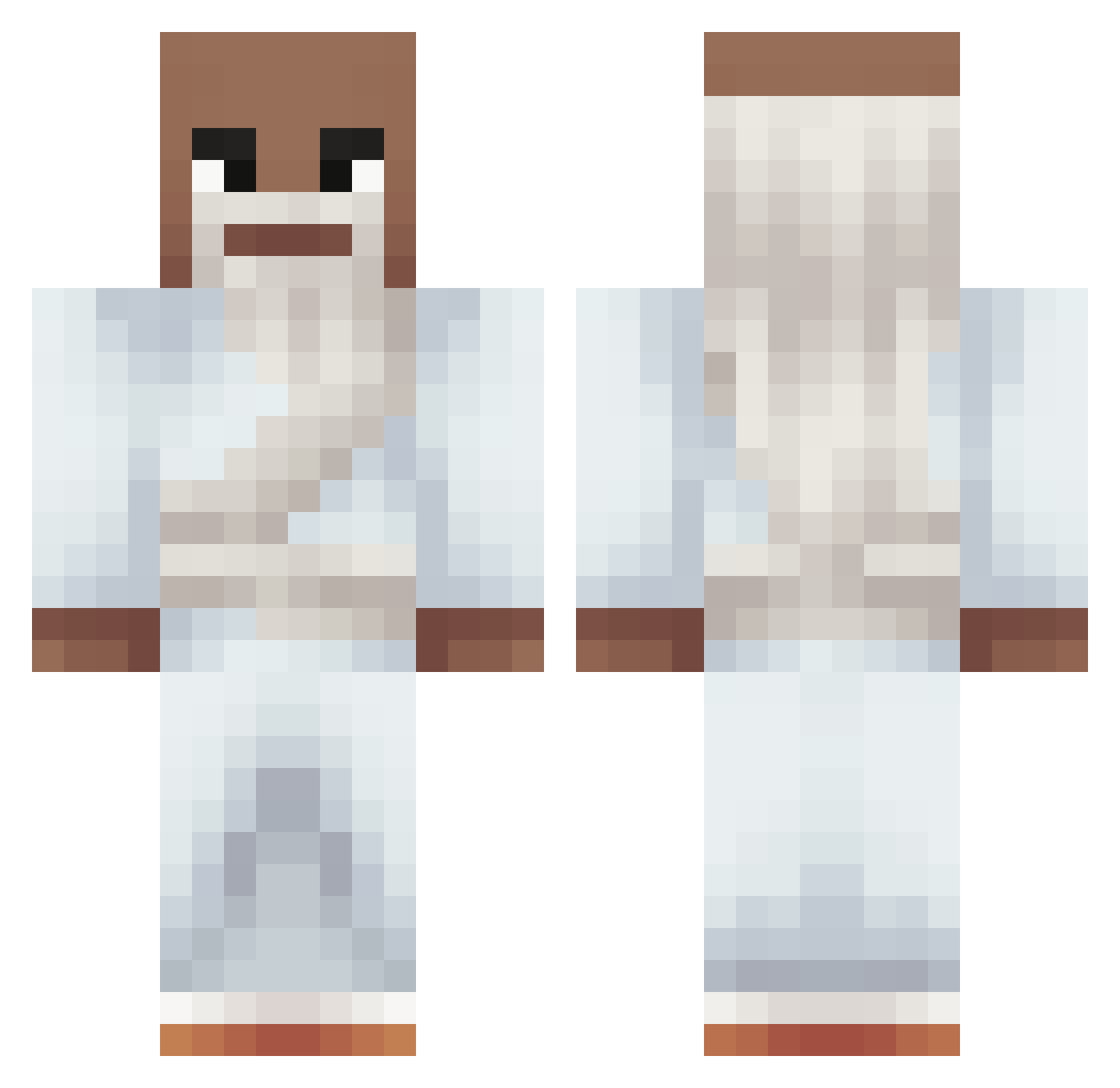
Current Minecraft skin of the player bluedrhjhjhj, loaded from the official Mojang API. Rotate the 3D model with your mouse or finger, then download the skin as a PNG file and use it in Minecraft: Bedrock Edition or Java Edition for free. When bluedrhjhjhj changes their skin, this page updates automatically and the old skin stays in the history below.
Other players with this skin (321)
bluedrhjhjhj was the 285th player we have seen with this skin, first spotted on 06.11.2026. The same skin was seen on these players. Open a nickname to see their current skin and skin history.
 crooz67 Aerobe FunTimeDony pavolinobm puka_duka Shonlockon _MaszKaplice DirtLord10 Zorzone Littel_Slav Jan_lp10 frances3000 Karacho83 Xytraa Hik3rii Rodo_Garcia Jimmer442 7Cefre7 XDjao lowtaper12 Rgb_gamer1 DamienDoink FlixntXD Faeldias M1lk_01 LucaWatamu Ninjaxx11 Loot_Logic Mitsuha_Bami xenqox Erick1126 Caterkk fartem234 IceDragon2913 Kevingki007 BlackCrimes WaffledFry KING_PHOENIX bubbleslover17 CarstenCrack JAMMM27 Esnen Stormmm_ ooziness Snez_ DecayedMoth xXXPatrick69XXx Benicioota BRuH8hp EluDaBest KARTER_228 kDino18 Tipoooo AncymonLufa SenkoAkame LuisEU_ Habtamu_ RGT070 052_ dragonneru
More Prophet Minecraft skins
How to install the bluedrhjhjhj skin
- Press the Download button above to save the skin as a PNG file.
- Minecraft: Bedrock Edition (PE): open the Dressing Room from the main menu (or tap your character → Edit Character), go to Classic Skins → Owned, press the + (new skin) button, choose the downloaded PNG and pick the Classic (Steve) model. Works on PC and mobile; consoles cannot import custom skins.
- Minecraft: Java Edition: open the Minecraft Launcher, go to the Skins tab, click New Skin, load the PNG, pick the Classic (Steve) model and press Save & Use. You can also upload it at minecraft.net → Profile → Change Skin.
The skin does not show up after import - what should I do?
Restart Minecraft and open the Dressing Room again - imported skins sometimes appear only after a restart. Also make sure you selected the imported skin and picked the Classic (Steve) model.
Which model should I choose, Classic or Slim?
This skin is designed for the Classic (Steve) model. If you pick the wrong model, the arms of the skin will look stretched or squeezed.
Is the skin of bluedrhjhjhj free to download?
Yes. Press Download, save the PNG file and use it in Minecraft: Bedrock Edition or Java Edition - no payment or registration needed. The skin also works on multiplayer servers and Realms.
More skins
Looking for more? Go back to all Minecraft skins and check the top skins of the week, month and all time, or find any player's skin by nickname.