
blazercvx - Minecraft Skins & Skin History
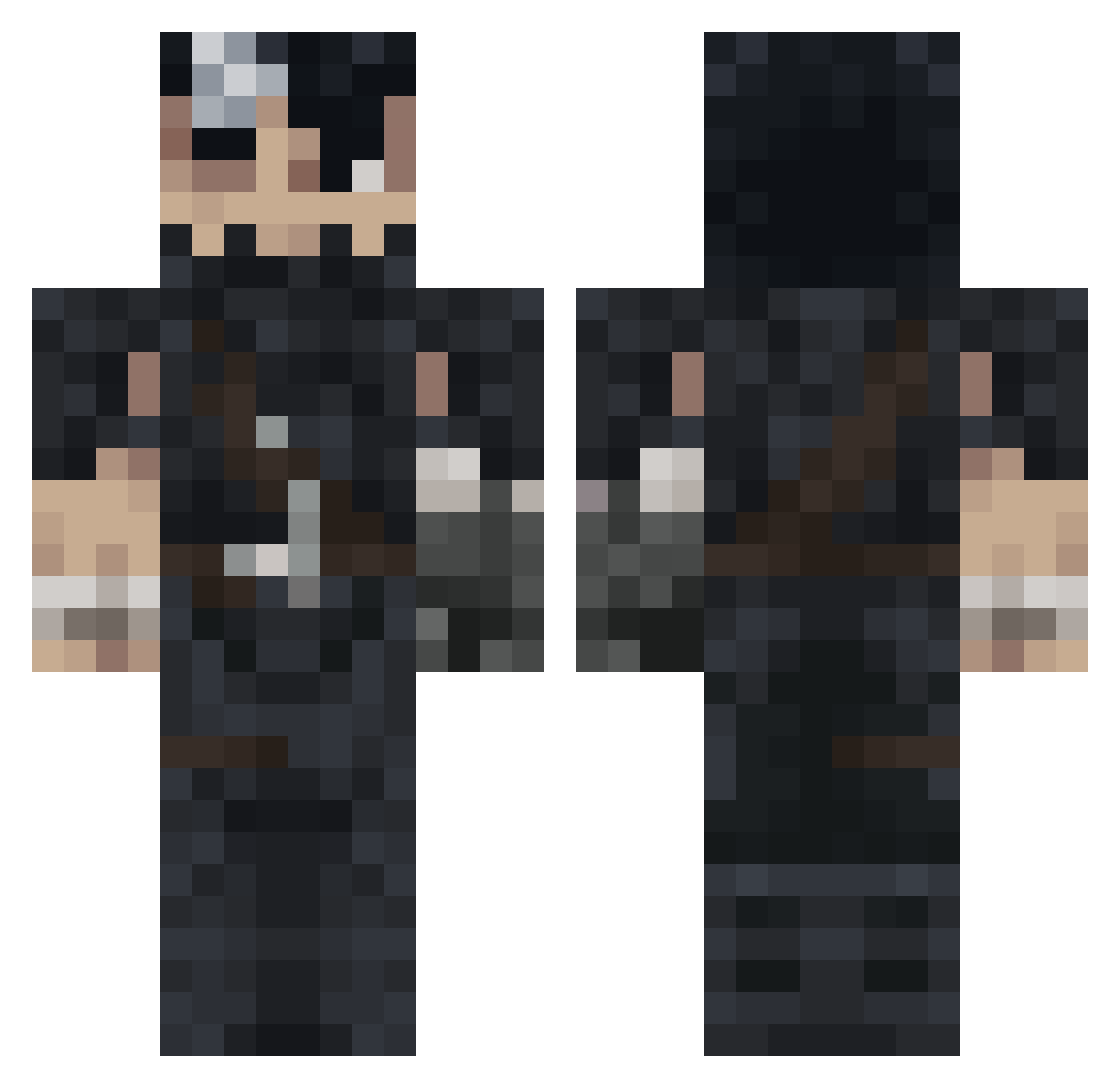
Current Minecraft skin of the player blazercvx, loaded from the official Mojang API. Rotate the 3D model with your mouse or finger, then download the skin as a PNG file and use it in Minecraft: Bedrock Edition or Java Edition for free. When blazercvx changes their skin, this page updates automatically and the old skin stays in the history below.
Other players with this skin (992)
blazercvx was the 839th player we have seen with this skin, first spotted on 18.10.2026. The same skin was seen on these players. Open a nickname to see their current skin and skin history.
 MelanieSenpai SirTorbenDrake Chidorigafuchi Jamsext Citric0 Victoche _Haridade MeteKaanG blob137 TheBerserk3er805 Soulfurabi BlockyDoggy kuroikenshi21 Dbombr bblacc19 LakiTop HarryOe1 Athas_233 M4RQU3Ss __Guts HarikenLaLegende JoaEspi AlyMeteFofo sant112 Valkear YisusMc farkXz drElahi_Qhomshei Cavi2323 rnbcrew BoxedInCrab Nindos123 FftyShadesOfRay leAdam69 KaboomBoy Berserkrrr yehyy Acil1234 Mouse129 Enerat Treeforlife2 BroadCatcherCar Tigerfang1125 MythicalS5 xhoufya ExoDius maciek12345__ DOODIE_LO noLizr Hillary1221 CrystalAspect Fungus_Evolved Tkomas V1gil4nt3 TakeMySkillz wetilol senzodd Tayko42 bahocu FadoxTV
More Guts Minecraft skins
How to install the blazercvx skin
- Press the Download button above to save the skin as a PNG file.
- Minecraft: Bedrock Edition (PE): open the Dressing Room from the main menu (or tap your character → Edit Character), go to Classic Skins → Owned, press the + (new skin) button, choose the downloaded PNG and pick the Classic (Steve) model. Works on PC and mobile; consoles cannot import custom skins.
- Minecraft: Java Edition: open the Minecraft Launcher, go to the Skins tab, click New Skin, load the PNG, pick the Classic (Steve) model and press Save & Use. You can also upload it at minecraft.net → Profile → Change Skin.
The skin does not show up after import - what should I do?
Restart Minecraft and open the Dressing Room again - imported skins sometimes appear only after a restart. Also make sure you selected the imported skin and picked the Classic (Steve) model.
Which model should I choose, Classic or Slim?
This skin is designed for the Classic (Steve) model. If you pick the wrong model, the arms of the skin will look stretched or squeezed.
Is the skin of blazercvx free to download?
Yes. Press Download, save the PNG file and use it in Minecraft: Bedrock Edition or Java Edition - no payment or registration needed. The skin also works on multiplayer servers and Realms.
More skins
Looking for more? Go back to all Minecraft skins and check the top skins of the week, month and all time, or find any player's skin by nickname.