
blakey1 - Minecraft Skins & Skin History
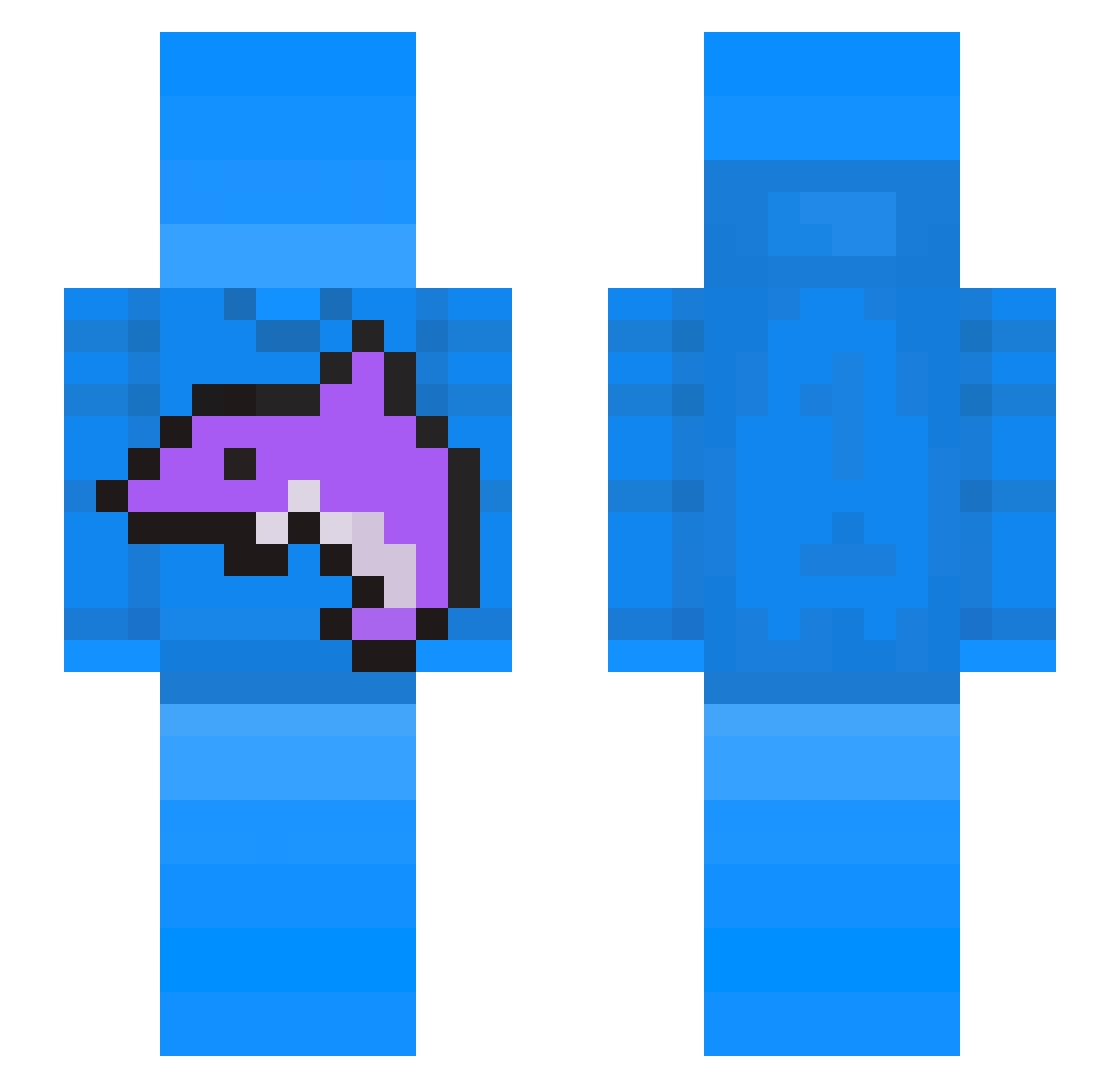
Current Minecraft skin of the player blakey1, loaded from the official Mojang API. Rotate the 3D model with your mouse or finger, then download the skin as a PNG file and use it in Minecraft: Bedrock Edition or Java Edition for free. When blakey1 changes their skin, this page updates automatically and the old skin stays in the history below.
Other players with this skin (77)
blakey1 was the 74th player we have seen with this skin, first spotted on 17.11.2026. The same skin was seen on these players. Open a nickname to see their current skin and skin history.
 JS7727 thefru78 snowyillvi realacrocyst Mega_Legend _H1CKER_ Itzkitt3 AleBal4 ToryNYMC Chungychungus LiusionZ Dol9hin QuinndeGOAT Michi_nz Frouzyyy density00x BlindedBot MOTAZCHAN Equotixx trxflopper BlockBoyLock The2ndWemmbu TheSkyAndSea _Oceanify AlexThebestt_ DarkRush_ l4nr carzerotwo civlwar65 sandyalexg1850 samabeenballin Aqu3a ottoess MalWasHere_ Gabid121 musket1 fearless_btw RxilRL Speedattack_ wolibl_ Dmro1 Clownpierce2016
 Otakibn
 cofurai Ka1Zan3
 FlamebirdMC heartxn der_eli_16 bhundaish
 ZXPHERRRR
 renrew2 PikatchuYT
 VSAR0311
 tjay1888
 JevuExtinct
 mantiskent
 imafanumtaxyou HamNote
 Horcsogi d4ario
More Dolphin Minecraft skins
How to install the blakey1 skin
- Press the Download button above to save the skin as a PNG file.
- Minecraft: Bedrock Edition (PE): open the Dressing Room from the main menu (or tap your character → Edit Character), go to Classic Skins → Owned, press the + (new skin) button, choose the downloaded PNG and pick the Slim (Alex) model. Works on PC and mobile; consoles cannot import custom skins.
- Minecraft: Java Edition: open the Minecraft Launcher, go to the Skins tab, click New Skin, load the PNG, pick the Slim (Alex) model and press Save & Use. You can also upload it at minecraft.net → Profile → Change Skin.
The skin does not show up after import - what should I do?
Restart Minecraft and open the Dressing Room again - imported skins sometimes appear only after a restart. Also make sure you selected the imported skin and picked the Slim (Alex) model.
Which model should I choose, Classic or Slim?
This skin is designed for the Slim (Alex) model. If you pick the wrong model, the arms of the skin will look stretched or squeezed.
Is the skin of blakey1 free to download?
Yes. Press Download, save the PNG file and use it in Minecraft: Bedrock Edition or Java Edition - no payment or registration needed. The skin also works on multiplayer servers and Realms.
More skins
Looking for more? Go back to all Minecraft skins and check the top skins of the week, month and all time, or find any player's skin by nickname.