
blackflagship - Minecraft Skins & Skin History
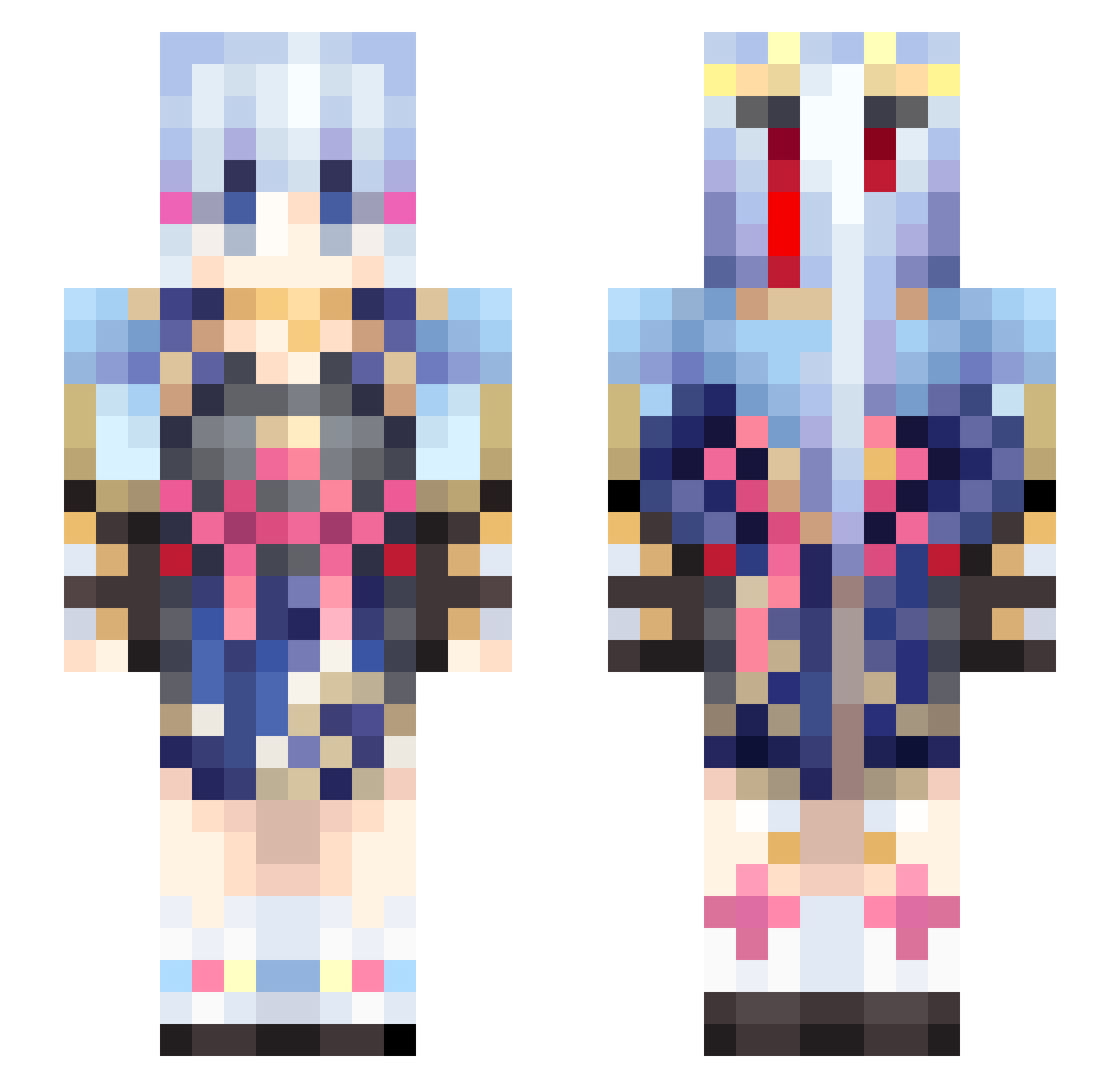
Current Minecraft skin of the player blackflagship, loaded from the official Mojang API. Rotate the 3D model with your mouse or finger, then download the skin as a PNG file and use it in Minecraft: Bedrock Edition or Java Edition for free. When blackflagship changes their skin, this page updates automatically and the old skin stays in the history below.
Other players with this skin (460)
blackflagship was the 298th player we have seen with this skin, first spotted on 01.10.2026. The same skin was seen on these players. Open a nickname to see their current skin and skin history.
 FigoLau1229 Louis20071012 yhtgg hkw1 wudixiaodong mozqu ModernaLime33767 Neeko806 YoN4_47 SupPeeps196 KamisatoAyaka_1 Yzynb66666 xianrenq Ayaka_san AxelsaixD VC_briant94 lhlhlhlhlh DesireRain __yunki__ Tapia15 Alexblaster L005 Sh4tteredMind MoonaRabbit DagonThron ruinzip Hydragonx Nekomao1016 beawtrixie shejp Dyca YuexK Tofus4n ouyuan some_kale HerobrineDoctor salmonryu SkrDiao ysksxy cheguan soup123321 sinon1456 WanZi432 YINAN12 Elysia612 Iluna13 Ayaka000 SoGTG ASEAN1210 kasutera1213 kemomimi1222 Yang_2024 Y00NN0NG MoscowMauler yukikk514 SO_NA_ BXWGJBGM__14 KeAiO_o OOOP_ Hahyell
More Kimono Minecraft skins
How to install the blackflagship skin
- Press the Download button above to save the skin as a PNG file.
- Minecraft: Bedrock Edition (PE): open the Dressing Room from the main menu (or tap your character → Edit Character), go to Classic Skins → Owned, press the + (new skin) button, choose the downloaded PNG and pick the Slim (Alex) model. Works on PC and mobile; consoles cannot import custom skins.
- Minecraft: Java Edition: open the Minecraft Launcher, go to the Skins tab, click New Skin, load the PNG, pick the Slim (Alex) model and press Save & Use. You can also upload it at minecraft.net → Profile → Change Skin.
The skin does not show up after import - what should I do?
Restart Minecraft and open the Dressing Room again - imported skins sometimes appear only after a restart. Also make sure you selected the imported skin and picked the Slim (Alex) model.
Which model should I choose, Classic or Slim?
This skin is designed for the Slim (Alex) model. If you pick the wrong model, the arms of the skin will look stretched or squeezed.
Is the skin of blackflagship free to download?
Yes. Press Download, save the PNG file and use it in Minecraft: Bedrock Edition or Java Edition - no payment or registration needed. The skin also works on multiplayer servers and Realms.
More skins
Looking for more? Go back to all Minecraft skins and check the top skins of the week, month and all time, or find any player's skin by nickname.