
blackbeard2006 - Minecraft Skins & Skin History
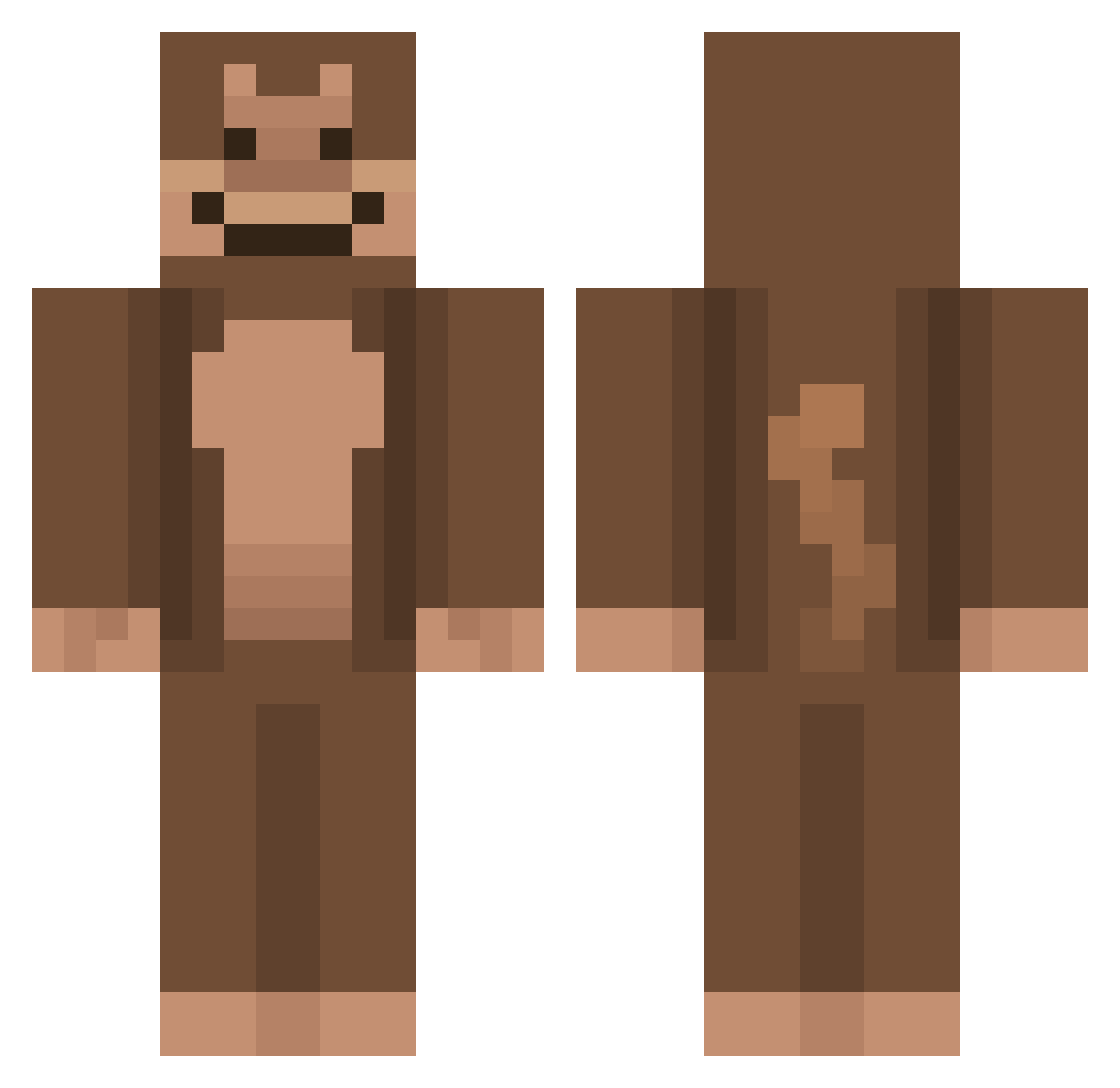
Current Minecraft skin of the player blackbeard2006, loaded from the official Mojang API. Rotate the 3D model with your mouse or finger, then download the skin as a PNG file and use it in Minecraft: Bedrock Edition or Java Edition for free. When blackbeard2006 changes their skin, this page updates automatically and the old skin stays in the history below.
Other players with this skin (926)
blackbeard2006 was the 770th player we have seen with this skin, first spotted on 04.11.2026. The same skin was seen on these players. Open a nickname to see their current skin and skin history.
 Sayote GamermonkeXD oberrrYT Neurotrifolo xspaceout NightsOni ale22 magssterr Brennan_12 Pravexil chimpfinn Ardee9 sebrilleabe Reinoa WoxBBox GreenPeaceTea funkymonkey848 ZinxLikes PoooDiePie DanteM0rningStar FunnykidsCME RIPJAN1 YOurHotUncle marsthemonkey TTV_Adubblees Fifonzzz tyfighter209 tale666 Blaeyek Lucaog21 lettucedad iiaammalvin Flozzix15 MeikyXD Banana36 BigSuccBoi69 OctoberrOF smejiap YupItsJosh LOTTERIA_ Gawronaut dabsavaque coco913 LYan_2007 Li0m_ cat317 starvipz Geekoq KW2XQ Lennardoc Chapinz _Chuy_ ApeMode_ SpaztasMonkey PrinceFamous TheThomik Spewert L4NE Bassssy HotdaugVoid
More Ape Minecraft skins
How to install the blackbeard2006 skin
- Press the Download button above to save the skin as a PNG file.
- Minecraft: Bedrock Edition (PE): open the Dressing Room from the main menu (or tap your character → Edit Character), go to Classic Skins → Owned, press the + (new skin) button, choose the downloaded PNG and pick the Classic (Steve) model. Works on PC and mobile; consoles cannot import custom skins.
- Minecraft: Java Edition: open the Minecraft Launcher, go to the Skins tab, click New Skin, load the PNG, pick the Classic (Steve) model and press Save & Use. You can also upload it at minecraft.net → Profile → Change Skin.
The skin does not show up after import - what should I do?
Restart Minecraft and open the Dressing Room again - imported skins sometimes appear only after a restart. Also make sure you selected the imported skin and picked the Classic (Steve) model.
Which model should I choose, Classic or Slim?
This skin is designed for the Classic (Steve) model. If you pick the wrong model, the arms of the skin will look stretched or squeezed.
Is the skin of blackbeard2006 free to download?
Yes. Press Download, save the PNG file and use it in Minecraft: Bedrock Edition or Java Edition - no payment or registration needed. The skin also works on multiplayer servers and Realms.
More skins
Looking for more? Go back to all Minecraft skins and check the top skins of the week, month and all time, or find any player's skin by nickname.