
blackaprout - Minecraft Skins & Skin History
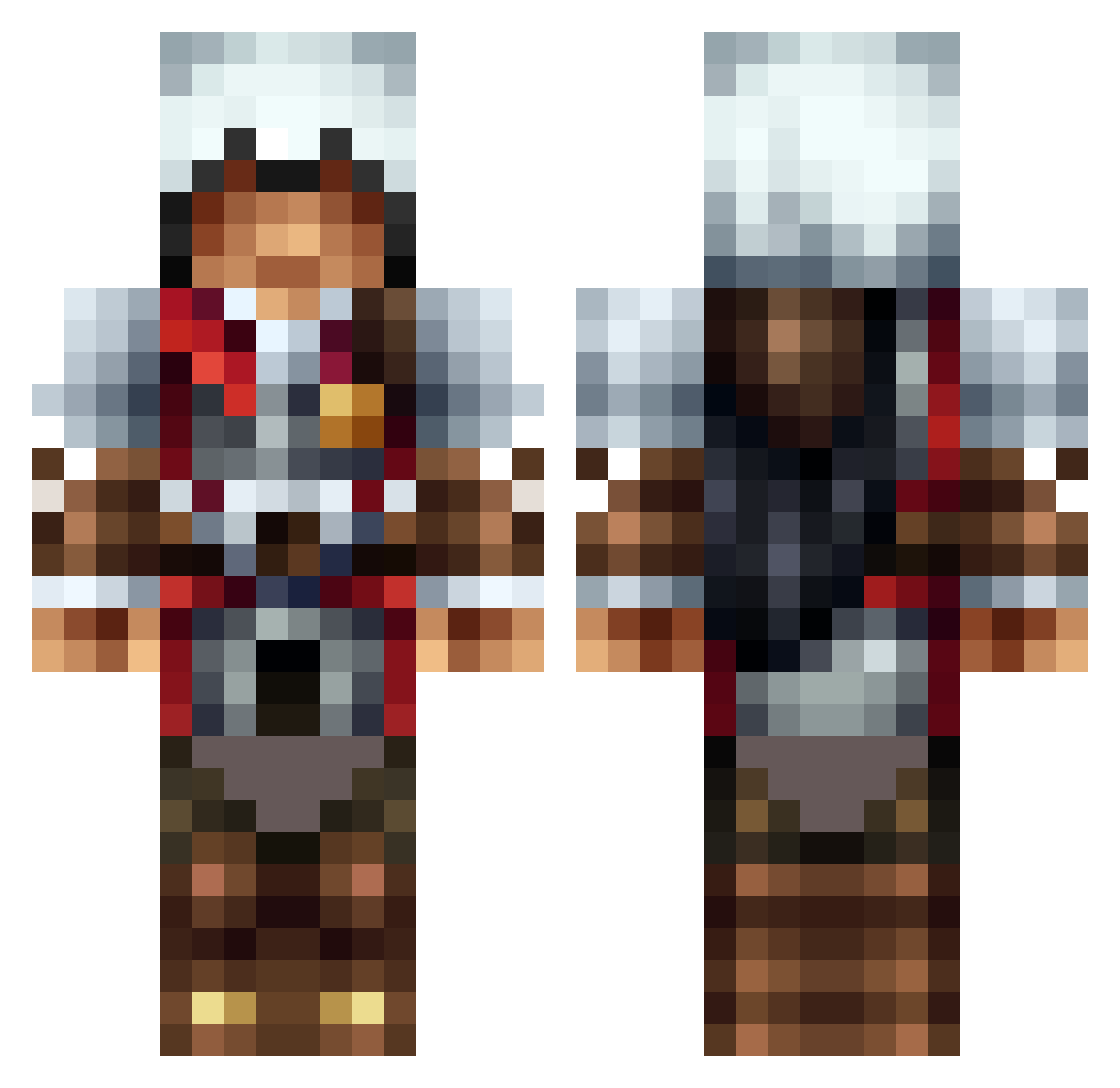
Current Minecraft skin of the player blackaprout, loaded from the official Mojang API. Rotate the 3D model with your mouse or finger, then download the skin as a PNG file and use it in Minecraft: Bedrock Edition or Java Edition for free. When blackaprout changes their skin, this page updates automatically and the old skin stays in the history below.
Other players with this skin (1313)
blackaprout was the 809th player we have seen with this skin, first spotted on 01.10.2026. The same skin was seen on these players. Open a nickname to see their current skin and skin history.
 Xyskii MickiWar TheLegendAden iMuzzy whot Tappy_ Kobli21 OffbeaPanda13 SkyHDI MCKestix Kunexis ImperishableLeo GimbWestB Darkness_fakBoy _CactusKing__ cyrus1996 thunder_sol123 Darkwolf8429 Small_pang Hyalalen secretsniper6 ManBearPig197 kasp615c RichardRC summerv Hothousepizza4 aka54321 numa178 m0nky__ JessieJJA MazaMeander ramen_ninja eliaspoika1 AbstactMusicion Silent343 PKaylor11 DJXG doncocio tuete300 DesireBot xXAwesomeSkilzXx caby578 WaldanGG lolitato369 DNozd Smoooth_Brain NinjaCat0406 musher42 oliverram crystalcrusher11 MythicRaids Gamekidz GermanHeroHD EastvWest IVAN_ZORGE Niggo40k MooseTacos ExALto28 Justino1588 acbsoccer0328
More Altair Minecraft skins
How to install the blackaprout skin
- Press the Download button above to save the skin as a PNG file.
- Minecraft: Bedrock Edition (PE): open the Dressing Room from the main menu (or tap your character → Edit Character), go to Classic Skins → Owned, press the + (new skin) button, choose the downloaded PNG and pick the Classic (Steve) model. Works on PC and mobile; consoles cannot import custom skins.
- Minecraft: Java Edition: open the Minecraft Launcher, go to the Skins tab, click New Skin, load the PNG, pick the Classic (Steve) model and press Save & Use. You can also upload it at minecraft.net → Profile → Change Skin.
The skin does not show up after import - what should I do?
Restart Minecraft and open the Dressing Room again - imported skins sometimes appear only after a restart. Also make sure you selected the imported skin and picked the Classic (Steve) model.
Which model should I choose, Classic or Slim?
This skin is designed for the Classic (Steve) model. If you pick the wrong model, the arms of the skin will look stretched or squeezed.
Is the skin of blackaprout free to download?
Yes. Press Download, save the PNG file and use it in Minecraft: Bedrock Edition or Java Edition - no payment or registration needed. The skin also works on multiplayer servers and Realms.
More skins
Looking for more? Go back to all Minecraft skins and check the top skins of the week, month and all time, or find any player's skin by nickname.