
bjornaren - Minecraft Skins & Skin History
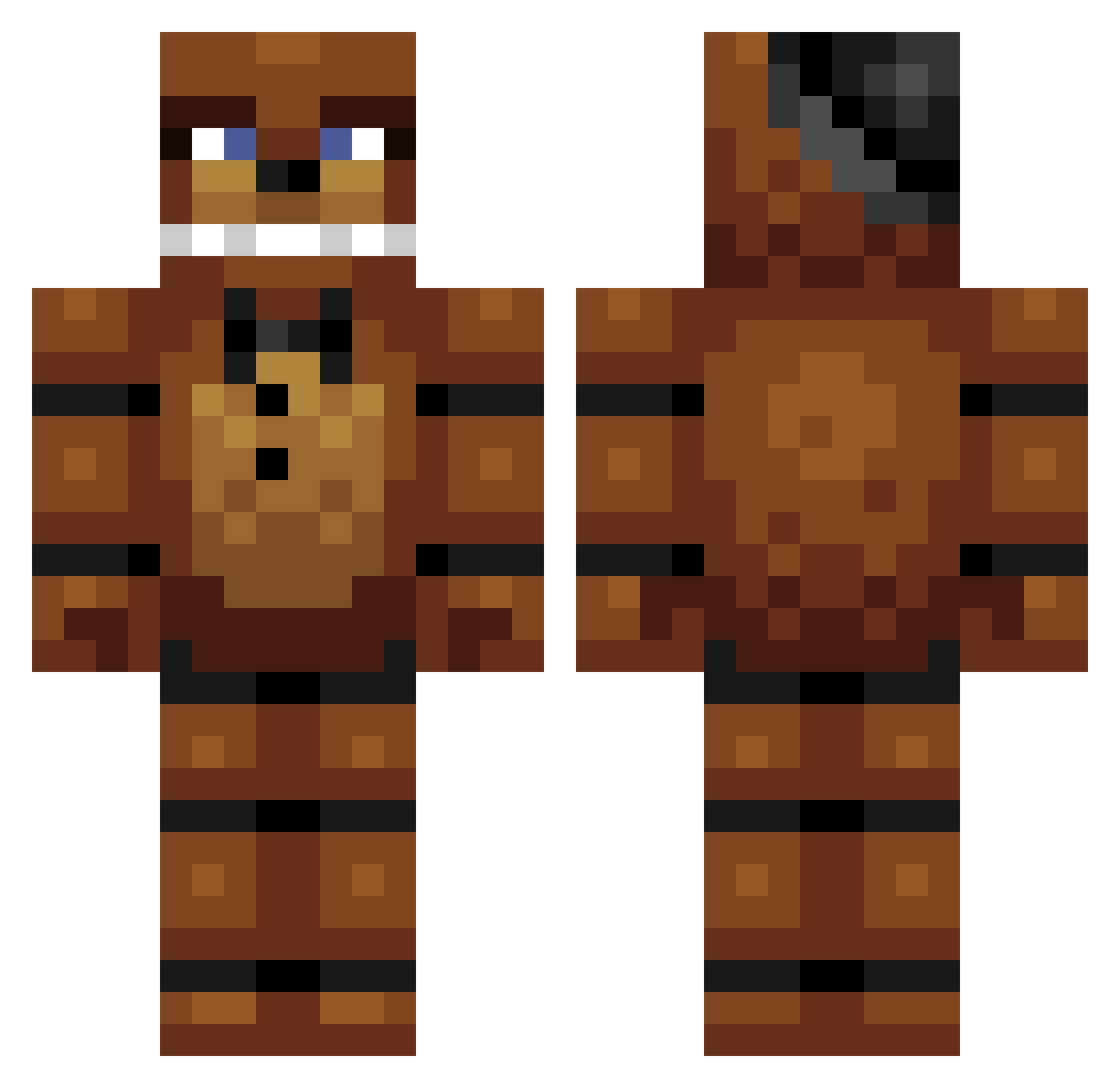
Current Minecraft skin of the player bjornaren, loaded from the official Mojang API. Rotate the 3D model with your mouse or finger, then download the skin as a PNG file and use it in Minecraft: Bedrock Edition or Java Edition for free. When bjornaren changes their skin, this page updates automatically and the old skin stays in the history below.
Other players with this skin (303)
bjornaren was the 35th player we have seen with this skin, first spotted on 02.08.2026. The same skin was seen on these players. Open a nickname to see their current skin and skin history.
 geen_zin_in LuckyLuuk0104 GoGuim Martin_Chulo 4823 lionn123 ScruffyDog13 NovicaGaming EndermanGMB BorderBandit_XD isakrules EndermanIJ MattyRayJ kickman9 Naughtybear666 Elite_Swager tippula killercolt6 Darkhawk11 Jackyboy79 ouch2142 dkj2004 YoshiBot555 the_dark_soul96 keanucroz manuelstucki LittleF1ngerz moldy908 Dekodi05 Python23 bman2186 Taehyong christensen97 BKLootFettuce tyrex1994 Munanj0ooo Nmeirdoes xJump13 wither234 itsadutchthing Fly_Eagles_Fly isaac37789 psychodaddog BroGav Ceaser2000 prometheusKD Badzone500 gabyto2001 Tijl_M denizozaydin tigrur bySYNSE jordanlangan3 jamesdestroyer11 Timbo_Butz wilch81 Bear__Bro 041101 mcraft_executor jacoby789
More Freddy Fazbear Minecraft skins
See all 240 Freddy Fazbear skins
How to install the bjornaren skin
- Press the Download button above to save the skin as a PNG file.
- Minecraft: Bedrock Edition (PE): open the Dressing Room from the main menu (or tap your character → Edit Character), go to Classic Skins → Owned, press the + (new skin) button, choose the downloaded PNG and pick the Classic (Steve) model. Works on PC and mobile; consoles cannot import custom skins.
- Minecraft: Java Edition: open the Minecraft Launcher, go to the Skins tab, click New Skin, load the PNG, pick the Classic (Steve) model and press Save & Use. You can also upload it at minecraft.net → Profile → Change Skin.
The skin does not show up after import - what should I do?
Restart Minecraft and open the Dressing Room again - imported skins sometimes appear only after a restart. Also make sure you selected the imported skin and picked the Classic (Steve) model.
Which model should I choose, Classic or Slim?
This skin is designed for the Classic (Steve) model. If you pick the wrong model, the arms of the skin will look stretched or squeezed.
Is the skin of bjornaren free to download?
Yes. Press Download, save the PNG file and use it in Minecraft: Bedrock Edition or Java Edition - no payment or registration needed. The skin also works on multiplayer servers and Realms.
More skins
Looking for more? Go back to all Minecraft skins and check the top skins of the week, month and all time, or find any player's skin by nickname.