
big_picture - Minecraft Skins & Skin History
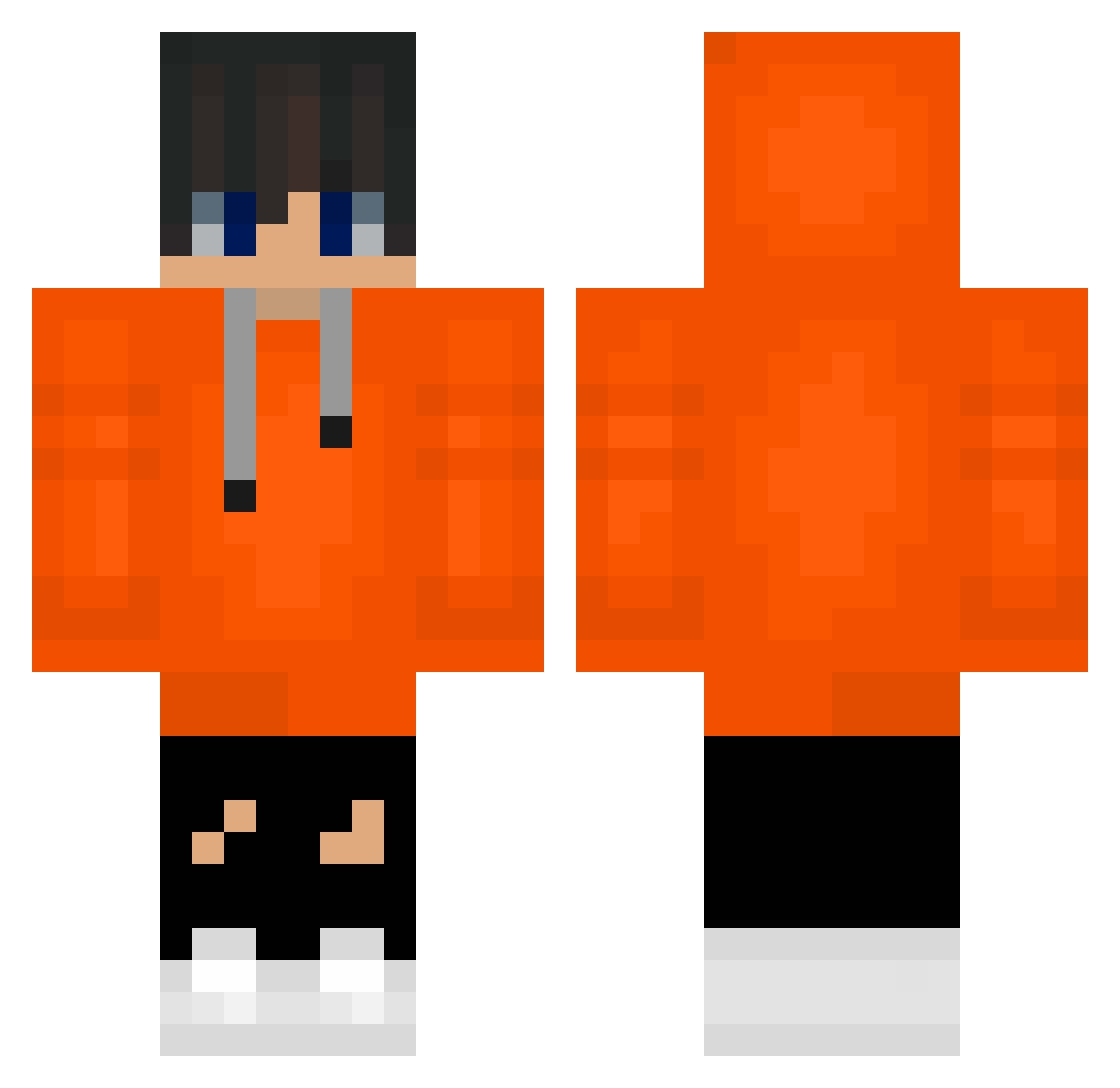
Current Minecraft skin of the player big_picture, loaded from the official Mojang API. Rotate the 3D model with your mouse or finger, then download the skin as a PNG file and use it in Minecraft: Bedrock Edition or Java Edition for free. When big_picture changes their skin, this page updates automatically and the old skin stays in the history below.
Other players with this skin (488)
big_picture was the 369th player we have seen with this skin, first spotted on 10.10.2026. The same skin was seen on these players. Open a nickname to see their current skin and skin history.
 YoYoo19 Skam_007 Legendcomeback0 Widerkidder Siwon1023 ghjug KoreaORCA Eddie1005 kjo1204 Komq_2_ Eli36 IsDyko _ProGaymer_ ryuya1015 dotiger12345 dangdangsem talkativepenguin johan2da Demarkk SexygeMega Neonek__ FerdiKiing GamerMaxi1905 jeongwan99 jakethe32 ruPper13 MuriloPereira jhson618 sajmonerro2137 Joni_Lava Colrdain YTboyo Razva18 V1PERTECH juting1004 dongeon4364 Dragonzushi jose312456 KEN7ss lalalu123 soMoonJW KarmelX66 komq____________ r1993n CypherOnyx SeanKim9292 way7777 FACSIMILEE haewoo chan202020 peter4258111 SUP4Z mouse_123 LEVIJUON g_hyun1203 Absolute_Subie Eroem_Aien zinigar90 FRANCESCOPRO45 GTR8_Jordix
How to install the big_picture skin
- Press the Download button above to save the skin as a PNG file.
- Minecraft: Bedrock Edition (PE): open the Dressing Room from the main menu (or tap your character → Edit Character), go to Classic Skins → Owned, press the + (new skin) button, choose the downloaded PNG and pick the Classic (Steve) model. Works on PC and mobile; consoles cannot import custom skins.
- Minecraft: Java Edition: open the Minecraft Launcher, go to the Skins tab, click New Skin, load the PNG, pick the Classic (Steve) model and press Save & Use. You can also upload it at minecraft.net → Profile → Change Skin.
The skin does not show up after import - what should I do?
Restart Minecraft and open the Dressing Room again - imported skins sometimes appear only after a restart. Also make sure you selected the imported skin and picked the Classic (Steve) model.
Which model should I choose, Classic or Slim?
This skin is designed for the Classic (Steve) model. If you pick the wrong model, the arms of the skin will look stretched or squeezed.
Is the skin of big_picture free to download?
Yes. Press Download, save the PNG file and use it in Minecraft: Bedrock Edition or Java Edition - no payment or registration needed. The skin also works on multiplayer servers and Realms.
More skins
Looking for more? Go back to all Minecraft skins and check the top skins of the week, month and all time, or find any player's skin by nickname.