
big_NE - Minecraft Skins & Skin History
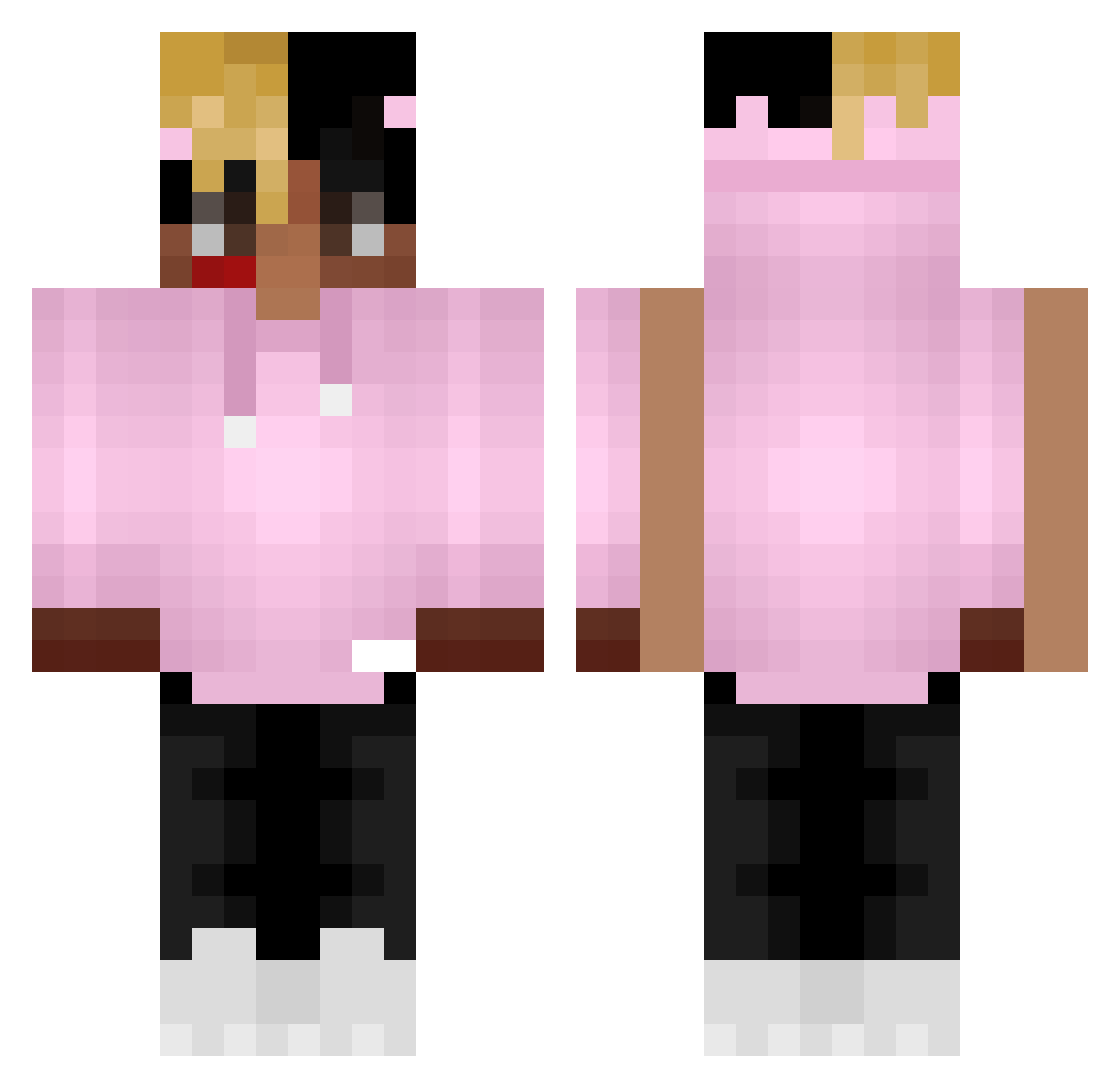
Current Minecraft skin of the player big_NE, loaded from the official Mojang API. Rotate the 3D model with your mouse or finger, then download the skin as a PNG file and use it in Minecraft: Bedrock Edition or Java Edition for free. When big_NE changes their skin, this page updates automatically and the old skin stays in the history below.
Other players with this skin (368)
big_NE was the 320th player we have seen with this skin, first spotted on 22.10.2026. The same skin was seen on these players. Open a nickname to see their current skin and skin history.
 rxChamp BautiR iLukaasARG_ zLoMBii Yause_K Tixozz Tigerses5 YungMangz zLuanz_PvP rawjonathan T_Costa_13 MC2Master Uf1gzz kvrmaaa N0diii rl69 Mellodramatico Maldoy5 Zryty25cm Ant3k__ Zefrah TCape Loopez05 still_stargaze CasperKcDK sircouerthegreen Ayvann lysdal13 Quinnyxo zefistaken skylight011 NomadTheCreator ZT_A_x_S XXXSouplantacion bejza1337 janikin123 BK_CJ C0psC0ps horsedick JoeZzzz __FleX_ Sgt_Barnes MoistOzarka kdsatria7098 gardzik Jungle_John DjangoJr DiesePusteblume crackrock Plocooll12 Soul_fire1337 eroguro_ Fabroccoli Ez_Slushi Stylonuum trxppi XNathmann Artvrr099 xxxchromtation latterman
More Xxxtentacion Minecraft skins
See all 407 Xxxtentacion skins
How to install the big_NE skin
- Press the Download button above to save the skin as a PNG file.
- Minecraft: Bedrock Edition (PE): open the Dressing Room from the main menu (or tap your character → Edit Character), go to Classic Skins → Owned, press the + (new skin) button, choose the downloaded PNG and pick the Classic (Steve) model. Works on PC and mobile; consoles cannot import custom skins.
- Minecraft: Java Edition: open the Minecraft Launcher, go to the Skins tab, click New Skin, load the PNG, pick the Classic (Steve) model and press Save & Use. You can also upload it at minecraft.net → Profile → Change Skin.
The skin does not show up after import - what should I do?
Restart Minecraft and open the Dressing Room again - imported skins sometimes appear only after a restart. Also make sure you selected the imported skin and picked the Classic (Steve) model.
Which model should I choose, Classic or Slim?
This skin is designed for the Classic (Steve) model. If you pick the wrong model, the arms of the skin will look stretched or squeezed.
Is the skin of big_NE free to download?
Yes. Press Download, save the PNG file and use it in Minecraft: Bedrock Edition or Java Edition - no payment or registration needed. The skin also works on multiplayer servers and Realms.
More skins
Looking for more? Go back to all Minecraft skins and check the top skins of the week, month and all time, or find any player's skin by nickname.