
bielxzz__ - Minecraft Skins & Skin History
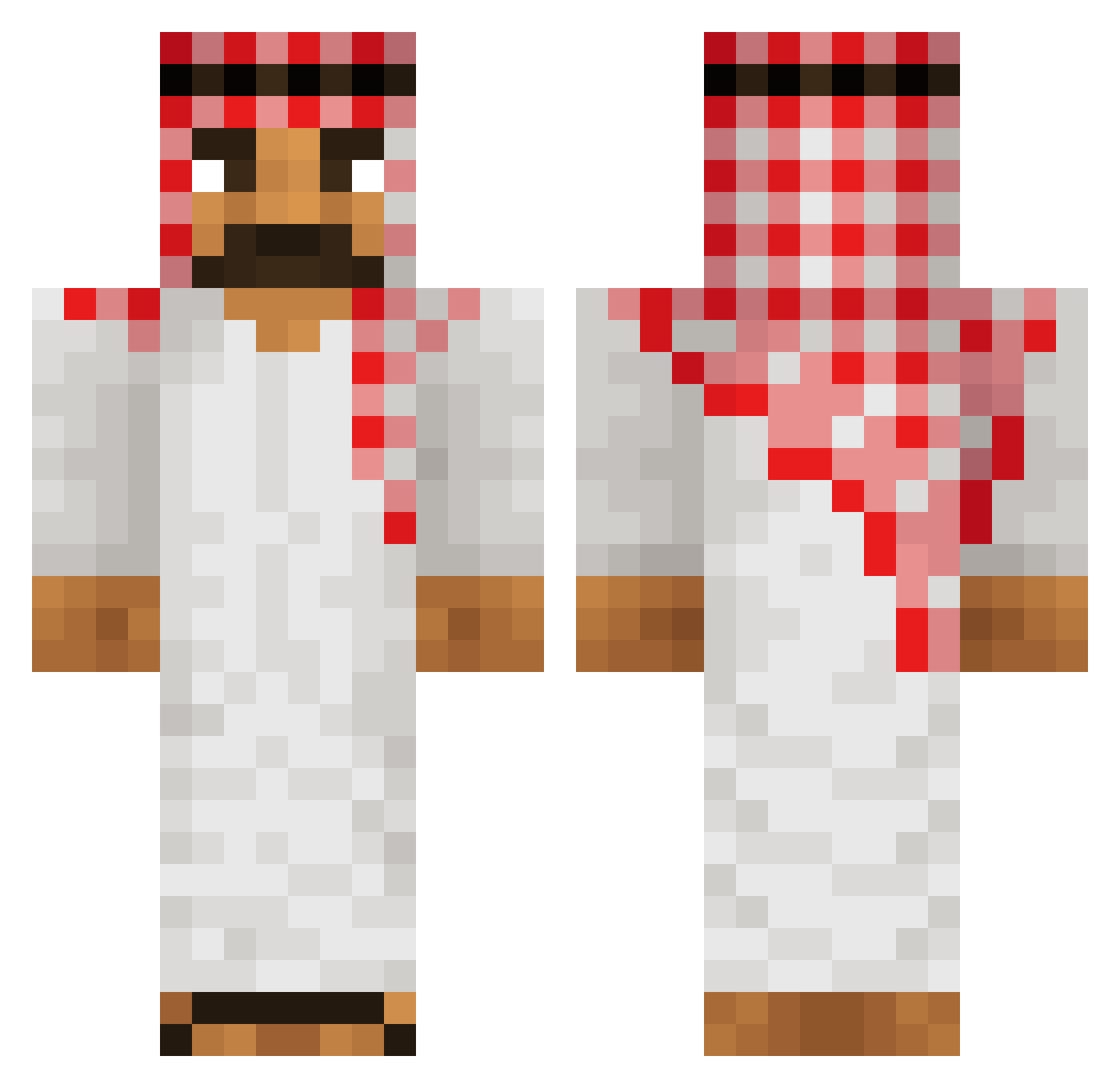
Current Minecraft skin of the player bielxzz__, loaded from the official Mojang API. Rotate the 3D model with your mouse or finger, then download the skin as a PNG file and use it in Minecraft: Bedrock Edition or Java Edition for free. When bielxzz__ changes their skin, this page updates automatically and the old skin stays in the history below.
Other players with this skin (677)
bielxzz__ was the 677th player we have seen with this skin, first spotted on 20.11.2026. The same skin was seen on these players. Open a nickname to see their current skin and skin history.
 moidigi BIGMAC_POWER olmastremlg Qw3tyy_ TwizK wsadjebany182 Arabo_ Youggy Shiggy_ porchat bhrel Douglitos1 tomerbar2525 PASZYMON Solihaly890 Wiciu00 qkrwlgh100331 MrHamSam viniizada Itz_Just_kaktus FilmMakerMan PuceCat11585890 SpeckzRez baboy37 KermitOnSnow J4si3k_ Pagnif 88th veneno_ AsafSanany raulroor99 CarAceNt Jahdolf52 little_sprout4 ElWillo HollyMacarony gaboDMC Sikho_ KilianseKitten Gwdodo RafiTheCrafter TokyoMangiGang Orsch MarioCraftMC Amogus____ GyroNyx YairGur BuurtwachtANiffo Alpha_Hs StrixRo Boolyver StickManCam_ Awesometiger402 boneessss Bonnniasek ZeusAleks Coretinho JassiGotCake madvise ApeBrain15
More Traditional Minecraft skins
How to install the bielxzz__ skin
- Press the Download button above to save the skin as a PNG file.
- Minecraft: Bedrock Edition (PE): open the Dressing Room from the main menu (or tap your character → Edit Character), go to Classic Skins → Owned, press the + (new skin) button, choose the downloaded PNG and pick the Classic (Steve) model. Works on PC and mobile; consoles cannot import custom skins.
- Minecraft: Java Edition: open the Minecraft Launcher, go to the Skins tab, click New Skin, load the PNG, pick the Classic (Steve) model and press Save & Use. You can also upload it at minecraft.net → Profile → Change Skin.
The skin does not show up after import - what should I do?
Restart Minecraft and open the Dressing Room again - imported skins sometimes appear only after a restart. Also make sure you selected the imported skin and picked the Classic (Steve) model.
Which model should I choose, Classic or Slim?
This skin is designed for the Classic (Steve) model. If you pick the wrong model, the arms of the skin will look stretched or squeezed.
Is the skin of bielxzz__ free to download?
Yes. Press Download, save the PNG file and use it in Minecraft: Bedrock Edition or Java Edition - no payment or registration needed. The skin also works on multiplayer servers and Realms.
More skins
Looking for more? Go back to all Minecraft skins and check the top skins of the week, month and all time, or find any player's skin by nickname.