
bibiscuit_ - Minecraft Skins & Skin History
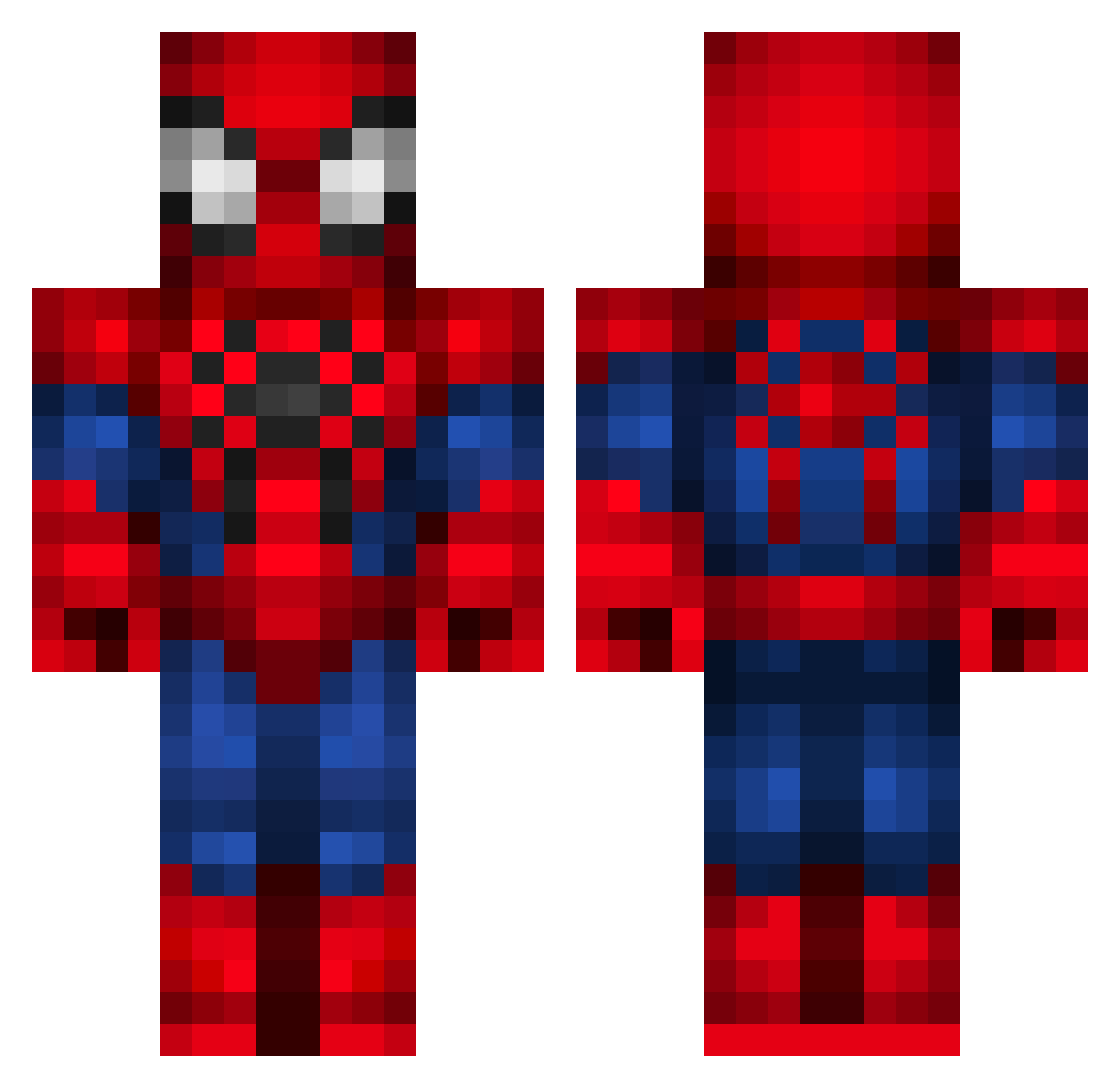
Current Minecraft skin of the player bibiscuit_, loaded from the official Mojang API. Rotate the 3D model with your mouse or finger, then download the skin as a PNG file and use it in Minecraft: Bedrock Edition or Java Edition for free. When bibiscuit_ changes their skin, this page updates automatically and the old skin stays in the history below.
Other players with this skin (336)
bibiscuit_ was the 316th player we have seen with this skin, first spotted on 26.10.2026. The same skin was seen on these players. Open a nickname to see their current skin and skin history.
 Mine_Master4604 MuscleMilky gordemo Gibim1503 toprakficker fedexmind Shirogane777 Redblitz911 burqk1020 enniomatt Tolek123 Kaozio10_ Svyatek samyxx_ LuisDanielAVRE dusks_diamond Alanguapo2010 albertofern tr5589 BetoSilva18 DiegoM22 Davizinho_do3oit nickesmurf benCabi YeeterHero Kuzey001 sirNichol SubacoSuado NoobyPasta NapilloVeloZ Ventura_1245 Rauppera Y0GZ FreezeZeD Spider_Monkey69 sete360 Lianno Aimarotl kosio9856 LobsterKing1 Fernadosanchezzz Thais1 Plebiscito123 dannykimchiii Lukhasx StrawhatSpooder clavi77 Jao1219 jocko_erv033 XenZZ_ Francisco_Morais _SpiderMonkey Lucks808 Atila68 svann S1lentzzz GenT3T JazzHand_ cacaioba TechnoTonne
More Spider-Man Minecraft skins
How to install the bibiscuit_ skin
- Press the Download button above to save the skin as a PNG file.
- Minecraft: Bedrock Edition (PE): open the Dressing Room from the main menu (or tap your character → Edit Character), go to Classic Skins → Owned, press the + (new skin) button, choose the downloaded PNG and pick the Classic (Steve) model. Works on PC and mobile; consoles cannot import custom skins.
- Minecraft: Java Edition: open the Minecraft Launcher, go to the Skins tab, click New Skin, load the PNG, pick the Classic (Steve) model and press Save & Use. You can also upload it at minecraft.net → Profile → Change Skin.
The skin does not show up after import - what should I do?
Restart Minecraft and open the Dressing Room again - imported skins sometimes appear only after a restart. Also make sure you selected the imported skin and picked the Classic (Steve) model.
Which model should I choose, Classic or Slim?
This skin is designed for the Classic (Steve) model. If you pick the wrong model, the arms of the skin will look stretched or squeezed.
Is the skin of bibiscuit_ free to download?
Yes. Press Download, save the PNG file and use it in Minecraft: Bedrock Edition or Java Edition - no payment or registration needed. The skin also works on multiplayer servers and Realms.
More skins
Looking for more? Go back to all Minecraft skins and check the top skins of the week, month and all time, or find any player's skin by nickname.