
bespayeetos - Minecraft Skins & Skin History
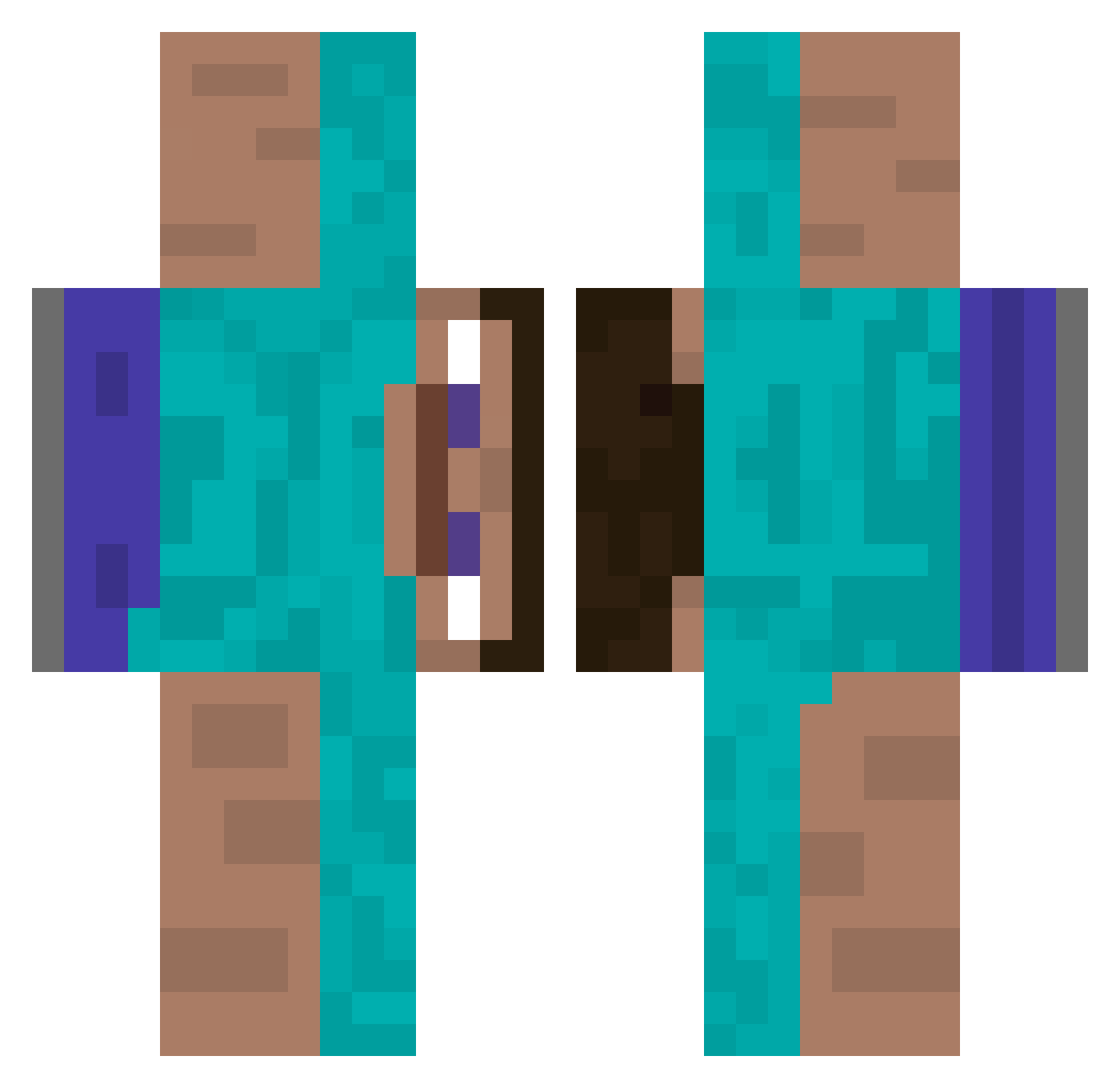
Current Minecraft skin of the player bespayeetos, loaded from the official Mojang API. Rotate the 3D model with your mouse or finger, then download the skin as a PNG file and use it in Minecraft: Bedrock Edition or Java Edition for free. When bespayeetos changes their skin, this page updates automatically and the old skin stays in the history below.
Other players with this skin (337)
bespayeetos was the 54th player we have seen with this skin, first spotted on 08.08.2026. The same skin was seen on these players. Open a nickname to see their current skin and skin history.
 dechs WindowsXPepps Gun_Ramen Mega_Vanya_315 Thewalkinghoes Likepandas pry0000 Alittlestarver Wurzaaa jorn297 Abbie8366 Santa_Denier handoverurtoes69 MaxSomething3 Medellin4549 pungvar Crashbandic0 1_nt rubble_westbrick Truluten FiendishSet1659 Trolsmoel pedroFelx Tobiwan029 InsightBITAU J4oz ChargingOlly ZDWYQGL archie_alvarez GaloDKalsa BanterBloke69 Refinery1 piraniee Zerax10 Squidopolis1 MrWolftastic selfdot gergi19 saruramex oystered teamoboanoite la142 cottoncandy174 Szollos ArthriticGamer kimguigui RicePops Geeboze JoriLP1 jamsbee3 Pambalabares sora_1616 Santimaster1814 koviubi Cookiedelamoure Eknom_el Drogenkiffer Icyysnipess nico_wavyyy Nicht_Leon
How to install the bespayeetos skin
- Press the Download button above to save the skin as a PNG file.
- Minecraft: Bedrock Edition (PE): open the Dressing Room from the main menu (or tap your character → Edit Character), go to Classic Skins → Owned, press the + (new skin) button, choose the downloaded PNG and pick the Classic (Steve) model. Works on PC and mobile; consoles cannot import custom skins.
- Minecraft: Java Edition: open the Minecraft Launcher, go to the Skins tab, click New Skin, load the PNG, pick the Classic (Steve) model and press Save & Use. You can also upload it at minecraft.net → Profile → Change Skin.
The skin does not show up after import - what should I do?
Restart Minecraft and open the Dressing Room again - imported skins sometimes appear only after a restart. Also make sure you selected the imported skin and picked the Classic (Steve) model.
Which model should I choose, Classic or Slim?
This skin is designed for the Classic (Steve) model. If you pick the wrong model, the arms of the skin will look stretched or squeezed.
Is the skin of bespayeetos free to download?
Yes. Press Download, save the PNG file and use it in Minecraft: Bedrock Edition or Java Edition - no payment or registration needed. The skin also works on multiplayer servers and Realms.
More skins
Looking for more? Go back to all Minecraft skins and check the top skins of the week, month and all time, or find any player's skin by nickname.