
berosi - Minecraft Skins & Skin History
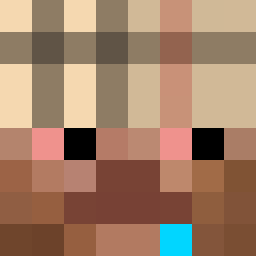
Current Minecraft skin of the player berosi, loaded from the official Mojang API. Rotate the 3D model with your mouse or finger, then download the skin as a PNG file and use it in Minecraft: Bedrock Edition or Java Edition for free. When berosi changes their skin, this page updates automatically and the old skin stays in the history below.

Other players with this skin (280)
berosi was the 136th player we have seen with this skin, first spotted on 13.09.2026. The same skin was seen on these players. Open a nickname to see their current skin and skin history.
 Kvasek die4japan shoshua poomuncher1 Slompyy69 ianbrotus atucoei QuiWolf Tonklaa58 41726368697665 iNotRarex Ghostie20 nicktheaweso0433
 pickxzy 12karii Sam1rrr Joaoqc daddfader _ivcy Scorpioid waswonder ripfriend cygan123__ 2sincere Oreke CowYep en9ct TEJlEKC _bedogie Ninja_2004 AvAIttleFaifInMe connorr16 not_mrvih greenyanzu chipdan Nolixity Rena6651 lubreouttahere H0MESCHOOL matkojeboss hiraethaa pdrtecome shelovesswag lyxh6 winorlin Teomplo xigua666go CNM12138 Melech69
 allinex kittycatp r3muluss slxrti charlii0 scxrc envixityxq34 Fresh_77 nnaly_tv GGWPXDDD michael798
How to install the berosi skin
- Press the Download button above to save the skin as a PNG file.
- Minecraft: Bedrock Edition (PE): open the Dressing Room from the main menu (or tap your character → Edit Character), go to Classic Skins → Owned, press the + (new skin) button, choose the downloaded PNG and pick the Slim (Alex) model. Works on PC and mobile; consoles cannot import custom skins.
- Minecraft: Java Edition: open the Minecraft Launcher, go to the Skins tab, click New Skin, load the PNG, pick the Slim (Alex) model and press Save & Use. You can also upload it at minecraft.net → Profile → Change Skin.
The skin does not show up after import - what should I do?
Restart Minecraft and open the Dressing Room again - imported skins sometimes appear only after a restart. Also make sure you selected the imported skin and picked the Slim (Alex) model.
Which model should I choose, Classic or Slim?
This skin is designed for the Slim (Alex) model. If you pick the wrong model, the arms of the skin will look stretched or squeezed.
Is the skin of berosi free to download?
Yes. Press Download, save the PNG file and use it in Minecraft: Bedrock Edition or Java Edition - no payment or registration needed. The skin also works on multiplayer servers and Realms.
More skins
Looking for more? Go back to all Minecraft skins and check the top skins of the week, month and all time, or find any player's skin by nickname.