
benny_zrb - Minecraft Skins & Skin History
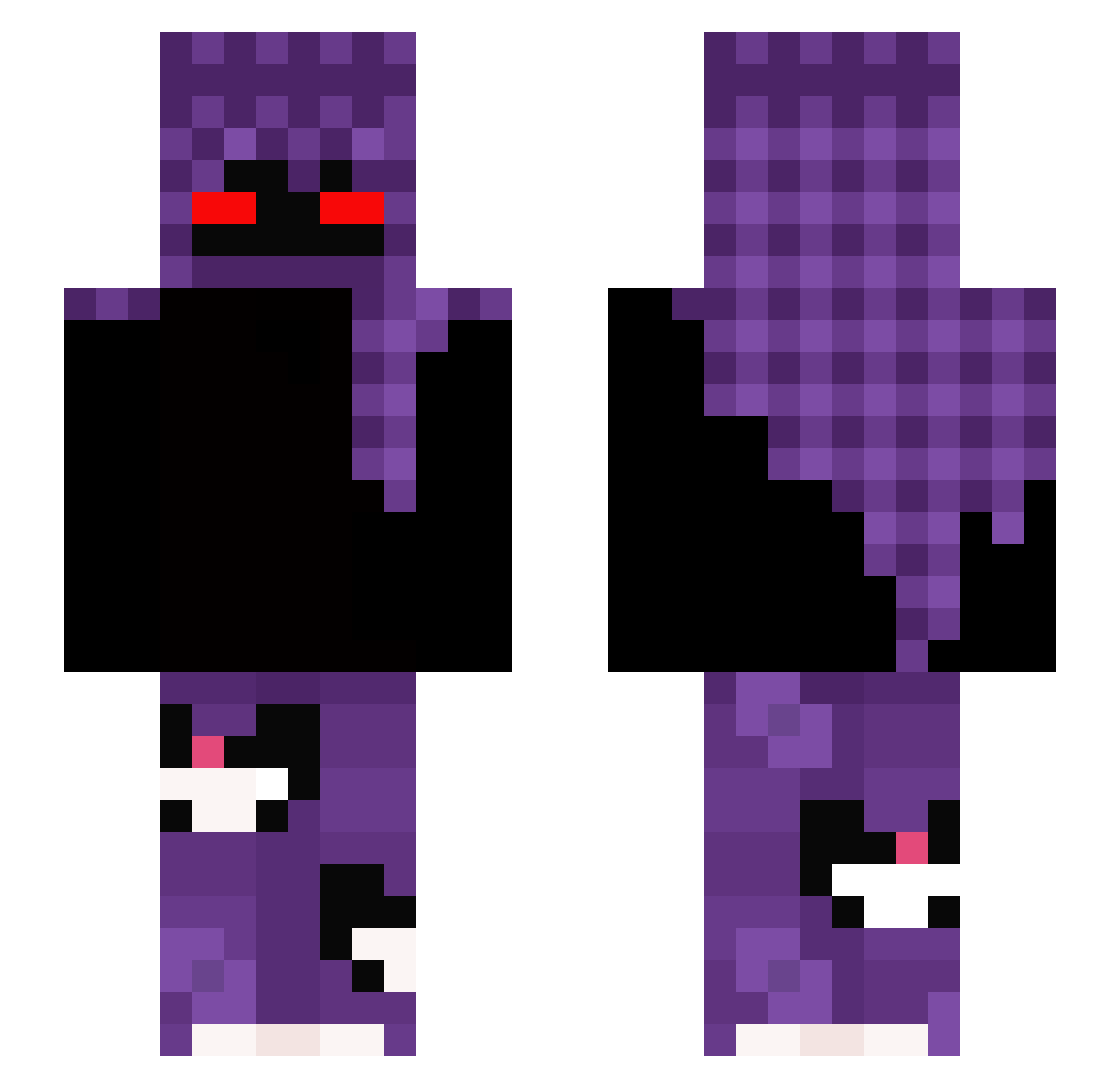
Current Minecraft skin of the player benny_zrb, loaded from the official Mojang API. Rotate the 3D model with your mouse or finger, then download the skin as a PNG file and use it in Minecraft: Bedrock Edition or Java Edition for free. When benny_zrb changes their skin, this page updates automatically and the old skin stays in the history below.
Other players with this skin (301)
benny_zrb was the 222nd player we have seen with this skin, first spotted on 09.10.2026. The same skin was seen on these players. Open a nickname to see their current skin and skin history.
 SPIKE203000 meq1w21 M3fiu_ iguinRlk _Seekra Reyto_ FrozenLace_XD HarrySmith13013 Kon7_ _zoraax AFTASS ltoxicwowl alphaacry XLIXCS Strozyfarz abner5 slowtacxs guardian65338 zDavyde Acernis2005 xSzefler BestModBrli zzxgp_yAKxX Cibabik Kalenski Kiss_My_Wall L3m00n_ JoJoplaayzz Makio77 smilingrobot555 sadlq NOOBMASTER19 FilqkaBG Dav600 autumbek Gnuleyabko Valtsu_11 Rh2X Jani_OG Opxinx0 DeadlyGod420 Persuasions KKovac crucifery234 i8e1 SuperNinja02 D4ajczm4nek_GG sweetyfoxx5 KrzysiekSS Bob2punto0 BoneCya yFqnta Leutrox Laninhaxx givenchylockss LoryIlMagnifico mertny tempuni mxxgxxl_ rosol_pl0
More Cat Minecraft skins
How to install the benny_zrb skin
- Press the Download button above to save the skin as a PNG file.
- Minecraft: Bedrock Edition (PE): open the Dressing Room from the main menu (or tap your character → Edit Character), go to Classic Skins → Owned, press the + (new skin) button, choose the downloaded PNG and pick the Slim (Alex) model. Works on PC and mobile; consoles cannot import custom skins.
- Minecraft: Java Edition: open the Minecraft Launcher, go to the Skins tab, click New Skin, load the PNG, pick the Slim (Alex) model and press Save & Use. You can also upload it at minecraft.net → Profile → Change Skin.
The skin does not show up after import - what should I do?
Restart Minecraft and open the Dressing Room again - imported skins sometimes appear only after a restart. Also make sure you selected the imported skin and picked the Slim (Alex) model.
Which model should I choose, Classic or Slim?
This skin is designed for the Slim (Alex) model. If you pick the wrong model, the arms of the skin will look stretched or squeezed.
Is the skin of benny_zrb free to download?
Yes. Press Download, save the PNG file and use it in Minecraft: Bedrock Edition or Java Edition - no payment or registration needed. The skin also works on multiplayer servers and Realms.
More skins
Looking for more? Go back to all Minecraft skins and check the top skins of the week, month and all time, or find any player's skin by nickname.