
ben_mueller - Minecraft Skins & Skin History
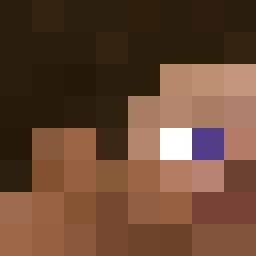
Current Minecraft skin of the player ben_mueller, loaded from the official Mojang API. Rotate the 3D model with your mouse or finger, then download the skin as a PNG file and use it in Minecraft: Bedrock Edition or Java Edition for free. When ben_mueller changes their skin, this page updates automatically and the old skin stays in the history below.

Other players with this skin (4119)
ben_mueller was the 1293rd player we have seen with this skin, first spotted on 24.08.2026. The same skin was seen on these players. Open a nickname to see their current skin and skin history.
 Kj84 OstryCienMgly_ polyde TheMauze
 YawnYawnYawn Insinuant MemReduct Fasctic Sokai17 Purply_
 theCraftspud MahmoudHub wittygun jarvitch Rioneer2047 StinkWeed Metalblock_ Kuba_PL shriving d4rius xnr ItsRealMe Billo1993 PDE5 minecraftmondays bnea Punnavich MarioVsGumball IIAtrix Marshx boonofthejames
 BigSwagFR infmelon fridaygaming21 Mungrel TimtheHylian zk2good 1183 IlikeBolas PencilFromWhat Matsunya20090325 xxdamonrocksxx CanineSAN Froggitos Trellis xPajeczak_ Puse_xd daddyfex Sanapon Johnny9999 Noticeq sumogame _ImMaXiMus_ Sodawater1029 Nom1c77 Aceite TheBudhole JiNoemi Teruyuki Humanperson69
How to install the ben_mueller skin
- Press the Download button above to save the skin as a PNG file.
- Minecraft: Bedrock Edition (PE): open the Dressing Room from the main menu (or tap your character → Edit Character), go to Classic Skins → Owned, press the + (new skin) button, choose the downloaded PNG and pick the Classic (Steve) model. Works on PC and mobile; consoles cannot import custom skins.
- Minecraft: Java Edition: open the Minecraft Launcher, go to the Skins tab, click New Skin, load the PNG, pick the Classic (Steve) model and press Save & Use. You can also upload it at minecraft.net → Profile → Change Skin.
The skin does not show up after import - what should I do?
Restart Minecraft and open the Dressing Room again - imported skins sometimes appear only after a restart. Also make sure you selected the imported skin and picked the Classic (Steve) model.
Which model should I choose, Classic or Slim?
This skin is designed for the Classic (Steve) model. If you pick the wrong model, the arms of the skin will look stretched or squeezed.
Is the skin of ben_mueller free to download?
Yes. Press Download, save the PNG file and use it in Minecraft: Bedrock Edition or Java Edition - no payment or registration needed. The skin also works on multiplayer servers and Realms.
More skins
Looking for more? Go back to all Minecraft skins and check the top skins of the week, month and all time, or find any player's skin by nickname.