
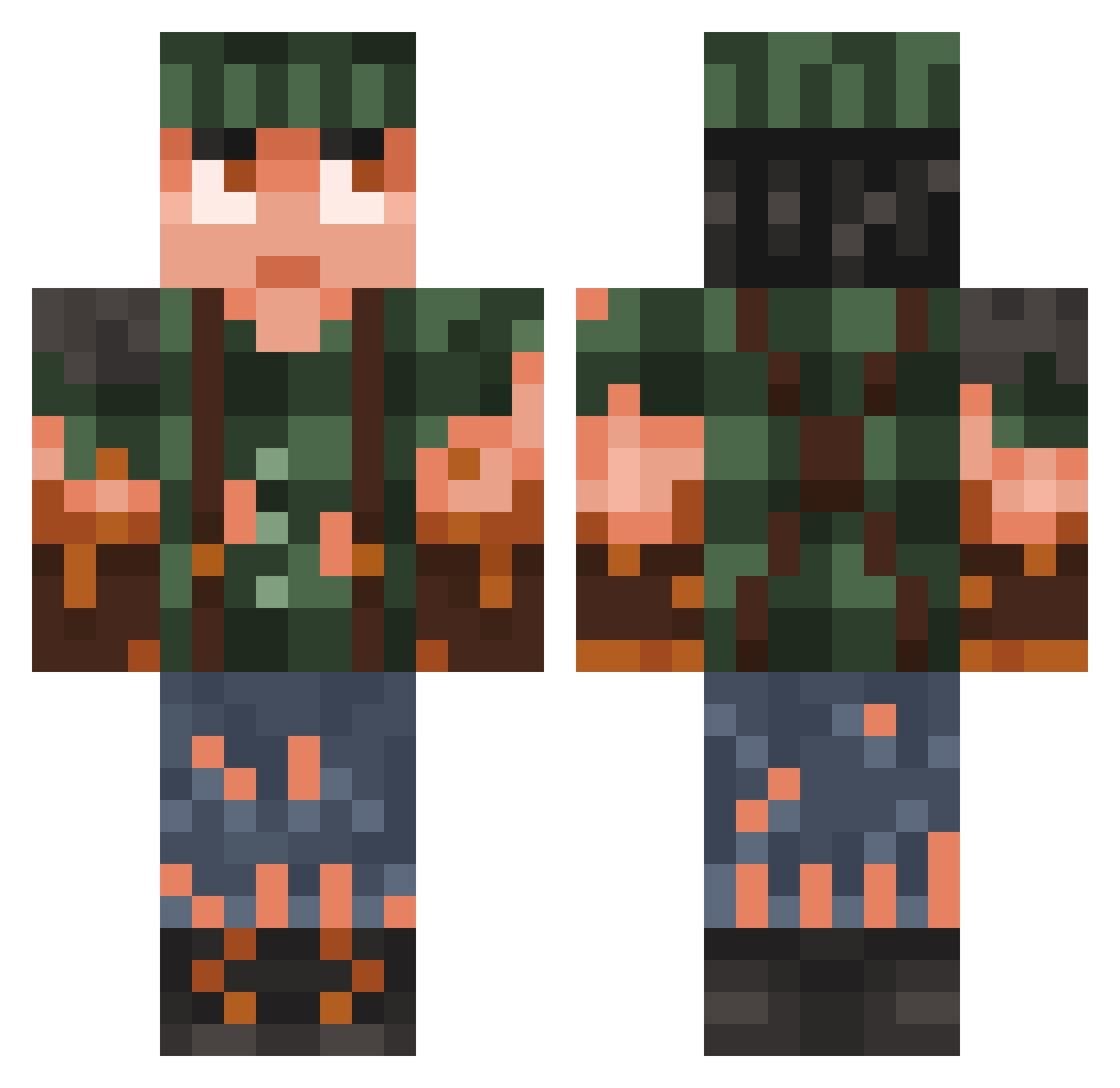
Current Minecraft skin of the player belscend, loaded from the official Mojang API. Rotate the 3D model with your mouse or finger, then download the skin as a PNG file and use it in Minecraft: Bedrock Edition or Java Edition for free. When belscend changes their skin, this page updates automatically and the old skin stays in the history below.
Other players with this skin (729)
belscend was the 578th player we have seen with this skin, first spotted on 02.10.2026. The same skin was seen on these players. Open a nickname to see their current skin and skin history.
 ZTNFireMint Blackhunter06 Th3tony Ragobar Blackwolf24999 fayhart iStompey PhantumDev Yoghur_t HaakonLien00 Minimose liltwisted28 BrudaLiam MODCREW23 OrionDavv Logansburg670 AnasWhole OzoneStorm fadedoffdagas336 oggij pocky4414 jonathan4632769 DemoVict charlie270 BarmitzvaSteve Bagga269 DIAXISB Wrelond PrinceAkeem777 DragonDaddy HarshUnlimited nathouwargemer SnowRanger92 D33J4Y n4tg00 keltron netikrasvaikas derre_ne Flipacoin2 Hugo92izi blablycornflakes MCLeLuHD ChiiefBrody Raliri TheGreatToaster WaterChicken556 Shibla Berkliy kiperman Vetkrijtje Spiderbite JOMMIES Andresgil25 DeffSqaud salomonffm Blaziken2009 Anubisws ikkats Kammler04 Alphagay
More Survivor Minecraft skins
How to install the belscend skin
- Press the Download button above to save the skin as a PNG file.
- Minecraft: Bedrock Edition (PE): open the Dressing Room from the main menu (or tap your character → Edit Character), go to Classic Skins → Owned, press the + (new skin) button, choose the downloaded PNG and pick the Classic (Steve) model. Works on PC and mobile; consoles cannot import custom skins.
- Minecraft: Java Edition: open the Minecraft Launcher, go to the Skins tab, click New Skin, load the PNG, pick the Classic (Steve) model and press Save & Use. You can also upload it at minecraft.net → Profile → Change Skin.
The skin does not show up after import - what should I do?
Restart Minecraft and open the Dressing Room again - imported skins sometimes appear only after a restart. Also make sure you selected the imported skin and picked the Classic (Steve) model.
Which model should I choose, Classic or Slim?
This skin is designed for the Classic (Steve) model. If you pick the wrong model, the arms of the skin will look stretched or squeezed.
Is the skin of belscend free to download?
Yes. Press Download, save the PNG file and use it in Minecraft: Bedrock Edition or Java Edition - no payment or registration needed. The skin also works on multiplayer servers and Realms.
More skins
Looking for more? Go back to all Minecraft skins and check the top skins of the week, month and all time, or find any player's skin by nickname.