
beanieeeS2 - Minecraft Skins & Skin History
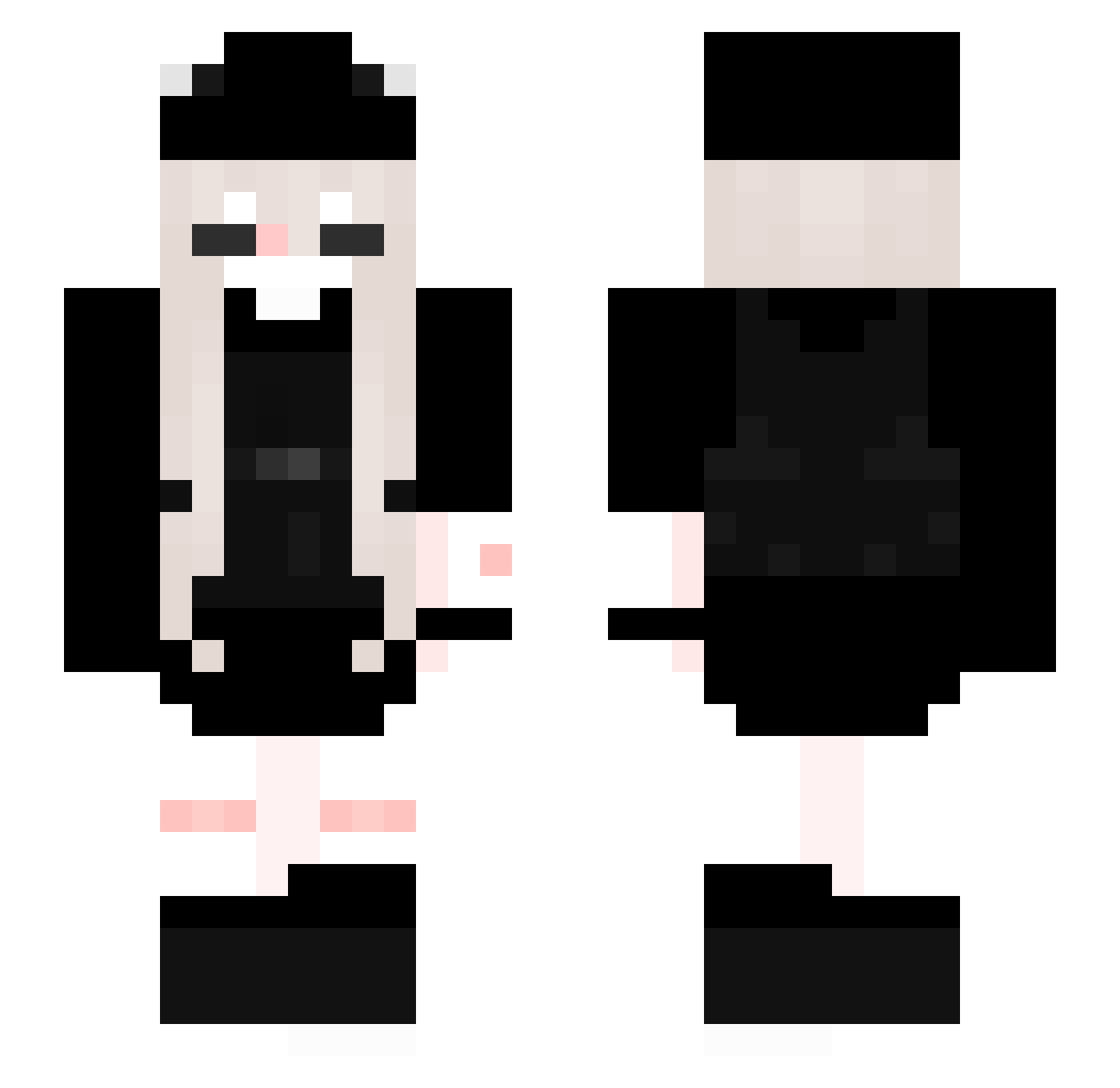
Current Minecraft skin of the player beanieeeS2, loaded from the official Mojang API. Rotate the 3D model with your mouse or finger, then download the skin as a PNG file and use it in Minecraft: Bedrock Edition or Java Edition for free. When beanieeeS2 changes their skin, this page updates automatically and the old skin stays in the history below.
Other players with this skin (205)
beanieeeS2 was the 143rd player we have seen with this skin, first spotted on 29.09.2026. The same skin was seen on these players. Open a nickname to see their current skin and skin history.
 Northforest123 JustGirll Delasty utleniony ItsVickk opher gesualda06 sammi1101 4HerpDerp4 Laura_0 Yurika_Yur pitfighting aroushie Natsikatsi zoselqk_ALT_1283 BlurpleTV Ainhoa003 Rexgett MADDIE130 BewilderedCat PTSZ evalun 33zra mumei_s2 WhySude Akari9 leexandrea17 Kryzth SoKawaii000 notal3xx_ Stupid_user03 naphit v0o0o Dessa019 lonelinessss Cherry_BlackE Dalind21CZ Larainnoc 42WiuWIu rxnron XxleafyxX0 Badger012 no_bestie Churroni Rimuru_RM0 Gigeee_MD Liuvy sally_99 ir_hiroto ellekith Allyssuh AmyQx k0haku1 juliejx senk__0 Alliebyluv yLordzy_ StarFairy Khqzw_ iDozia
More Backpack Minecraft skins
How to install the beanieeeS2 skin
- Press the Download button above to save the skin as a PNG file.
- Minecraft: Bedrock Edition (PE): open the Dressing Room from the main menu (or tap your character → Edit Character), go to Classic Skins → Owned, press the + (new skin) button, choose the downloaded PNG and pick the Slim (Alex) model. Works on PC and mobile; consoles cannot import custom skins.
- Minecraft: Java Edition: open the Minecraft Launcher, go to the Skins tab, click New Skin, load the PNG, pick the Slim (Alex) model and press Save & Use. You can also upload it at minecraft.net → Profile → Change Skin.
The skin does not show up after import - what should I do?
Restart Minecraft and open the Dressing Room again - imported skins sometimes appear only after a restart. Also make sure you selected the imported skin and picked the Slim (Alex) model.
Which model should I choose, Classic or Slim?
This skin is designed for the Slim (Alex) model. If you pick the wrong model, the arms of the skin will look stretched or squeezed.
Is the skin of beanieeeS2 free to download?
Yes. Press Download, save the PNG file and use it in Minecraft: Bedrock Edition or Java Edition - no payment or registration needed. The skin also works on multiplayer servers and Realms.
More skins
Looking for more? Go back to all Minecraft skins and check the top skins of the week, month and all time, or find any player's skin by nickname.