
beachgamer21 - Minecraft Skins & Skin History
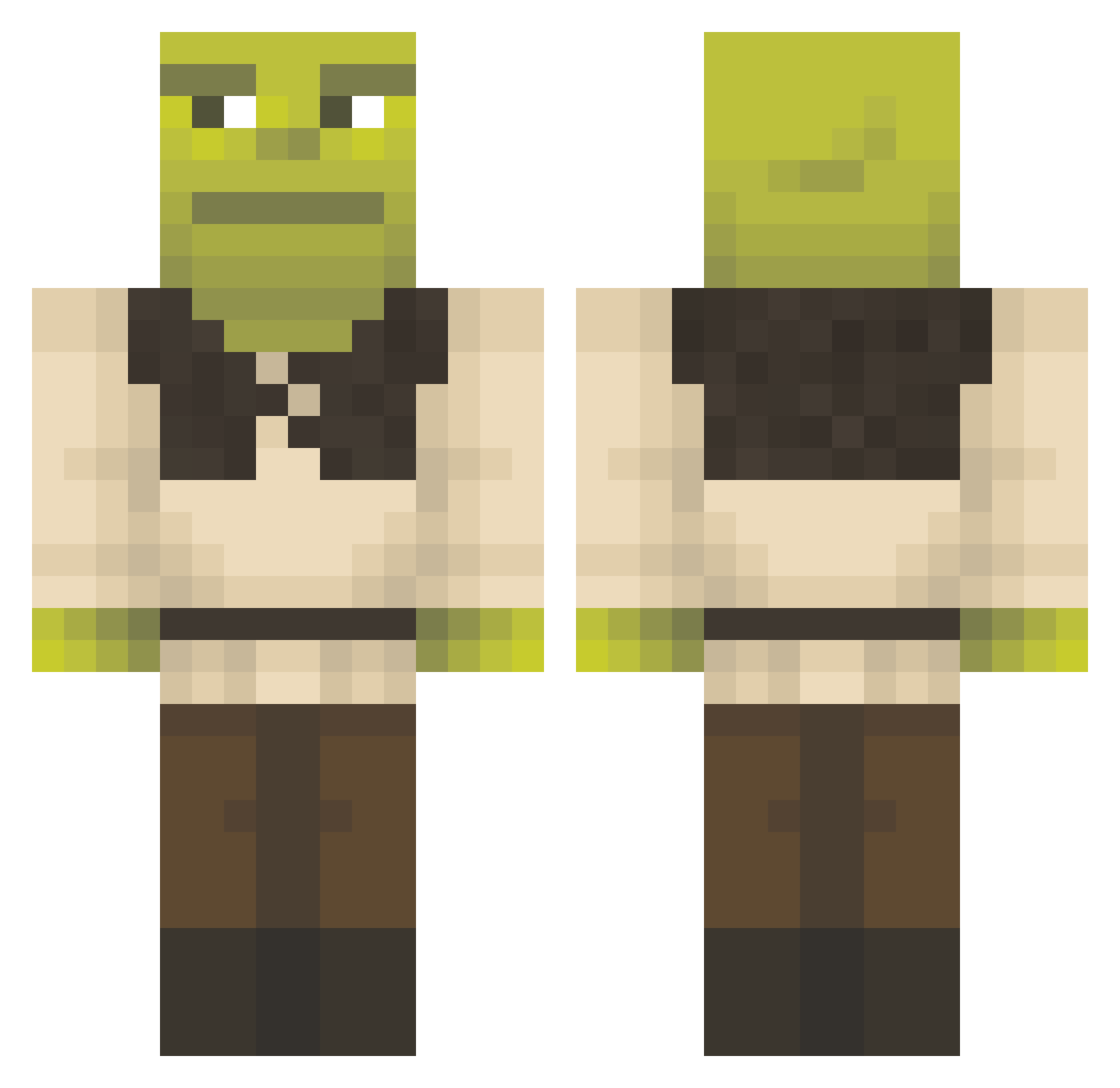
Current Minecraft skin of the player beachgamer21, loaded from the official Mojang API. Rotate the 3D model with your mouse or finger, then download the skin as a PNG file and use it in Minecraft: Bedrock Edition or Java Edition for free. When beachgamer21 changes their skin, this page updates automatically and the old skin stays in the history below.
Other players with this skin (1151)
beachgamer21 was the 282nd player we have seen with this skin, first spotted on 16.08.2026. The same skin was seen on these players. Open a nickname to see their current skin and skin history.
 RAMZO_24 SavageMudhen Mortaxe7 Dratur99 GlRTHQUAKE69 RedSiberia Kuivik123 Flaggy420 witchkings MrMattiii Giorgezio nanii098 ZoroGotLost69 Matank2005 SimonLemer Mbucky Unclesamgraham10 Toasted_Biscuits udbah IcedGONZ bigbootynohle scarsin LeviDora34 stinna3432 GlaCkaMoly FERRISS77 Squickenlord fl0tenMann mustyylobster Artuheif Birdlegs22 DEREKRYAN8898 Plana01 Jamesf95_ Isaklin11 BXSTXRDzZ NightMonkey420 SealSINGL Bollarin kingofzion DimaNeSosalPisyn DielonH Yandex_Vlad wdongwoo Zeldron65 DetektivTiffany KianProctor cameronhagerty emilylorigan ZdeXeu REV4IKK ZackMax kaohefen User4201312
 RobloxerOwen jarebs Skepptix GhostlyCheckz Damiqqq charliedingo01
More Shrek Minecraft skins
How to install the beachgamer21 skin
- Press the Download button above to save the skin as a PNG file.
- Minecraft: Bedrock Edition (PE): open the Dressing Room from the main menu (or tap your character → Edit Character), go to Classic Skins → Owned, press the + (new skin) button, choose the downloaded PNG and pick the Classic (Steve) model. Works on PC and mobile; consoles cannot import custom skins.
- Minecraft: Java Edition: open the Minecraft Launcher, go to the Skins tab, click New Skin, load the PNG, pick the Classic (Steve) model and press Save & Use. You can also upload it at minecraft.net → Profile → Change Skin.
The skin does not show up after import - what should I do?
Restart Minecraft and open the Dressing Room again - imported skins sometimes appear only after a restart. Also make sure you selected the imported skin and picked the Classic (Steve) model.
Which model should I choose, Classic or Slim?
This skin is designed for the Classic (Steve) model. If you pick the wrong model, the arms of the skin will look stretched or squeezed.
Is the skin of beachgamer21 free to download?
Yes. Press Download, save the PNG file and use it in Minecraft: Bedrock Edition or Java Edition - no payment or registration needed. The skin also works on multiplayer servers and Realms.
More skins
Looking for more? Go back to all Minecraft skins and check the top skins of the week, month and all time, or find any player's skin by nickname.