
bcollin77 - Minecraft Skins & Skin History
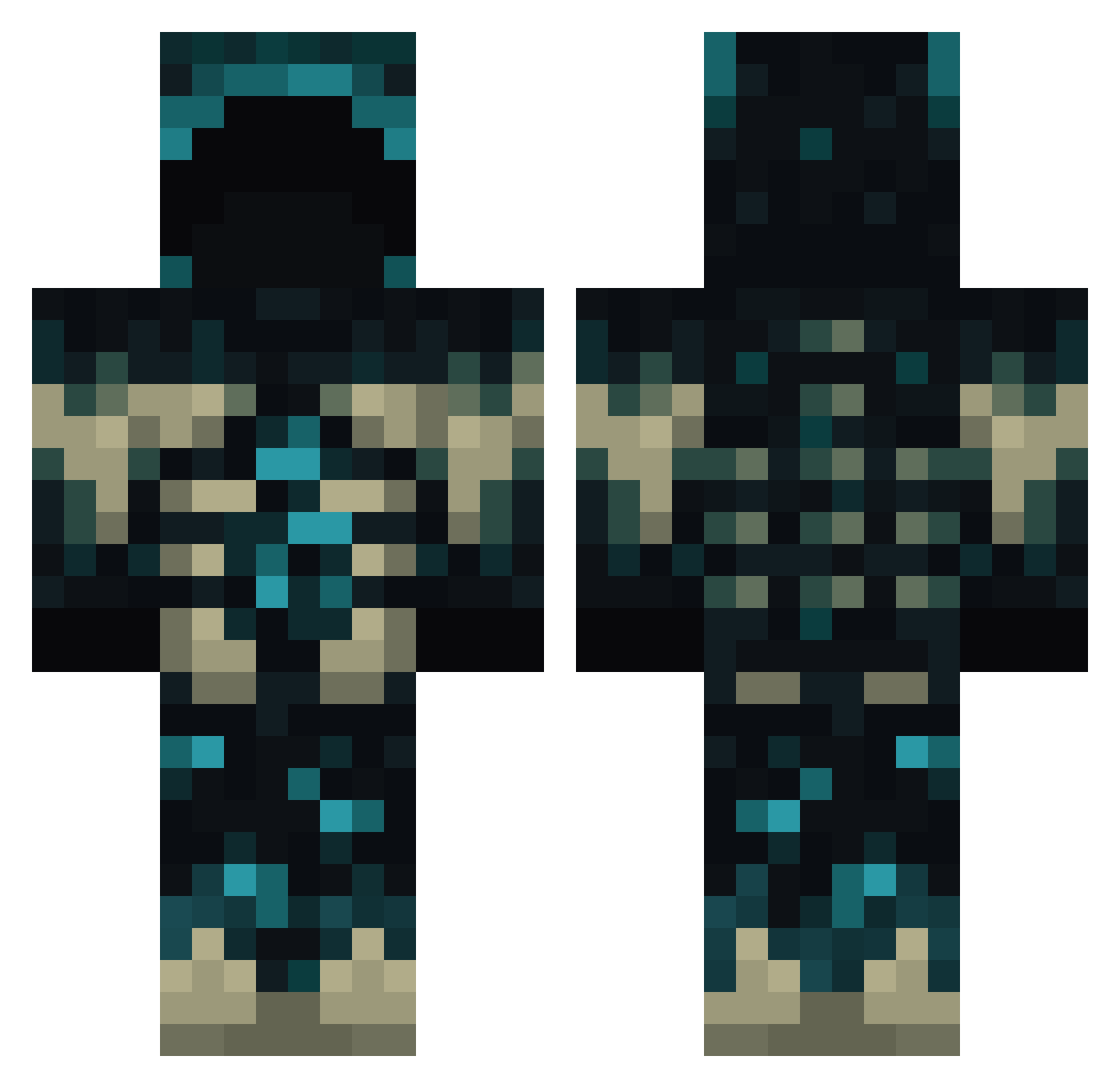
Current Minecraft skin of the player bcollin77, loaded from the official Mojang API. Rotate the 3D model with your mouse or finger, then download the skin as a PNG file and use it in Minecraft: Bedrock Edition or Java Edition for free. When bcollin77 changes their skin, this page updates automatically and the old skin stays in the history below.
Other players with this skin (773)
bcollin77 was the 249th player we have seen with this skin, first spotted on 29.08.2026. The same skin was seen on these players. Open a nickname to see their current skin and skin history.
 cucaranda FerroDaStiro2732 Felixoa Savior_08 Uwusn_t MB_MB_ Nakkurusu RoostMcBoost rnightmare456 ArceNicolas01 Grzesiu32 ghostplague21 lilpumpkin50 UltimateDog0 jenseplens humanmoins MrJacck figaj Thaslav yrupp Ziknar IgnitedDynamite Amoursa StPatt TimothyAdal smallThahaha demondaydreams Unrequitedlov nil20 KandoNakamura Jxuii2 TheGoblinKing2 mrlogman flonky2001 Misael2164 Starshade22 Seamedchido k4pi______ Wrecking_Knee JoelXeneize manyrocket47344 Elite_Snapshot teskinminet KevinBracht Russ512M ratrat9 CodeDragon GuTaoSong Gnome32 cloud0001 misagaming prdlavka bigchichicken
 Jax775 efemngl Envyrokk CozmicKnife King_soe IlCheddar Hiroyukkiiii
More Sculk Minecraft skins
How to install the bcollin77 skin
- Press the Download button above to save the skin as a PNG file.
- Minecraft: Bedrock Edition (PE): open the Dressing Room from the main menu (or tap your character → Edit Character), go to Classic Skins → Owned, press the + (new skin) button, choose the downloaded PNG and pick the Classic (Steve) model. Works on PC and mobile; consoles cannot import custom skins.
- Minecraft: Java Edition: open the Minecraft Launcher, go to the Skins tab, click New Skin, load the PNG, pick the Classic (Steve) model and press Save & Use. You can also upload it at minecraft.net → Profile → Change Skin.
The skin does not show up after import - what should I do?
Restart Minecraft and open the Dressing Room again - imported skins sometimes appear only after a restart. Also make sure you selected the imported skin and picked the Classic (Steve) model.
Which model should I choose, Classic or Slim?
This skin is designed for the Classic (Steve) model. If you pick the wrong model, the arms of the skin will look stretched or squeezed.
Is the skin of bcollin77 free to download?
Yes. Press Download, save the PNG file and use it in Minecraft: Bedrock Edition or Java Edition - no payment or registration needed. The skin also works on multiplayer servers and Realms.
More skins
Looking for more? Go back to all Minecraft skins and check the top skins of the week, month and all time, or find any player's skin by nickname.