
bbclord69 - Minecraft Skins & Skin History
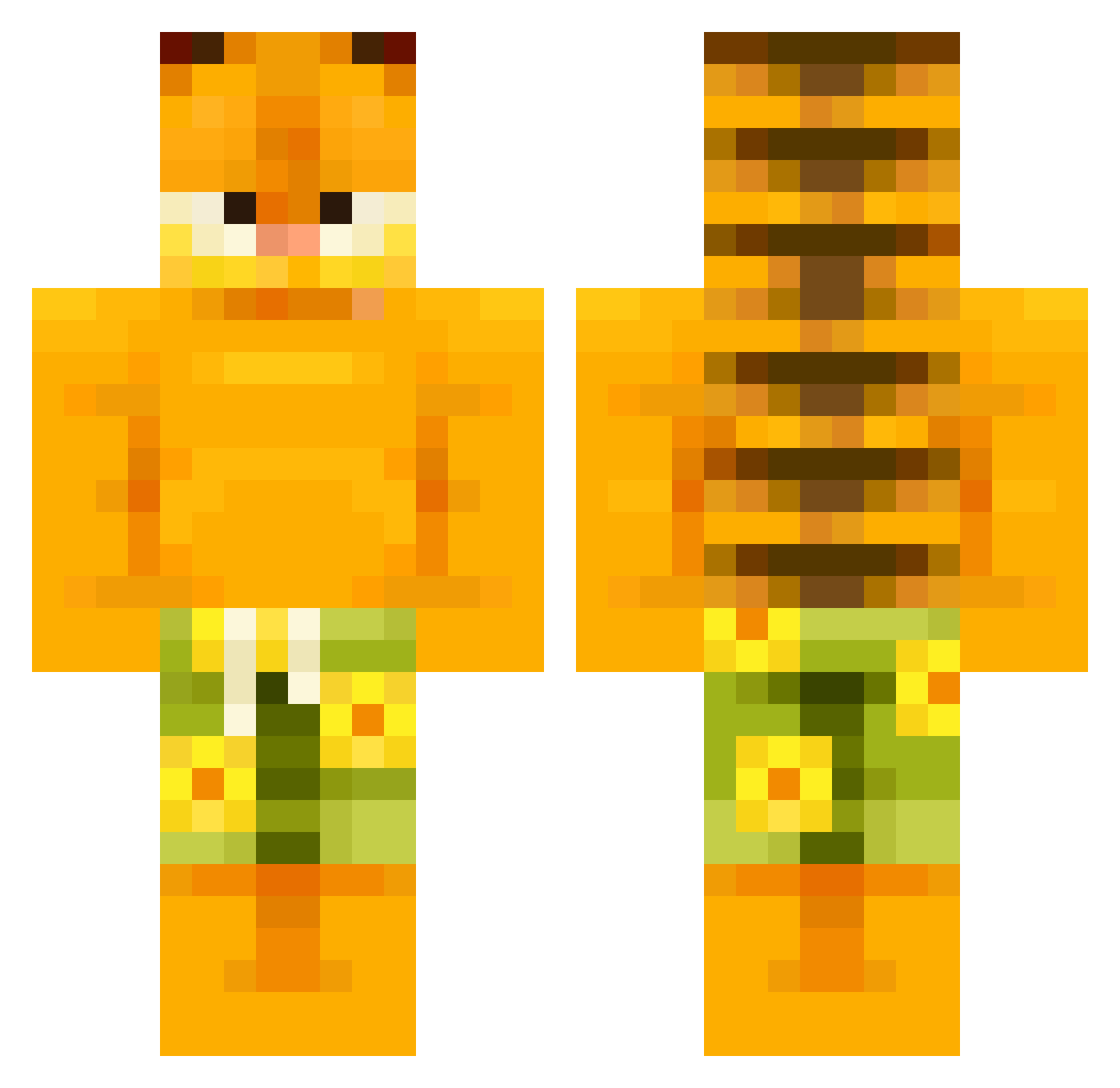
Current Minecraft skin of the player bbclord69, loaded from the official Mojang API. Rotate the 3D model with your mouse or finger, then download the skin as a PNG file and use it in Minecraft: Bedrock Edition or Java Edition for free. When bbclord69 changes their skin, this page updates automatically and the old skin stays in the history below.
Other players with this skin (504)
bbclord69 was the 172nd player we have seen with this skin, first spotted on 27.08.2026. The same skin was seen on these players. Open a nickname to see their current skin and skin history.
 zsesama Snides0 Parzival439 Ozzy9999 NexTheBoar Nut_Chomper arm57 K4D3NN Erluck9 th3inferknight barsibatoes AlexTheBigN00B keoppi elpepe4566 Talrexin q_q023 Rubi_1903 Minecraft19573 guichram IamRequired Jormungundr33 Suli712 gurkle Yessercenak Cattow sk_020 donecats omgt llEasy Rhys9948 Zhouny Rayxz_ HyprTennis Kdin05 Desteey FalconWithAHatOn Surie22 sinici _fisck KaramBest Child_Stasher Hopegyy kitbullz GangsterPatato Rizzvenger zerman31 Khatar17 DrDevious_ SadgeJamz KisielekOli paopeepoo asimon123 bikaq Onuramchi RyanT4255 TheHouseGamerO_O ouchcrouch SaltIsMe XanderDragons aaroooon8
More Garfield Minecraft skins
How to install the bbclord69 skin
- Press the Download button above to save the skin as a PNG file.
- Minecraft: Bedrock Edition (PE): open the Dressing Room from the main menu (or tap your character → Edit Character), go to Classic Skins → Owned, press the + (new skin) button, choose the downloaded PNG and pick the Classic (Steve) model. Works on PC and mobile; consoles cannot import custom skins.
- Minecraft: Java Edition: open the Minecraft Launcher, go to the Skins tab, click New Skin, load the PNG, pick the Classic (Steve) model and press Save & Use. You can also upload it at minecraft.net → Profile → Change Skin.
The skin does not show up after import - what should I do?
Restart Minecraft and open the Dressing Room again - imported skins sometimes appear only after a restart. Also make sure you selected the imported skin and picked the Classic (Steve) model.
Which model should I choose, Classic or Slim?
This skin is designed for the Classic (Steve) model. If you pick the wrong model, the arms of the skin will look stretched or squeezed.
Is the skin of bbclord69 free to download?
Yes. Press Download, save the PNG file and use it in Minecraft: Bedrock Edition or Java Edition - no payment or registration needed. The skin also works on multiplayer servers and Realms.
More skins
Looking for more? Go back to all Minecraft skins and check the top skins of the week, month and all time, or find any player's skin by nickname.