
bautiiy - Minecraft Skins & Skin History
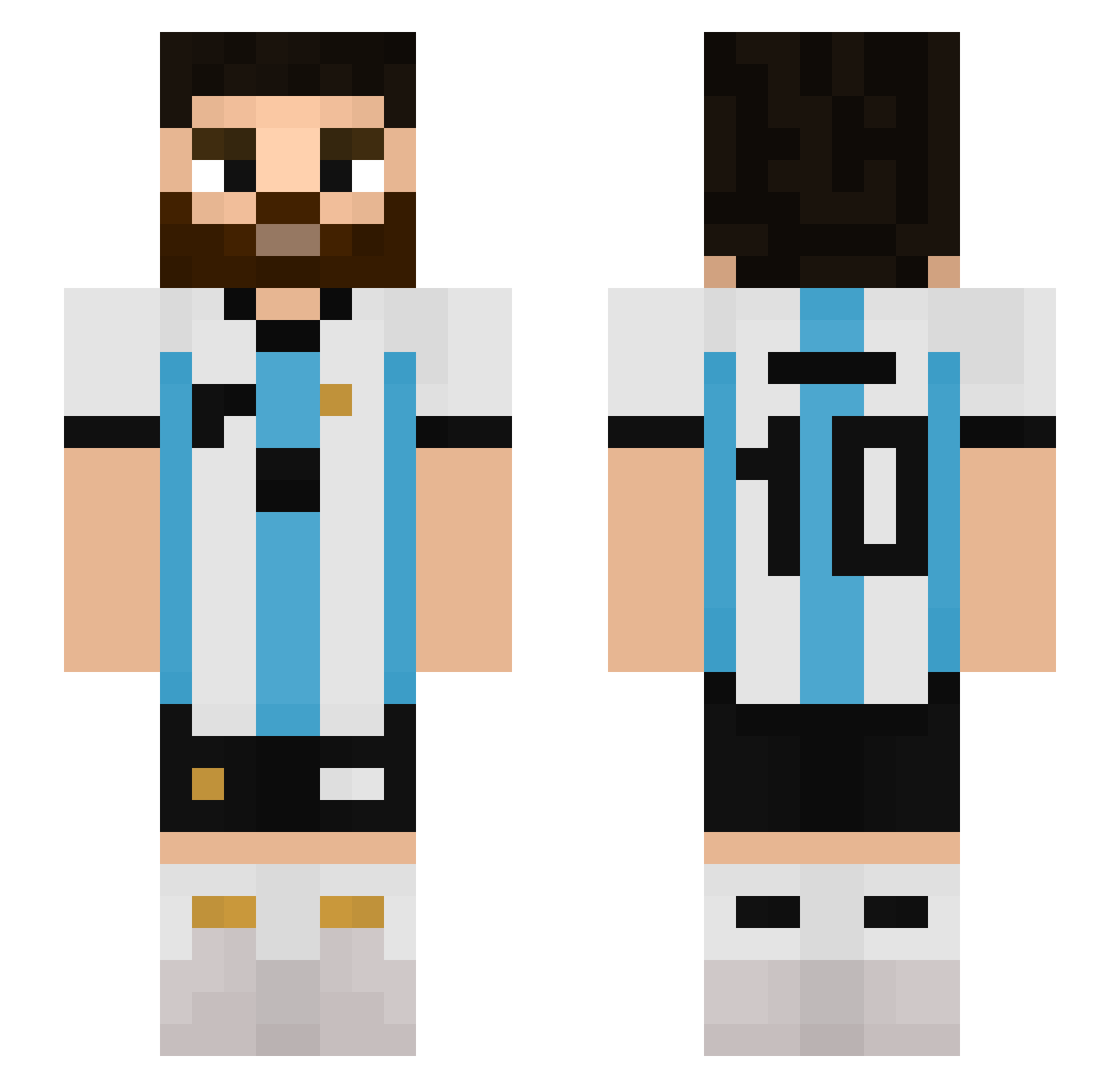
Current Minecraft skin of the player bautiiy, loaded from the official Mojang API. Rotate the 3D model with your mouse or finger, then download the skin as a PNG file and use it in Minecraft: Bedrock Edition or Java Edition for free. When bautiiy changes their skin, this page updates automatically and the old skin stays in the history below.
Other players with this skin (512)
bautiiy was the 337th player we have seen with this skin, first spotted on 25.09.2026. The same skin was seen on these players. Open a nickname to see their current skin and skin history.
 Trav66 ChuyGamer007 cnzv7 jawiez Crownmm Yukorex Pancho8690 LIANNDARDS 3lfo masumasumasu12 JoeDubai15 Sheepbag kon5n5 olivercin24 PRIME_ZAYED zvrek summerfreezing der_beste_1357 cReady10 Leonexus10 Riccardo_Atleta Kezdinho peruanooGamer FAKEdnxz09 zyxre MessiIsG0at sunofarrived KanameEndo elCristian24 Sandmannpunkt isamse morinho44 BlnkzK Propio20 pochitomanu Wladkeee Matygol215 majamaja123456 HC_1012 ZurdoRobben pepitolaburador lukylukas34 BaliAlex18 Jojx_ EcT6 TruckerClemens sledz1kk Pokemivega1 Rideam Mess_10 XSAINS Morellopro LES2838 Palteinzenberg ItsMee16 hotdog3313 Fullthrower2112 Brunocraftt Plumaplop King_br7
More Argentina Minecraft skins
How to install the bautiiy skin
- Press the Download button above to save the skin as a PNG file.
- Minecraft: Bedrock Edition (PE): open the Dressing Room from the main menu (or tap your character → Edit Character), go to Classic Skins → Owned, press the + (new skin) button, choose the downloaded PNG and pick the Slim (Alex) model. Works on PC and mobile; consoles cannot import custom skins.
- Minecraft: Java Edition: open the Minecraft Launcher, go to the Skins tab, click New Skin, load the PNG, pick the Slim (Alex) model and press Save & Use. You can also upload it at minecraft.net → Profile → Change Skin.
The skin does not show up after import - what should I do?
Restart Minecraft and open the Dressing Room again - imported skins sometimes appear only after a restart. Also make sure you selected the imported skin and picked the Slim (Alex) model.
Which model should I choose, Classic or Slim?
This skin is designed for the Slim (Alex) model. If you pick the wrong model, the arms of the skin will look stretched or squeezed.
Is the skin of bautiiy free to download?
Yes. Press Download, save the PNG file and use it in Minecraft: Bedrock Edition or Java Edition - no payment or registration needed. The skin also works on multiplayer servers and Realms.
More skins
Looking for more? Go back to all Minecraft skins and check the top skins of the week, month and all time, or find any player's skin by nickname.