
bartvanveen - Minecraft Skins & Skin History
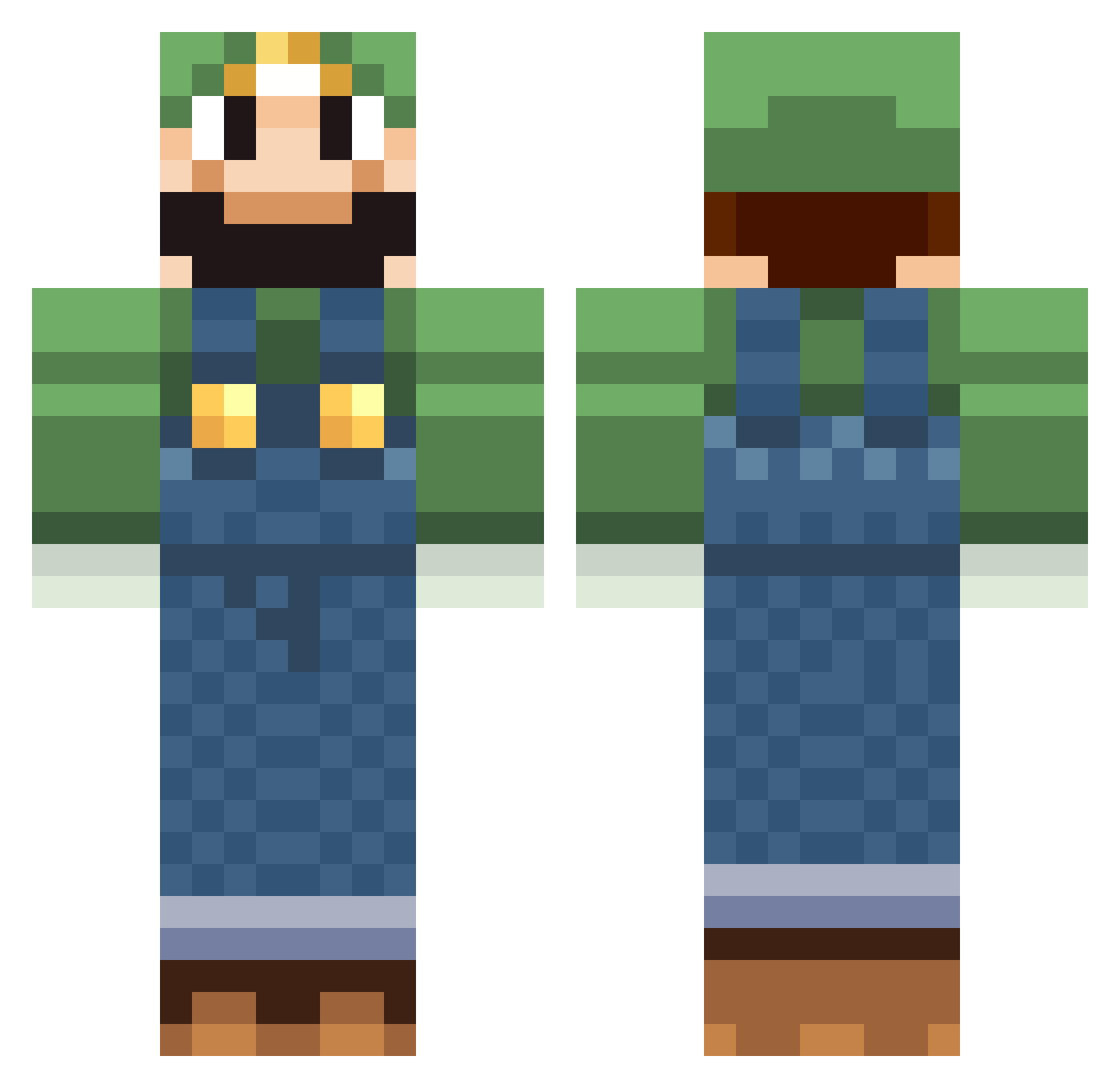
Current Minecraft skin of the player bartvanveen, loaded from the official Mojang API. Rotate the 3D model with your mouse or finger, then download the skin as a PNG file and use it in Minecraft: Bedrock Edition or Java Edition for free. When bartvanveen changes their skin, this page updates automatically and the old skin stays in the history below.
Other players with this skin (518)
bartvanveen was the 394th player we have seen with this skin, first spotted on 13.10.2026. The same skin was seen on these players. Open a nickname to see their current skin and skin history.
 Arnith ELxFRODO Jetonkafa SteveJordan Tronderfaar DancesWithChodes luigi1209 NobleMike El_Pickle lazhFTW niklas_saul Cheesburger64 TeddyBearSlave26 Madsbjerg1337 Traceachu jggadoury53 Jester_Sloth TheHobbin kyca159 Alexb20093 Shamrock_Express ACKAMUFC739 HackieChan09 MineManisMe Lollflashlight booster_188 Ykzpig TheBP29830 Friedriech thejoker450 HopeAct Embba ZOMGPRAWNS BendyGoose mew005 CrispyBasil PatTheBaker LOLTye Brenda0601 JahooneyA grosff flyer22 donS_Carter Luigy99 CyKEK humanoid5 Neon_Box peter2616 souri2 CrafterGod9525 mr_cool_story Adam_Gutierrez xuthorx sadnick SausageRoll aaa90702 soul1000 kniwolf Natsux Symix9989
More Luigi Minecraft skins
How to install the bartvanveen skin
- Press the Download button above to save the skin as a PNG file.
- Minecraft: Bedrock Edition (PE): open the Dressing Room from the main menu (or tap your character → Edit Character), go to Classic Skins → Owned, press the + (new skin) button, choose the downloaded PNG and pick the Classic (Steve) model. Works on PC and mobile; consoles cannot import custom skins.
- Minecraft: Java Edition: open the Minecraft Launcher, go to the Skins tab, click New Skin, load the PNG, pick the Classic (Steve) model and press Save & Use. You can also upload it at minecraft.net → Profile → Change Skin.
The skin does not show up after import - what should I do?
Restart Minecraft and open the Dressing Room again - imported skins sometimes appear only after a restart. Also make sure you selected the imported skin and picked the Classic (Steve) model.
Which model should I choose, Classic or Slim?
This skin is designed for the Classic (Steve) model. If you pick the wrong model, the arms of the skin will look stretched or squeezed.
Is the skin of bartvanveen free to download?
Yes. Press Download, save the PNG file and use it in Minecraft: Bedrock Edition or Java Edition - no payment or registration needed. The skin also works on multiplayer servers and Realms.
More skins
Looking for more? Go back to all Minecraft skins and check the top skins of the week, month and all time, or find any player's skin by nickname.