
bariga99 - Minecraft Skins & Skin History
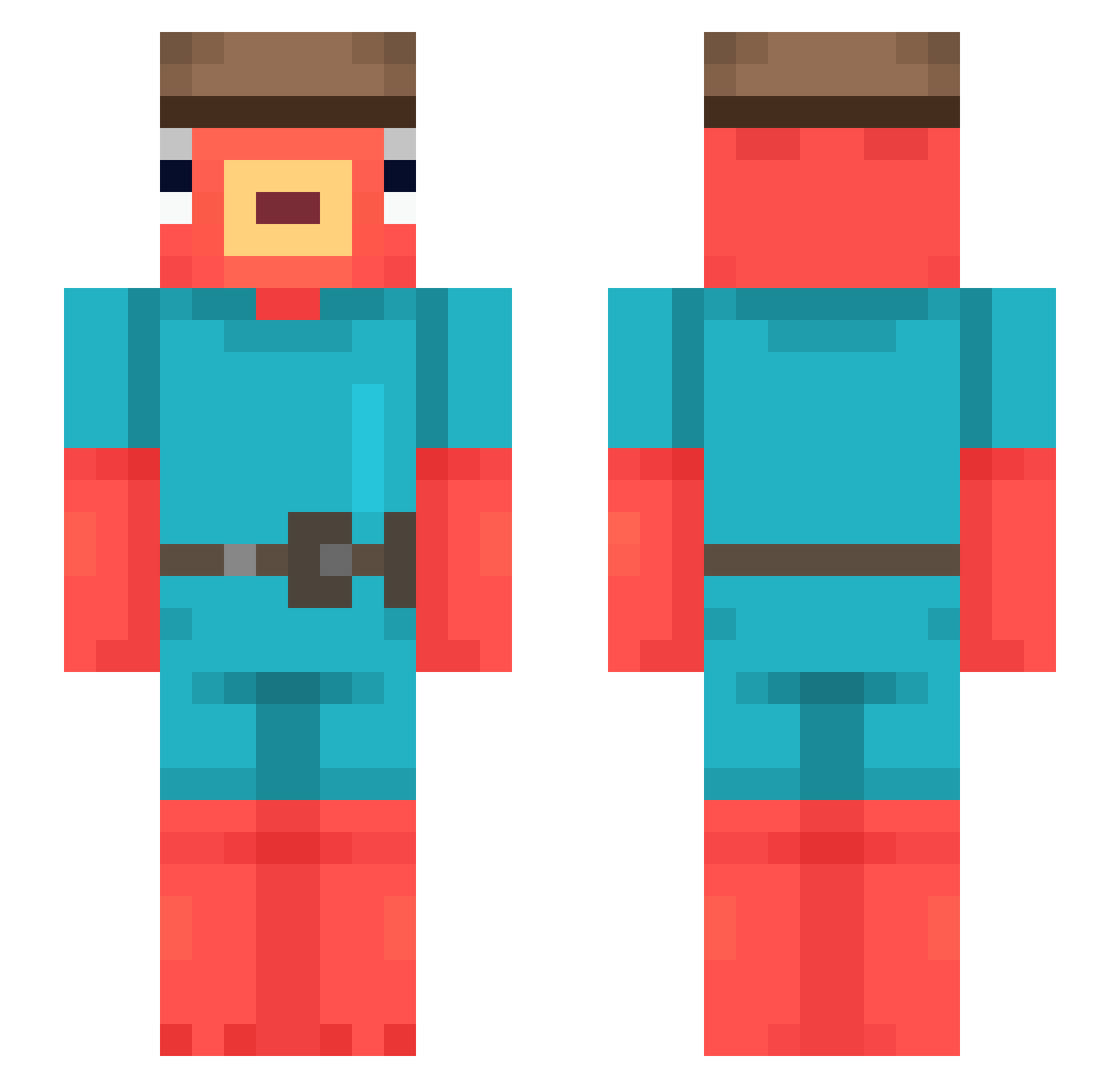
Current Minecraft skin of the player bariga99, loaded from the official Mojang API. Rotate the 3D model with your mouse or finger, then download the skin as a PNG file and use it in Minecraft: Bedrock Edition or Java Edition for free. When bariga99 changes their skin, this page updates automatically and the old skin stays in the history below.
Other players with this skin (544)
bariga99 was the 335th player we have seen with this skin, first spotted on 27.09.2026. The same skin was seen on these players. Open a nickname to see their current skin and skin history.
 The__EpsiloN FunJovan Heazzy_ SHOOTERON240hz Destinyy_ Ry12_12 GwDwM maxye56 FABR1 InvertedSpoon Jeanfitcat yokodori CoddoBTW ps3160gb Mathow49 VibeChecker1000 Testaculls DinoNerdGhost king_controller Luke_____ Shraxx Patolek12 KnallerKarsten Latutuco Im_Cr1stal YogaMaster745 GfuelSnorter Entenpopo1 staxwe1L x2iazoz galbii_ Wojtek4Miliardy Lord_Hamburrger taco333 shiron88 Shipo777 SaykkoGod icecreambus cactusboi12 DarKooZ OlePole48 johnnyexz ClassicConfused RealAlexGamer804 None23 SteamingBeans64 Soy_Yoel craftanthonymine Chri0808 TotallyTolerated johnsdao KennettV fransolid73 asmusc090113 Lyuk74 gbrzada I_HAVE_TO_POOOP LuisBared destroy_qq sergiomn9
More Fishstick Minecraft skins
How to install the bariga99 skin
- Press the Download button above to save the skin as a PNG file.
- Minecraft: Bedrock Edition (PE): open the Dressing Room from the main menu (or tap your character → Edit Character), go to Classic Skins → Owned, press the + (new skin) button, choose the downloaded PNG and pick the Slim (Alex) model. Works on PC and mobile; consoles cannot import custom skins.
- Minecraft: Java Edition: open the Minecraft Launcher, go to the Skins tab, click New Skin, load the PNG, pick the Slim (Alex) model and press Save & Use. You can also upload it at minecraft.net → Profile → Change Skin.
The skin does not show up after import - what should I do?
Restart Minecraft and open the Dressing Room again - imported skins sometimes appear only after a restart. Also make sure you selected the imported skin and picked the Slim (Alex) model.
Which model should I choose, Classic or Slim?
This skin is designed for the Slim (Alex) model. If you pick the wrong model, the arms of the skin will look stretched or squeezed.
Is the skin of bariga99 free to download?
Yes. Press Download, save the PNG file and use it in Minecraft: Bedrock Edition or Java Edition - no payment or registration needed. The skin also works on multiplayer servers and Realms.
More skins
Looking for more? Go back to all Minecraft skins and check the top skins of the week, month and all time, or find any player's skin by nickname.