
bankfx - Minecraft Skins & Skin History
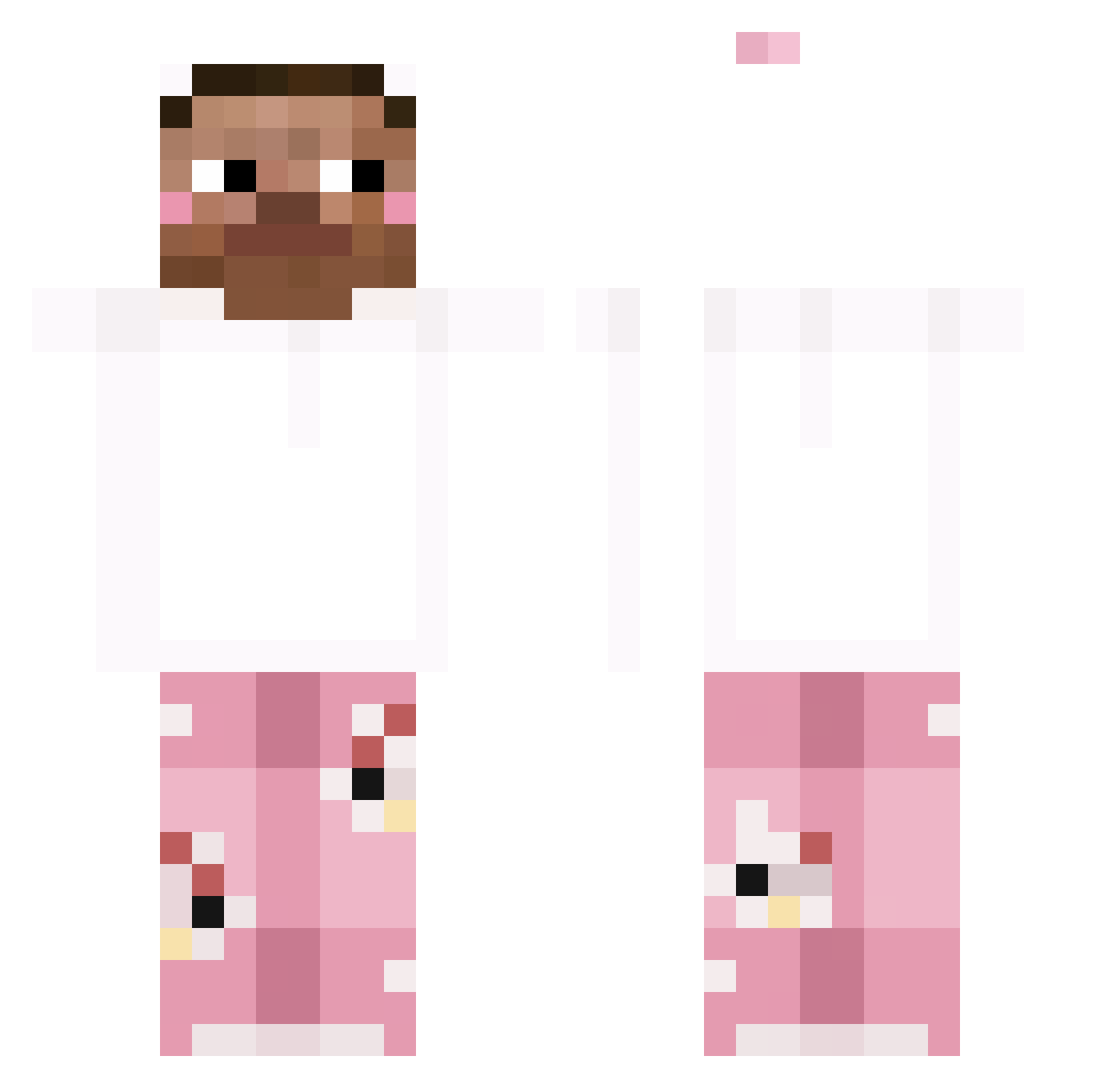
Current Minecraft skin of the player bankfx, loaded from the official Mojang API. Rotate the 3D model with your mouse or finger, then download the skin as a PNG file and use it in Minecraft: Bedrock Edition or Java Edition for free. When bankfx changes their skin, this page updates automatically and the old skin stays in the history below.
Other players with this skin (265)
bankfx was the 242nd player we have seen with this skin, first spotted on 21.10.2026. The same skin was seen on these players. Open a nickname to see their current skin and skin history.
 Geonhhhh XIAOXIU1765 al0iv ray1235 Manudo03 Dinner22222 Rostor28 szybkideddos minedh lokomotywaparowa SoDaPWP Jefecitocraft _DoStAwCa_ TheRarestJacob spritezwe tanakhon aspasin Pinlinga mxgu3l GouDaMao JINTHEBEST_21 everyday77_ Joy0685 kubix623123 p7l_msmc_hd8 jjiyun0227 Calystic Dany_2013 cutekitty41 minecon5029 Dooki_ Black_man342 ImSebby hekoubaoan Hws366 Tequi1aa yongheejung Pataloe luksiior Nutiahv xMatiee5 nynynyla Scott_Kevin NoahKing145 Jerhell guanyi8777 HANJJEONG coolgamerbois69 Mc_Yukina FEILV_ xinoey1223 anurito Ghoster0209 Skazzany_ Cuckoocake ISAGI666 mamaluchona2 bey2w3 JANG37 _Shapy
How to install the bankfx skin
- Press the Download button above to save the skin as a PNG file.
- Minecraft: Bedrock Edition (PE): open the Dressing Room from the main menu (or tap your character → Edit Character), go to Classic Skins → Owned, press the + (new skin) button, choose the downloaded PNG and pick the Classic (Steve) model. Works on PC and mobile; consoles cannot import custom skins.
- Minecraft: Java Edition: open the Minecraft Launcher, go to the Skins tab, click New Skin, load the PNG, pick the Classic (Steve) model and press Save & Use. You can also upload it at minecraft.net → Profile → Change Skin.
The skin does not show up after import - what should I do?
Restart Minecraft and open the Dressing Room again - imported skins sometimes appear only after a restart. Also make sure you selected the imported skin and picked the Classic (Steve) model.
Which model should I choose, Classic or Slim?
This skin is designed for the Classic (Steve) model. If you pick the wrong model, the arms of the skin will look stretched or squeezed.
Is the skin of bankfx free to download?
Yes. Press Download, save the PNG file and use it in Minecraft: Bedrock Edition or Java Edition - no payment or registration needed. The skin also works on multiplayer servers and Realms.
More skins
Looking for more? Go back to all Minecraft skins and check the top skins of the week, month and all time, or find any player's skin by nickname.