
bananimal_ - Minecraft Skins & Skin History
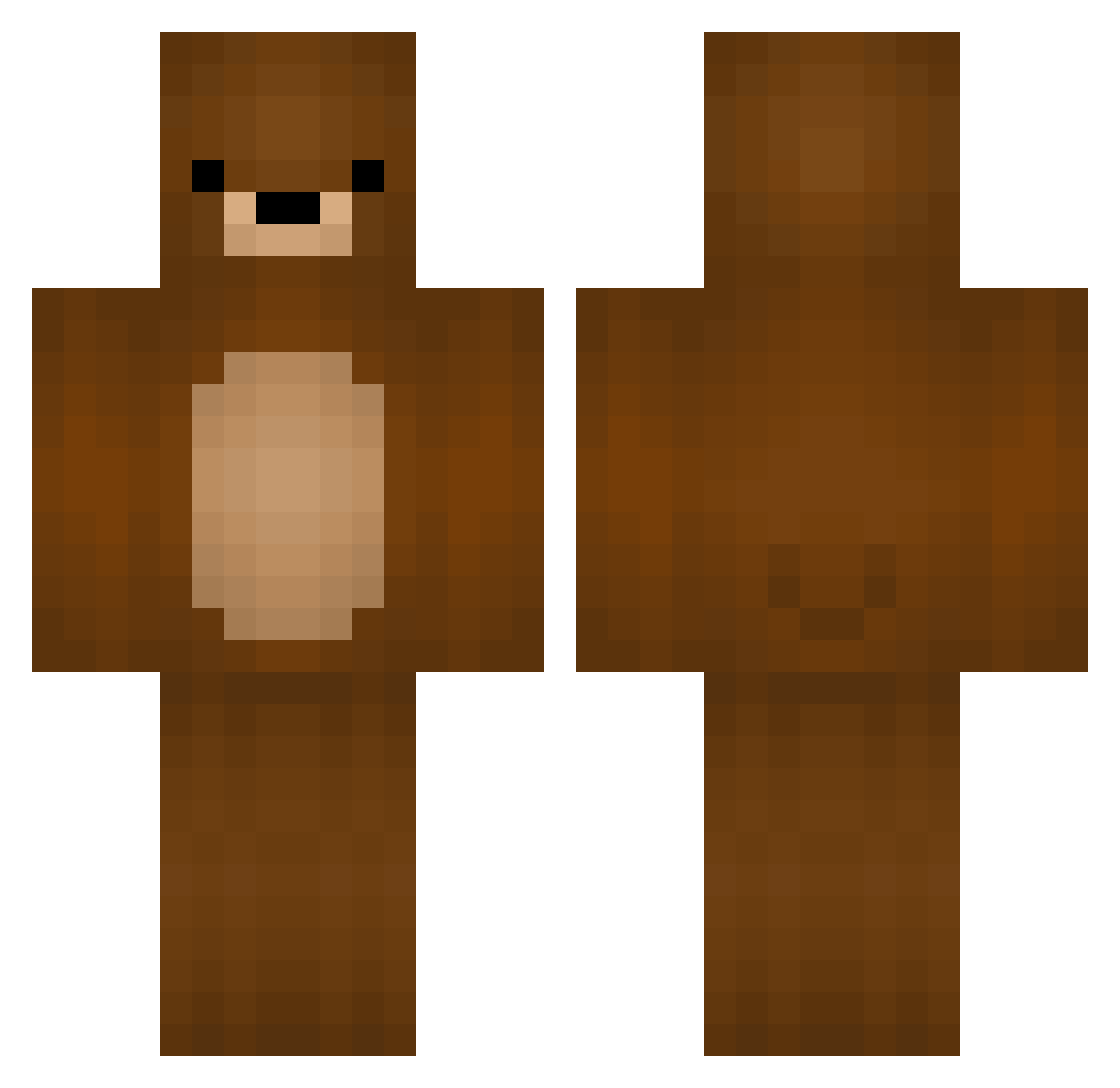
Current Minecraft skin of the player bananimal_, loaded from the official Mojang API. Rotate the 3D model with your mouse or finger, then download the skin as a PNG file and use it in Minecraft: Bedrock Edition or Java Edition for free. When bananimal_ changes their skin, this page updates automatically and the old skin stays in the history below.
Other players with this skin (396)
bananimal_ was the 350th player we have seen with this skin, first spotted on 07.11.2026. The same skin was seen on these players. Open a nickname to see their current skin and skin history.
 NitroMudkip JohnDoe_Gin Kaua_238 tortila zigayy TheBearIsThere Chan_ima Hevyyyy localbee k0obz suesylvester48 KampfKeks612 Fqooork LexmaTV Melottoo cassiw2000 negrobawk SucukluDon obsthaendler463 Zeerror ktasin abcresell HutoiTori Tataneh_ adamqooo Elm_Spring jolane JamOnToast05 discord_FK KingCarmona BMPlayers Mangosteenyy _JimHalpert_ yigitndys W1deBear el_mecha_ghost MCpatch Midjiny kyou2887 emdieckhaus Multi4fun lindsaycooke BRABISBABA silver89 littleberg22 rockeragge bryanperezldu Andronie bear3955 Kumasan1211 ZjbLR maplume _domisek__ h111lmi Faustine97 Rimas162 cooolminer DrexxKN Bhaluka MikkMokk
More Teddy Bear Minecraft skins
How to install the bananimal_ skin
- Press the Download button above to save the skin as a PNG file.
- Minecraft: Bedrock Edition (PE): open the Dressing Room from the main menu (or tap your character → Edit Character), go to Classic Skins → Owned, press the + (new skin) button, choose the downloaded PNG and pick the Classic (Steve) model. Works on PC and mobile; consoles cannot import custom skins.
- Minecraft: Java Edition: open the Minecraft Launcher, go to the Skins tab, click New Skin, load the PNG, pick the Classic (Steve) model and press Save & Use. You can also upload it at minecraft.net → Profile → Change Skin.
The skin does not show up after import - what should I do?
Restart Minecraft and open the Dressing Room again - imported skins sometimes appear only after a restart. Also make sure you selected the imported skin and picked the Classic (Steve) model.
Which model should I choose, Classic or Slim?
This skin is designed for the Classic (Steve) model. If you pick the wrong model, the arms of the skin will look stretched or squeezed.
Is the skin of bananimal_ free to download?
Yes. Press Download, save the PNG file and use it in Minecraft: Bedrock Edition or Java Edition - no payment or registration needed. The skin also works on multiplayer servers and Realms.
More skins
Looking for more? Go back to all Minecraft skins and check the top skins of the week, month and all time, or find any player's skin by nickname.