
banana2512 - Minecraft Skins & Skin History
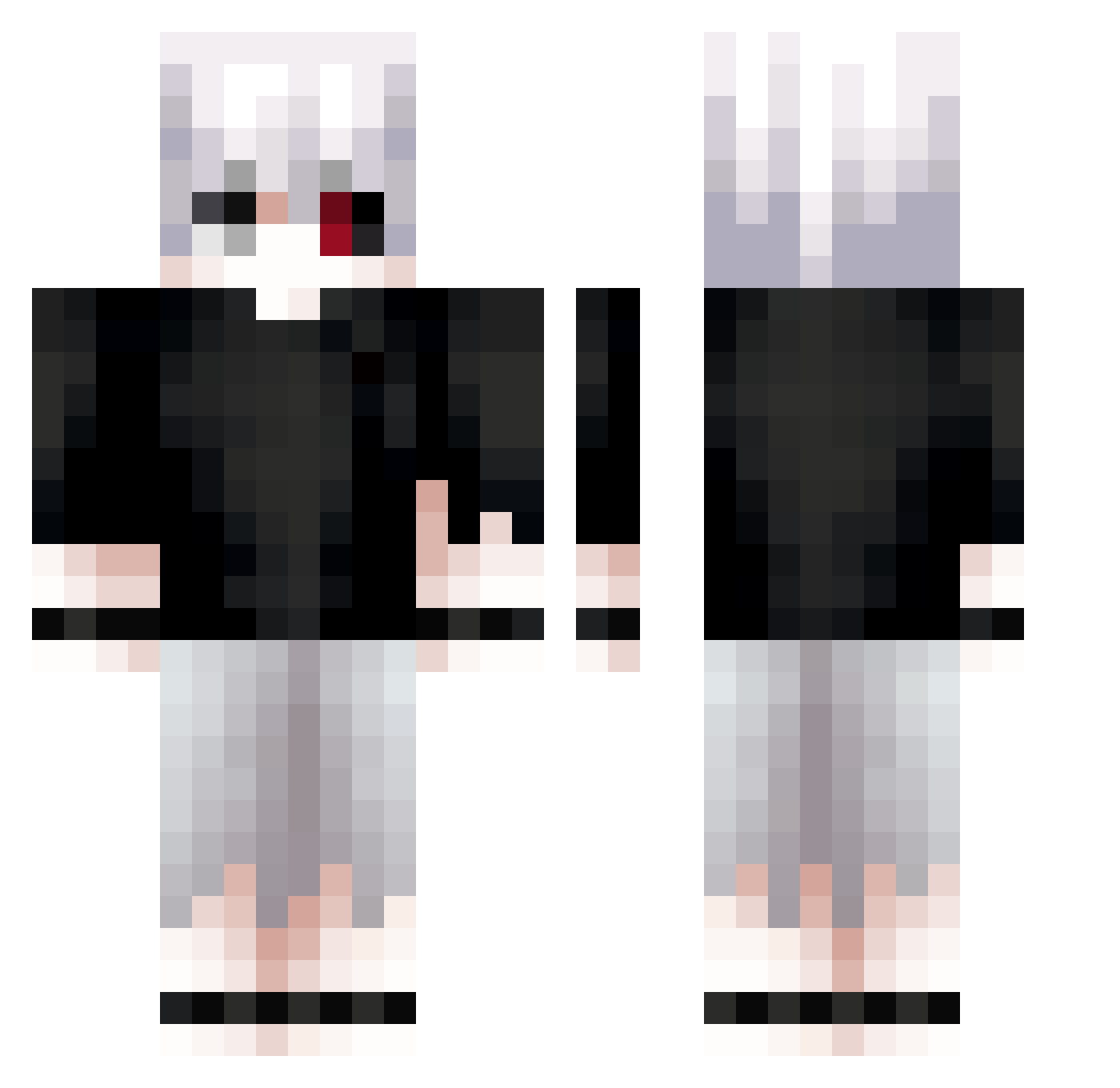
Current Minecraft skin of the player banana2512, loaded from the official Mojang API. Rotate the 3D model with your mouse or finger, then download the skin as a PNG file and use it in Minecraft: Bedrock Edition or Java Edition for free. When banana2512 changes their skin, this page updates automatically and the old skin stays in the history below.
Other players with this skin (612)
banana2512 was the 586th player we have seen with this skin, first spotted on 19.10.2026. The same skin was seen on these players. Open a nickname to see their current skin and skin history.
 Ender_Mark_ kaotikklol Kebizo noatshka Davidcitoo L2011 Apatheticirl HyperHaru_ 13ankai rabaxle Matchi873 EscoGG guibacarlos Le020 Slatt5oul xikoplay Mewt115 RiMrEaPer7668 Datsuks Schekz NnearL HarryPlonxs hzueea Nilyyyc Rayyyz VenomousMold419 CeroteBoi Karakurt90 Delw W4RRI0R_ xBlaZe95 Emeerreh Dhisufiora DroppedByNoxxy __Duarte__ Master_Edger209 Lemcin Perll_ emptykjk cloaking_spy5541 LZX945 SwienX NinjaaaNick Kenzzzz02 mobsyarny7a Leo10012 Sanyi7 iHunt3r Garuuwu hcyy62 Juesly Donkeeeey10 D3dpp Kyunx Briskness ChudoYudo228 Yunggod313 DarkDeVortex tanky67 Diablo44
More Kaneki Minecraft skins
How to install the banana2512 skin
- Press the Download button above to save the skin as a PNG file.
- Minecraft: Bedrock Edition (PE): open the Dressing Room from the main menu (or tap your character → Edit Character), go to Classic Skins → Owned, press the + (new skin) button, choose the downloaded PNG and pick the Classic (Steve) model. Works on PC and mobile; consoles cannot import custom skins.
- Minecraft: Java Edition: open the Minecraft Launcher, go to the Skins tab, click New Skin, load the PNG, pick the Classic (Steve) model and press Save & Use. You can also upload it at minecraft.net → Profile → Change Skin.
The skin does not show up after import - what should I do?
Restart Minecraft and open the Dressing Room again - imported skins sometimes appear only after a restart. Also make sure you selected the imported skin and picked the Classic (Steve) model.
Which model should I choose, Classic or Slim?
This skin is designed for the Classic (Steve) model. If you pick the wrong model, the arms of the skin will look stretched or squeezed.
Is the skin of banana2512 free to download?
Yes. Press Download, save the PNG file and use it in Minecraft: Bedrock Edition or Java Edition - no payment or registration needed. The skin also works on multiplayer servers and Realms.
More skins
Looking for more? Go back to all Minecraft skins and check the top skins of the week, month and all time, or find any player's skin by nickname.