
bald_gaymer - Minecraft Skins & Skin History
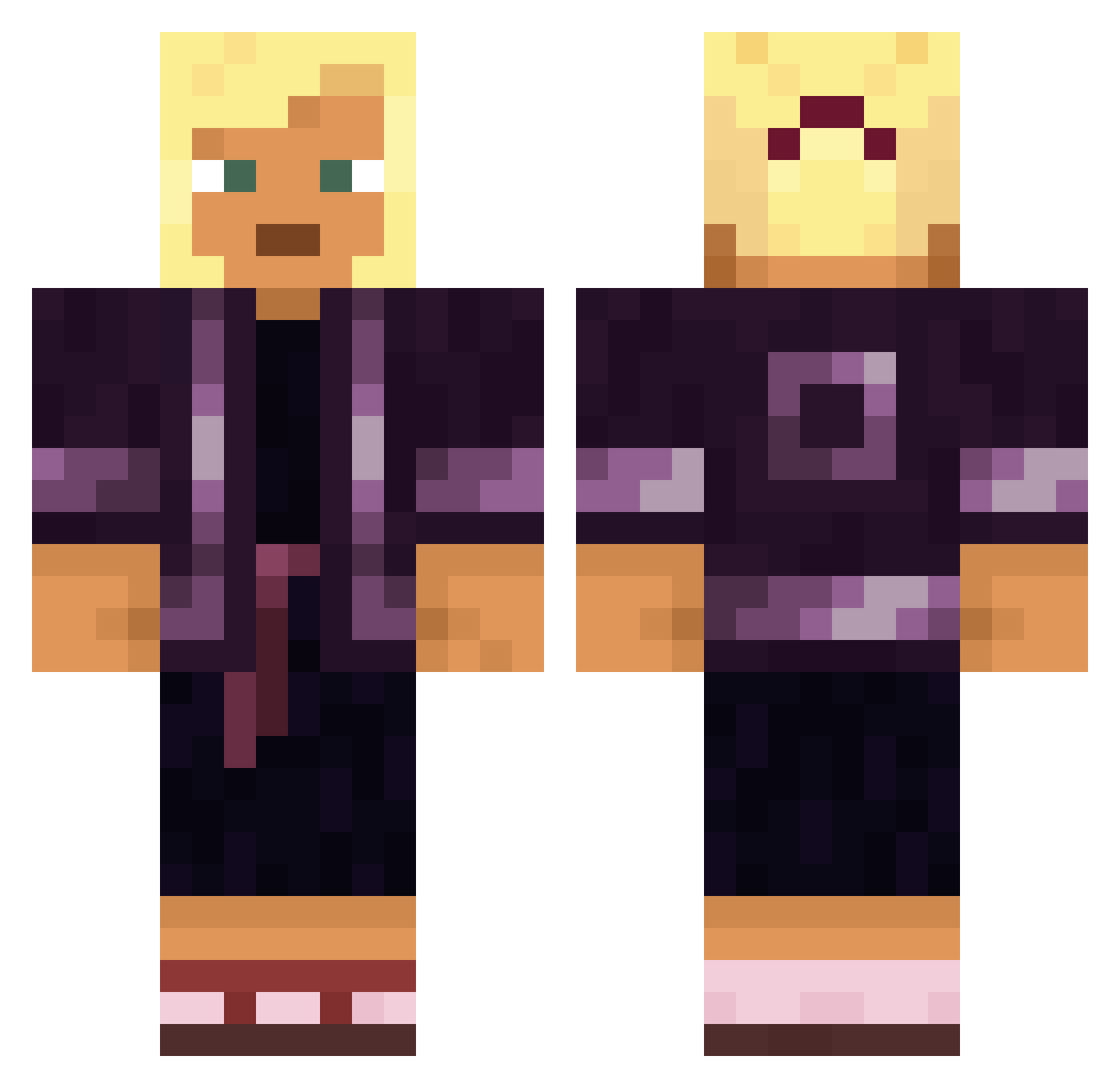
Current Minecraft skin of the player bald_gaymer, loaded from the official Mojang API. Rotate the 3D model with your mouse or finger, then download the skin as a PNG file and use it in Minecraft: Bedrock Edition or Java Edition for free. When bald_gaymer changes their skin, this page updates automatically and the old skin stays in the history below.
Other players with this skin (1359)
bald_gaymer was the 82nd player we have seen with this skin, first spotted on 29.07.2026. The same skin was seen on these players. Open a nickname to see their current skin and skin history.
 Girlls Nakar_I _user_name_ Hotching SpanischerTorro Nordkap1 Man_Tou_dd Staig Fiery_Arrow Atmospherical SOMBOODEE duthied the_hoooman Zepp_der_depp BenShapiro_420 linyuyu1100 Veldskoen averagelizard cains Dikasaurus Dilsen Carloxx JONAS_DO_ENGUICA Ivynk HellReaper9 x7csb_ Inventor2525 Ollesaurus Wilson22851 Untouchable_ IEatRawOnions UmmetKbr mhna19 flaming99 HankieFrankie Kusskuss Wiyot
 cheatos1 pabloxlol123 crimsoon_ eddic
 Michael1213213 dimaFEC soerlien OrizoMan stadion TheNotoriousVS Fabrainque huncka AlainDroiid limpets WASSLA Diabolos147 MrPapadopoulos08 Mrdazed Moutler sweatysickness CraftorVN01 DownturnED unchewed
More Kimono Minecraft skins
How to install the bald_gaymer skin
- Press the Download button above to save the skin as a PNG file.
- Minecraft: Bedrock Edition (PE): open the Dressing Room from the main menu (or tap your character → Edit Character), go to Classic Skins → Owned, press the + (new skin) button, choose the downloaded PNG and pick the Classic (Steve) model. Works on PC and mobile; consoles cannot import custom skins.
- Minecraft: Java Edition: open the Minecraft Launcher, go to the Skins tab, click New Skin, load the PNG, pick the Classic (Steve) model and press Save & Use. You can also upload it at minecraft.net → Profile → Change Skin.
The skin does not show up after import - what should I do?
Restart Minecraft and open the Dressing Room again - imported skins sometimes appear only after a restart. Also make sure you selected the imported skin and picked the Classic (Steve) model.
Which model should I choose, Classic or Slim?
This skin is designed for the Classic (Steve) model. If you pick the wrong model, the arms of the skin will look stretched or squeezed.
Is the skin of bald_gaymer free to download?
Yes. Press Download, save the PNG file and use it in Minecraft: Bedrock Edition or Java Edition - no payment or registration needed. The skin also works on multiplayer servers and Realms.
More skins
Looking for more? Go back to all Minecraft skins and check the top skins of the week, month and all time, or find any player's skin by nickname.