
babysolows - Minecraft Skins & Skin History
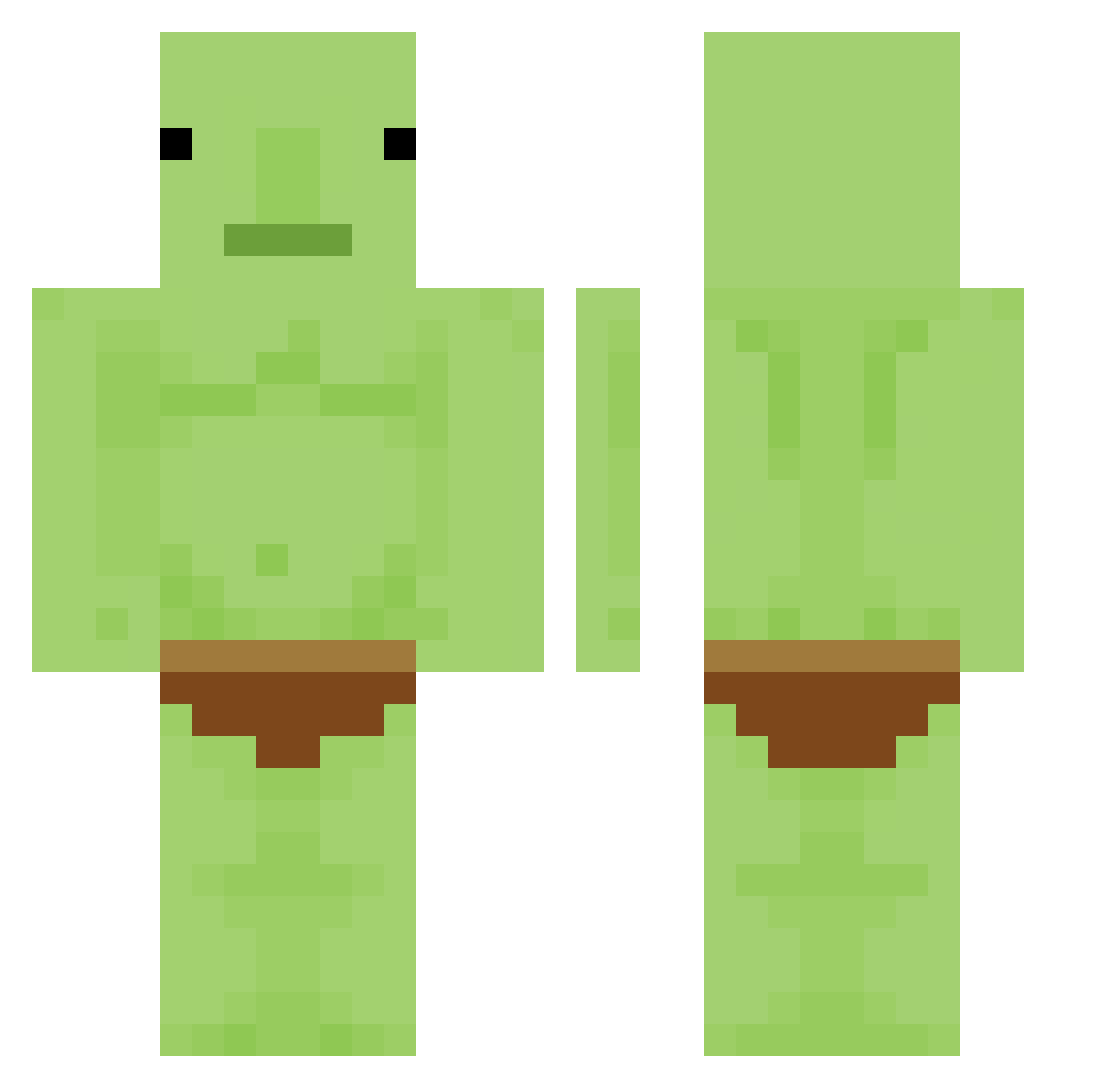
Current Minecraft skin of the player babysolows, loaded from the official Mojang API. Rotate the 3D model with your mouse or finger, then download the skin as a PNG file and use it in Minecraft: Bedrock Edition or Java Edition for free. When babysolows changes their skin, this page updates automatically and the old skin stays in the history below.
Other players with this skin (336)
babysolows was the 254th player we have seen with this skin, first spotted on 13.10.2026. The same skin was seen on these players. Open a nickname to see their current skin and skin history.
 NamelessGent Ellie35685 Confirmatory trollskin Boss_Romm Caliastin Deen_Aska ameregoblin balllicker47 aalgae Evangeliiist Gremlinutz APSkelly08 Vibeka Bobbydaw ubey_ beenzboi Jil62 MinecraftMan2506 _xUhOhStinkyx_ _beanz_z pokaryo Branduun matteodubeisst Dragon_OO0 justokbear charlesisthebest Turb0anT Jojo_sagas TIROUSHII YsoFan Wooodja SecretGuard1234 Kean21 goblin_hoarder Frodo8426 thugga_parks Warrlocke FeuerwehrmannBen 1RedSkittle Tigrou347 ImSoGinger5 maybepinkish JimeeDum sirlapis Slothahontas IKUN102 Cane303 jackio30 Aquila042 money_maker4569 DankerMedal9932 Wooo2Y Lollipop_GGXIX Supman11221 Giggino7002 oJue AlexFoda derandere007 geobugi6974
More Blobfish Minecraft skins
How to install the babysolows skin
- Press the Download button above to save the skin as a PNG file.
- Minecraft: Bedrock Edition (PE): open the Dressing Room from the main menu (or tap your character → Edit Character), go to Classic Skins → Owned, press the + (new skin) button, choose the downloaded PNG and pick the Classic (Steve) model. Works on PC and mobile; consoles cannot import custom skins.
- Minecraft: Java Edition: open the Minecraft Launcher, go to the Skins tab, click New Skin, load the PNG, pick the Classic (Steve) model and press Save & Use. You can also upload it at minecraft.net → Profile → Change Skin.
The skin does not show up after import - what should I do?
Restart Minecraft and open the Dressing Room again - imported skins sometimes appear only after a restart. Also make sure you selected the imported skin and picked the Classic (Steve) model.
Which model should I choose, Classic or Slim?
This skin is designed for the Classic (Steve) model. If you pick the wrong model, the arms of the skin will look stretched or squeezed.
Is the skin of babysolows free to download?
Yes. Press Download, save the PNG file and use it in Minecraft: Bedrock Edition or Java Edition - no payment or registration needed. The skin also works on multiplayer servers and Realms.
More skins
Looking for more? Go back to all Minecraft skins and check the top skins of the week, month and all time, or find any player's skin by nickname.