
aylagunther - Minecraft Skins & Skin History
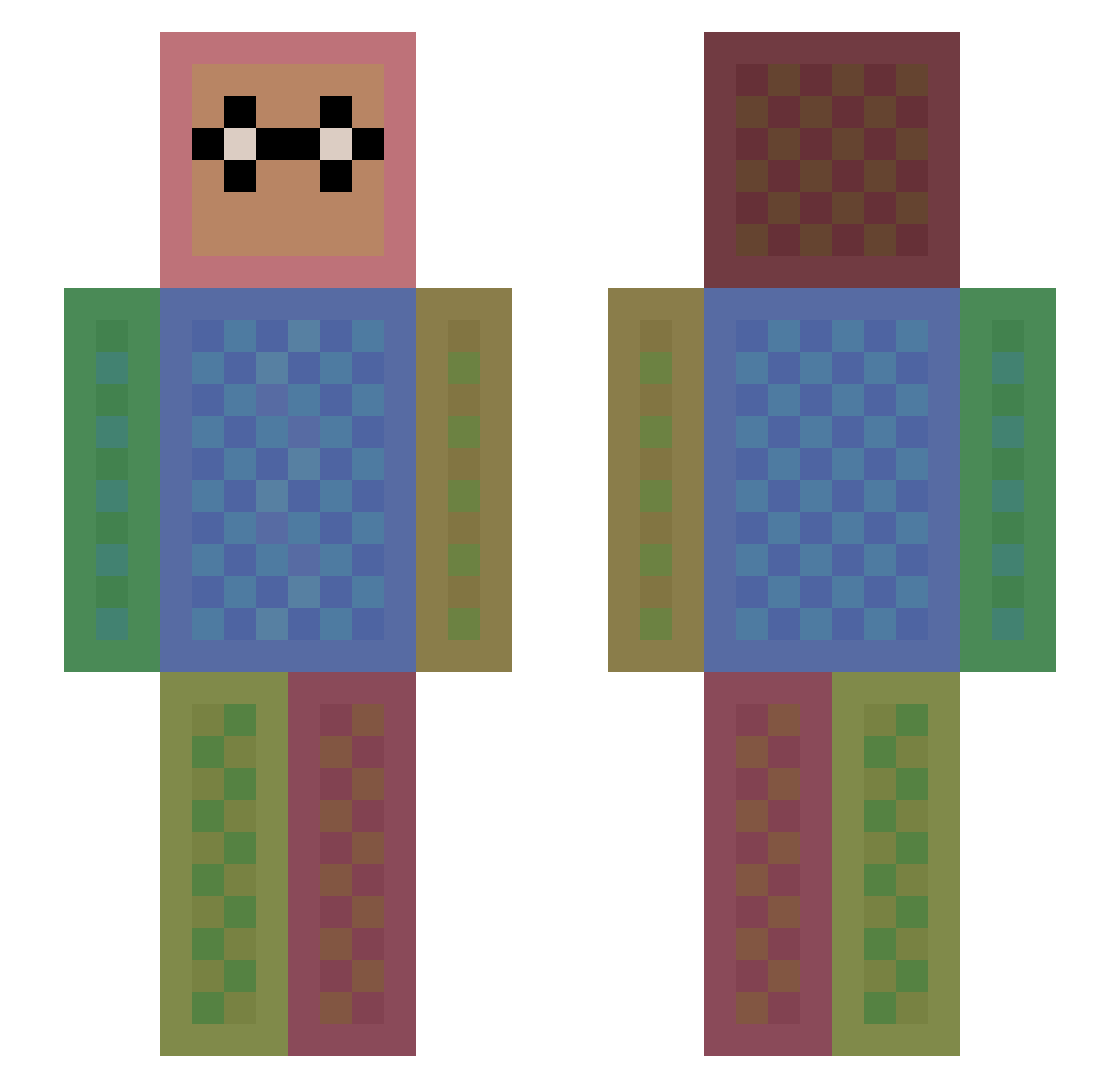
Current Minecraft skin of the player aylagunther, loaded from the official Mojang API. Rotate the 3D model with your mouse or finger, then download the skin as a PNG file and use it in Minecraft: Bedrock Edition or Java Edition for free. When aylagunther changes their skin, this page updates automatically and the old skin stays in the history below.
Other players with this skin (1611)
aylagunther was the 1573rd player we have seen with this skin, first spotted on 16.11.2026. The same skin was seen on these players. Open a nickname to see their current skin and skin history.
 Maisieex kitty_cat_gamerz musya114 Wizard211 MENTAIKO_SUSHI Kaylieg Pinecone_Assasin enjoy_life ruby1122 LittleBrenden Cocacola0326 Kungfoo36 Sn0wflak3 _Justin_ CoolBlueE Psychiic JTJakeNC GOODALICE arthurazerty _DancingCow_ MandatedMonkey Moosemilk123 wowo890728 ralphy2007 FluffyFoxNazzu svefs8 Toosh WreckitJJ kimxx Issa_Jatt Noellegrace Phirephish vinag59 Herobrine_a tntdbff Lightninggirl67 dagarla07 Shaynenee tatsu141 WBJ4444 Philipp_635 Chiiko360 peisuke silvana27h Hamax31 Andreag06 opdayum Yugi131 Sybil_c timm3h failblogi Stricken228 tractorboy1215 djb0419 tubotubo Jakeyyy_ zunyi her0br1n3 leoapferraz pvpAnton06
How to install the aylagunther skin
- Press the Download button above to save the skin as a PNG file.
- Minecraft: Bedrock Edition (PE): open the Dressing Room from the main menu (or tap your character → Edit Character), go to Classic Skins → Owned, press the + (new skin) button, choose the downloaded PNG and pick the Slim (Alex) model. Works on PC and mobile; consoles cannot import custom skins.
- Minecraft: Java Edition: open the Minecraft Launcher, go to the Skins tab, click New Skin, load the PNG, pick the Slim (Alex) model and press Save & Use. You can also upload it at minecraft.net → Profile → Change Skin.
The skin does not show up after import - what should I do?
Restart Minecraft and open the Dressing Room again - imported skins sometimes appear only after a restart. Also make sure you selected the imported skin and picked the Slim (Alex) model.
Which model should I choose, Classic or Slim?
This skin is designed for the Slim (Alex) model. If you pick the wrong model, the arms of the skin will look stretched or squeezed.
Is the skin of aylagunther free to download?
Yes. Press Download, save the PNG file and use it in Minecraft: Bedrock Edition or Java Edition - no payment or registration needed. The skin also works on multiplayer servers and Realms.
More skins
Looking for more? Go back to all Minecraft skins and check the top skins of the week, month and all time, or find any player's skin by nickname.