
axhxxr - Minecraft Skins & Skin History
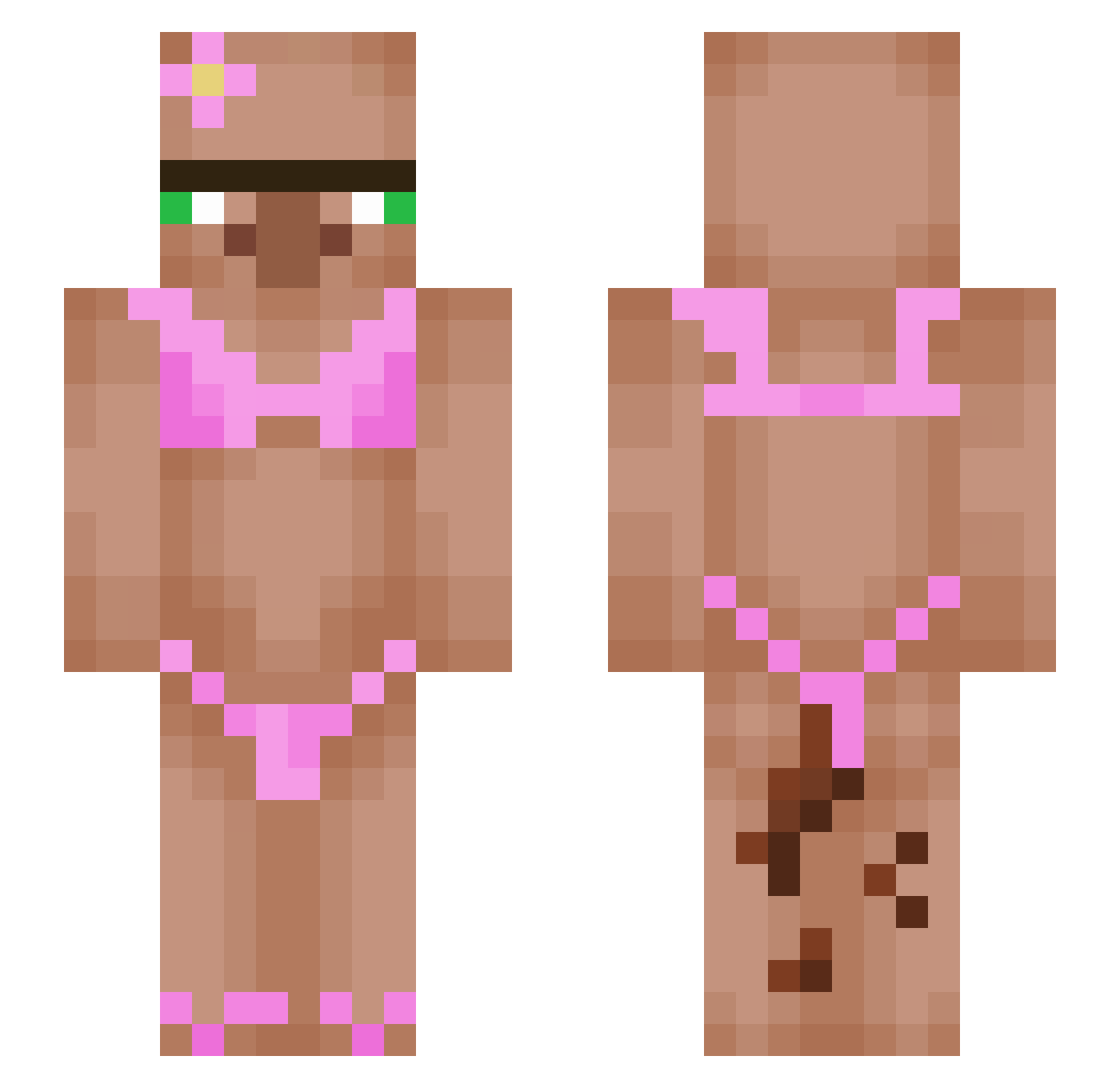
Current Minecraft skin of the player axhxxr, loaded from the official Mojang API. Rotate the 3D model with your mouse or finger, then download the skin as a PNG file and use it in Minecraft: Bedrock Edition or Java Edition for free. When axhxxr changes their skin, this page updates automatically and the old skin stays in the history below.
Other players with this skin (624)
axhxxr was the 566th player we have seen with this skin, first spotted on 07.11.2026. The same skin was seen on these players. Open a nickname to see their current skin and skin history.
 SmallWilIyDiIIy crypticwolf9481 HaroldSize gxser cptDB beezR0 CB_Pasty JJ5x2111 DONUTDIH amarthee IlZold biggest_opp Kathh31 Wenieboy321 Paluch21 smegtastic69 C03M1C Halfy0910 ChickenBuht Svape23 Hoboman57 JesperAF Mergon archii3 grayonperky Shurkiz extrasweette25 Bensler71 MrDudex SkinnyMini03 pogchamp1987 CMG__ pixl67 qxzvw JoeyChameleon Frogs1y R_o_n_n_i_e ZanFXR DoneCylinder339 Alex579056 goonmaxxing69 Gnomo2702 Neo6445 orangeman2011 Fyrisq IDO640 Lu48 Flaminpenguin JimmyCorndog01 Fawkin_Metalhead sptg1110 Chiara201216 Laur1995 marliesc MonkeyPS5 skibidialphabrax tytyplouf Skelliga ThaMarez araz2013
More Bikini Minecraft skins
How to install the axhxxr skin
- Press the Download button above to save the skin as a PNG file.
- Minecraft: Bedrock Edition (PE): open the Dressing Room from the main menu (or tap your character → Edit Character), go to Classic Skins → Owned, press the + (new skin) button, choose the downloaded PNG and pick the Slim (Alex) model. Works on PC and mobile; consoles cannot import custom skins.
- Minecraft: Java Edition: open the Minecraft Launcher, go to the Skins tab, click New Skin, load the PNG, pick the Slim (Alex) model and press Save & Use. You can also upload it at minecraft.net → Profile → Change Skin.
The skin does not show up after import - what should I do?
Restart Minecraft and open the Dressing Room again - imported skins sometimes appear only after a restart. Also make sure you selected the imported skin and picked the Slim (Alex) model.
Which model should I choose, Classic or Slim?
This skin is designed for the Slim (Alex) model. If you pick the wrong model, the arms of the skin will look stretched or squeezed.
Is the skin of axhxxr free to download?
Yes. Press Download, save the PNG file and use it in Minecraft: Bedrock Edition or Java Edition - no payment or registration needed. The skin also works on multiplayer servers and Realms.
More skins
Looking for more? Go back to all Minecraft skins and check the top skins of the week, month and all time, or find any player's skin by nickname.