
awesomekian - Minecraft Skins & Skin History
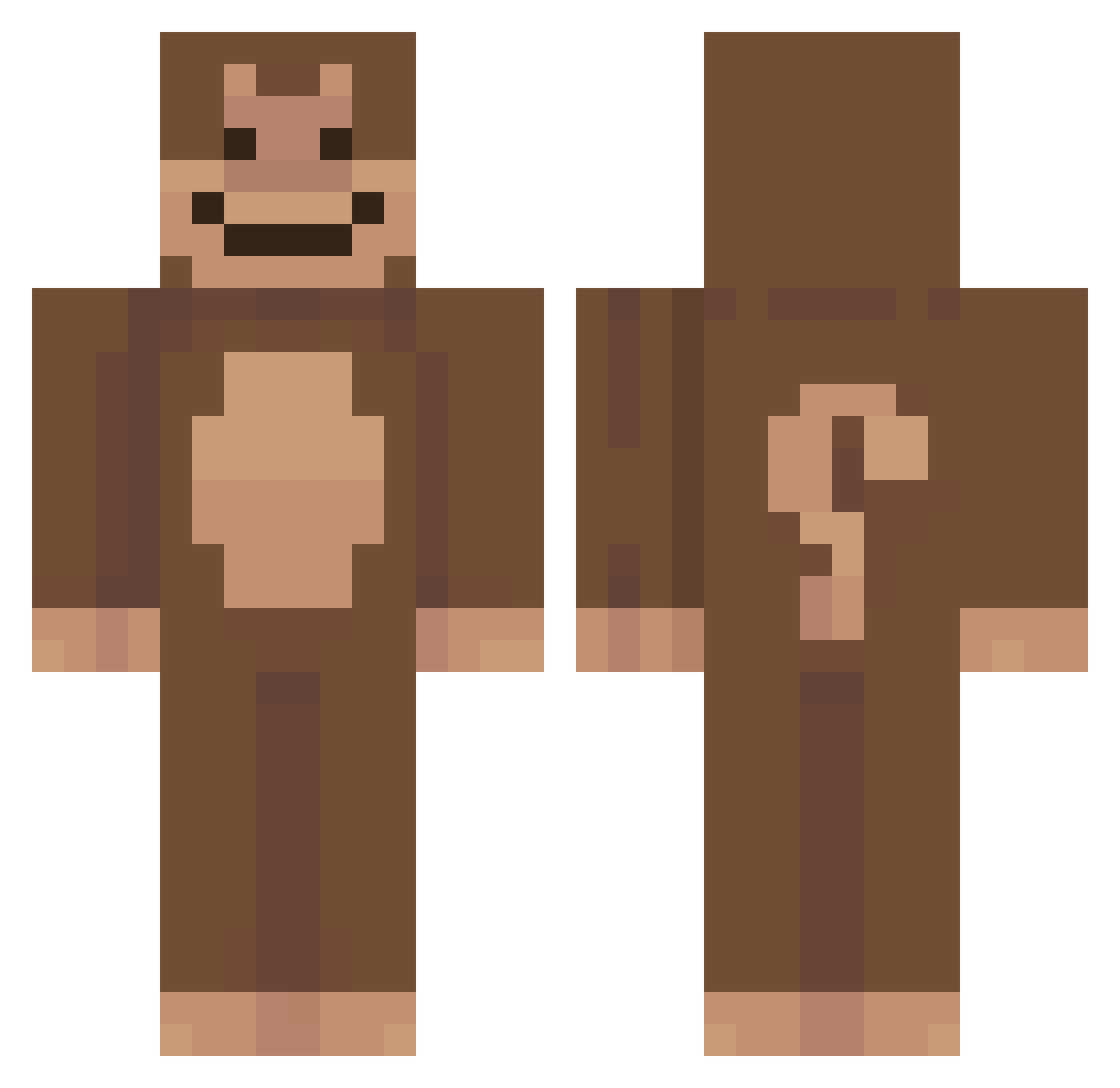
Current Minecraft skin of the player awesomekian, loaded from the official Mojang API. Rotate the 3D model with your mouse or finger, then download the skin as a PNG file and use it in Minecraft: Bedrock Edition or Java Edition for free. When awesomekian changes their skin, this page updates automatically and the old skin stays in the history below.
Other players with this skin (52)
awesomekian was the 27th player we have seen with this skin, first spotted on 12.09.2026. The same skin was seen on these players. Open a nickname to see their current skin and skin history.
 raidminecraft sale__ TheWeeltz TKkayy fossdarya Waneth pwoofie wcalenieazelf untiltiago ShaShxa Xavibram9 troskari __Hiu__ asyko indibba KINGTHEKONG paucx remstages Valsh_ ItzSaraa Hxsoka11 IAMBAKJUNGJE helpmie zanich3 Ernesto76 Clarozzzzx fdsohfolsdjk erayjagan Bill_F_Arthur 4l0r reallauren
 ShowShoow WeiWeiO623 MarreWahle Sharpy_Boi panch05 OxycodonEnjoyer NataZM Origxmii do2wn azbruh semilateral Baba_Gr1ll minseong12j Lucas133246 McMonkeySs Kinggon gosung1 PozeDoEsgoto _downgraded wintererde123321 XiJInPIngP1ng2
Previous skins of awesomekian
Skins that awesomekian wore before, newest first. Click a skin to open its page and download it.
More Animal Costume Minecraft skins
See all 228 Animal Costume skins
How to install the awesomekian skin
- Press the Download button above to save the skin as a PNG file.
- Minecraft: Bedrock Edition (PE): open the Dressing Room from the main menu (or tap your character → Edit Character), go to Classic Skins → Owned, press the + (new skin) button, choose the downloaded PNG and pick the Classic (Steve) model. Works on PC and mobile; consoles cannot import custom skins.
- Minecraft: Java Edition: open the Minecraft Launcher, go to the Skins tab, click New Skin, load the PNG, pick the Classic (Steve) model and press Save & Use. You can also upload it at minecraft.net → Profile → Change Skin.
The skin does not show up after import - what should I do?
Restart Minecraft and open the Dressing Room again - imported skins sometimes appear only after a restart. Also make sure you selected the imported skin and picked the Classic (Steve) model.
Which model should I choose, Classic or Slim?
This skin is designed for the Classic (Steve) model. If you pick the wrong model, the arms of the skin will look stretched or squeezed.
Is the skin of awesomekian free to download?
Yes. Press Download, save the PNG file and use it in Minecraft: Bedrock Edition or Java Edition - no payment or registration needed. The skin also works on multiplayer servers and Realms.
More skins
Looking for more? Go back to all Minecraft skins and check the top skins of the week, month and all time, or find any player's skin by nickname.