
atodlk - Minecraft Skins & Skin History
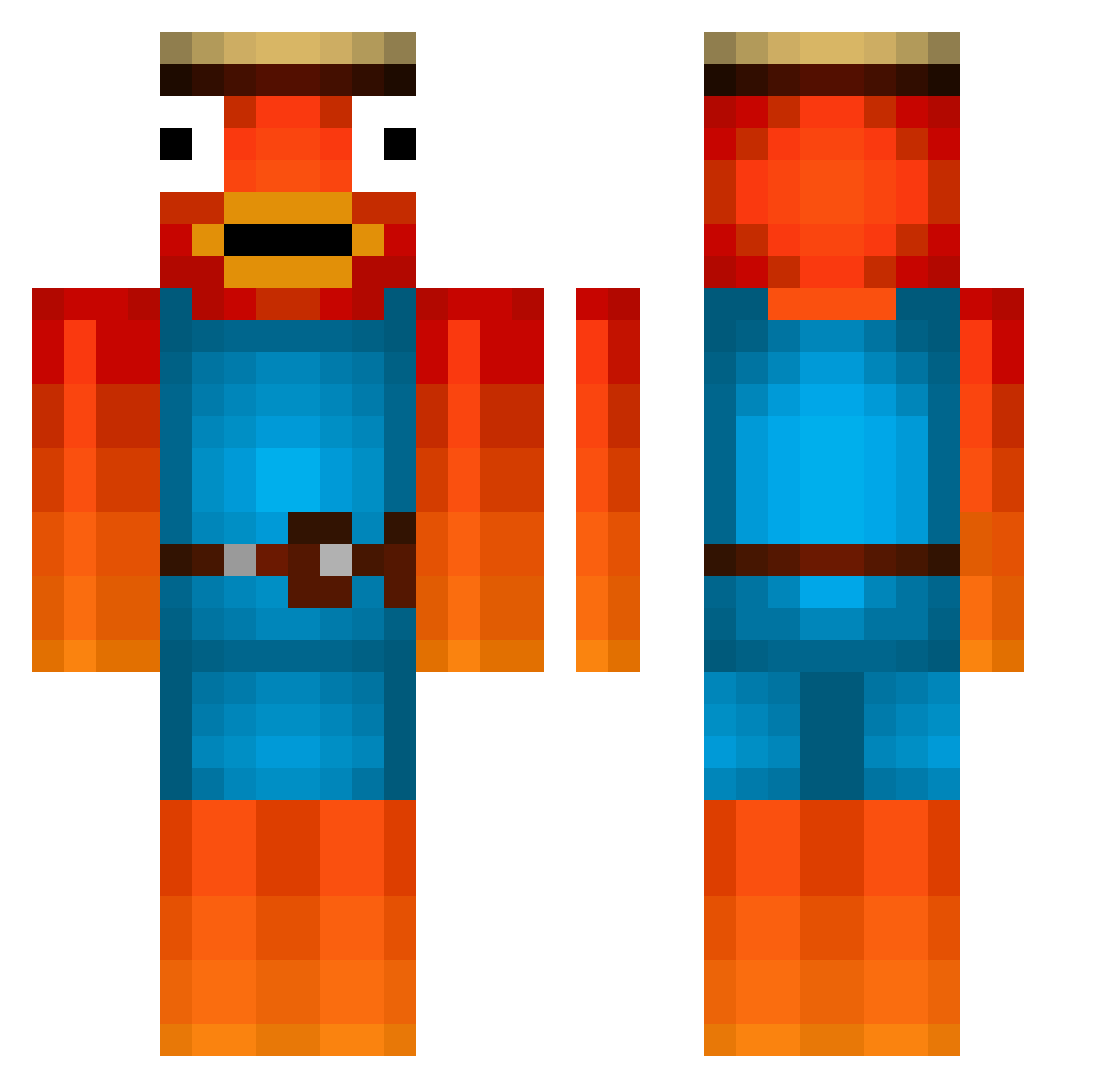
Current Minecraft skin of the player atodlk, loaded from the official Mojang API. Rotate the 3D model with your mouse or finger, then download the skin as a PNG file and use it in Minecraft: Bedrock Edition or Java Edition for free. When atodlk changes their skin, this page updates automatically and the old skin stays in the history below.
Other players with this skin (526)
atodlk was the 505th player we have seen with this skin, first spotted on 06.11.2026. The same skin was seen on these players. Open a nickname to see their current skin and skin history.
 DanmoLP thata1exguy whataburger1 heehocanada MLGKILL Lord_Gurkensalat TimderKrasse09 chantiitaal Im_Hage Downeee Pausenbrot_2 Sarcandos zabatta33 MAGAHA nablasiets Johnny_031 YungHouspiz ramatixol1 DaFischeeZefix 1C3_K1NG Fxsh zypesitooo Blxzvy Der_Drachenlord_ Sandro1887 Clappedbyhelmut BaguettBoi FinPrema Galaxy_Hunter Maske13 ETicky valibach97 TSM_Okami Majorbober rezyvx zlikeSlowGHG Mona_Koerber Schnuffel2015 Marlon361 JordanFT5353 VAli_0550 Alromaithi101 Ibo1502 Steven2021M Renaire42 Kaspanjo hugomodric finnyboy1208 BenBeber Nicolassss Leonlion25 Tageslauch RealPapaNemo MasterYTB bensoost Jonashd16 Tayli2005 xxkleinJeffxxd Harrythompson457 hate_C00kies
More Fishstick Minecraft skins
How to install the atodlk skin
- Press the Download button above to save the skin as a PNG file.
- Minecraft: Bedrock Edition (PE): open the Dressing Room from the main menu (or tap your character → Edit Character), go to Classic Skins → Owned, press the + (new skin) button, choose the downloaded PNG and pick the Classic (Steve) model. Works on PC and mobile; consoles cannot import custom skins.
- Minecraft: Java Edition: open the Minecraft Launcher, go to the Skins tab, click New Skin, load the PNG, pick the Classic (Steve) model and press Save & Use. You can also upload it at minecraft.net → Profile → Change Skin.
The skin does not show up after import - what should I do?
Restart Minecraft and open the Dressing Room again - imported skins sometimes appear only after a restart. Also make sure you selected the imported skin and picked the Classic (Steve) model.
Which model should I choose, Classic or Slim?
This skin is designed for the Classic (Steve) model. If you pick the wrong model, the arms of the skin will look stretched or squeezed.
Is the skin of atodlk free to download?
Yes. Press Download, save the PNG file and use it in Minecraft: Bedrock Edition or Java Edition - no payment or registration needed. The skin also works on multiplayer servers and Realms.
More skins
Looking for more? Go back to all Minecraft skins and check the top skins of the week, month and all time, or find any player's skin by nickname.