
ataxia - Minecraft Skins & Skin History
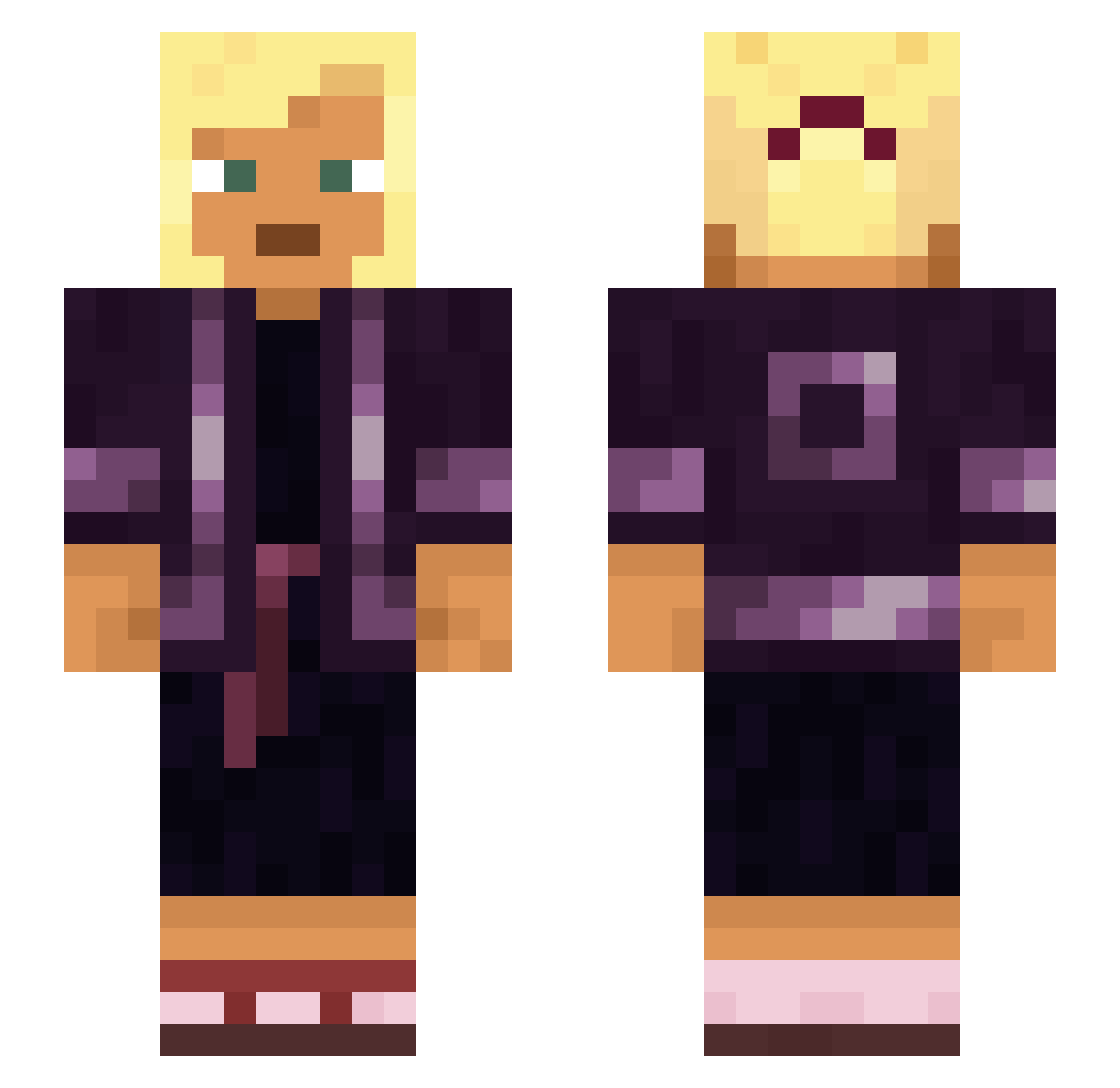
Current Minecraft skin of the player ataxia, loaded from the official Mojang API. Rotate the 3D model with your mouse or finger, then download the skin as a PNG file and use it in Minecraft: Bedrock Edition or Java Edition for free. When ataxia changes their skin, this page updates automatically and the old skin stays in the history below.
Other players with this skin (930)
ataxia was the 535th player we have seen with this skin, first spotted on 29.09.2026. The same skin was seen on these players. Open a nickname to see their current skin and skin history.
 Sarna holbytla Myotic jolibeefan27248 Vrooms JayDay69 hotpockety Tarant1no h2rtz maththing timorwschodni Fpc00 coumarin Implemental rocketfireball Eth_L Sumak Voluntaryism Sulcus Californicus fatima stobs OverReacted Fungiform Froggiest lafcalia idkteddybear Ovyq BramWins Relativistically Wadddddd OG_OsamaBinLaden falltime TheArmyOfGaming Wungiel_Stalowy dronekiller10 Chantilly SCARMAN sarraceniaceous v0nnie leeeeee93 Reclear Thiagoq Eucalyptus Scrambly ScaredOfTheTop Durwan Perfusion FANGOT reshine values Purfly Cuttled tapeman BestGoy Viatic Smoothhound Escapology Mariusoha567 epenthesis
More Asian Minecraft skins
How to install the ataxia skin
- Press the Download button above to save the skin as a PNG file.
- Minecraft: Bedrock Edition (PE): open the Dressing Room from the main menu (or tap your character → Edit Character), go to Classic Skins → Owned, press the + (new skin) button, choose the downloaded PNG and pick the Slim (Alex) model. Works on PC and mobile; consoles cannot import custom skins.
- Minecraft: Java Edition: open the Minecraft Launcher, go to the Skins tab, click New Skin, load the PNG, pick the Slim (Alex) model and press Save & Use. You can also upload it at minecraft.net → Profile → Change Skin.
The skin does not show up after import - what should I do?
Restart Minecraft and open the Dressing Room again - imported skins sometimes appear only after a restart. Also make sure you selected the imported skin and picked the Slim (Alex) model.
Which model should I choose, Classic or Slim?
This skin is designed for the Slim (Alex) model. If you pick the wrong model, the arms of the skin will look stretched or squeezed.
Is the skin of ataxia free to download?
Yes. Press Download, save the PNG file and use it in Minecraft: Bedrock Edition or Java Edition - no payment or registration needed. The skin also works on multiplayer servers and Realms.
More skins
Looking for more? Go back to all Minecraft skins and check the top skins of the week, month and all time, or find any player's skin by nickname.