
assassinwolf67 - Minecraft Skins & Skin History
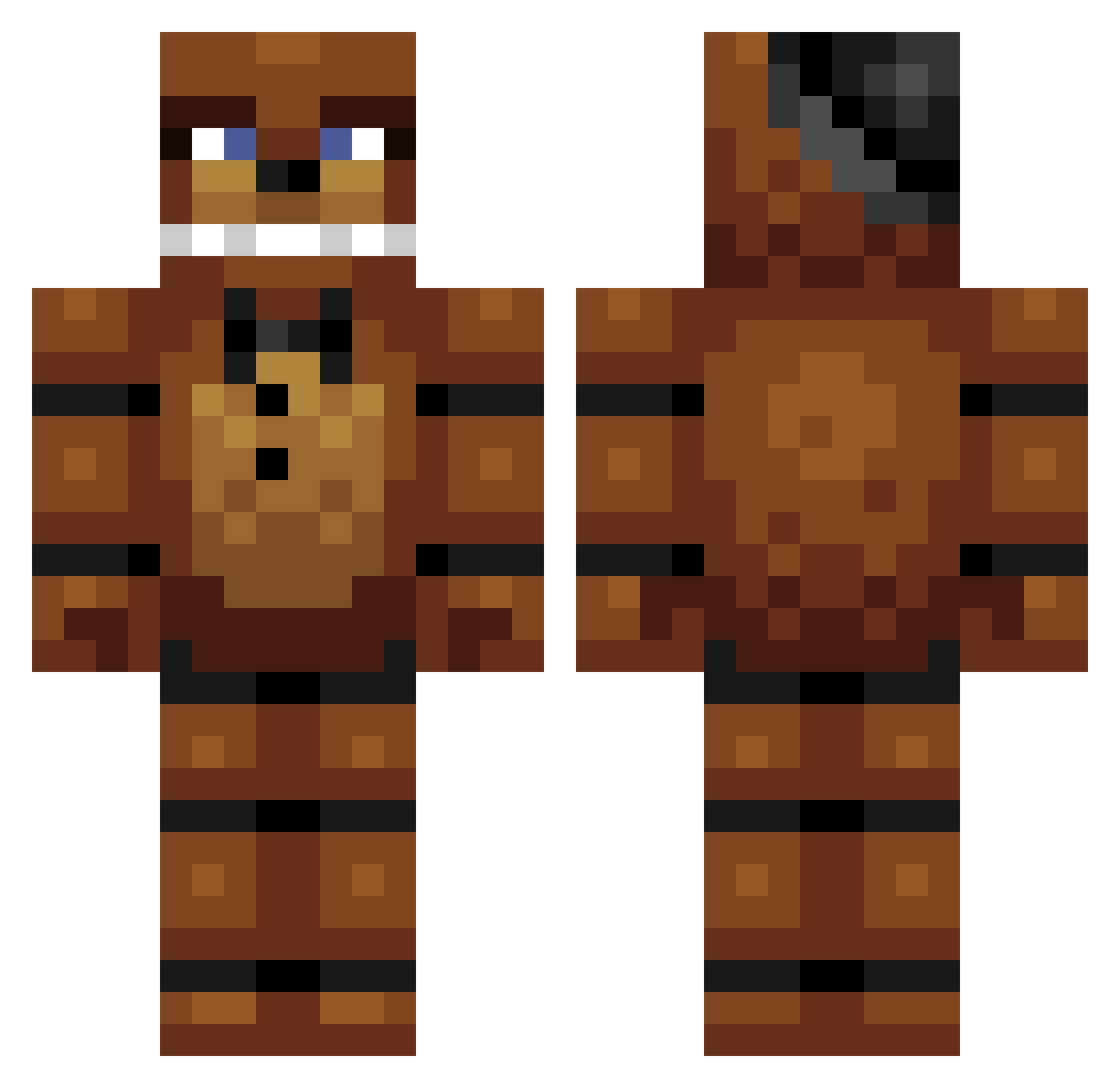
Current Minecraft skin of the player assassinwolf67, loaded from the official Mojang API. Rotate the 3D model with your mouse or finger, then download the skin as a PNG file and use it in Minecraft: Bedrock Edition or Java Edition for free. When assassinwolf67 changes their skin, this page updates automatically and the old skin stays in the history below.
Other players with this skin (303)
assassinwolf67 was the 112th player we have seen with this skin, first spotted on 01.09.2026. The same skin was seen on these players. Open a nickname to see their current skin and skin history.
 alpedro jamaal1710 N4THANIEL Ramsesbme Moustachio9905 Allenton4 ashstiller swift509 chelsea0816 KristianPvP NicoGaming Terminator07 Mindblaster06 Fall3NDeaDQc danielY2011 RoyBer_2003 Rabbit_king560 hfry talisanderbander Icecane3 Beeldscherm Itachi112 Bboss9 Warfighterzz coolclub Ferretman11 TJS514 Aled PickelZ99 elementassasin19 frioniel41 loll881 Godolkin ejg72 Joegater Hero_Crafter1 BillyR20 TrollFac3D minerxploder GACNM DreamHunter2015 DL112 Luca__2007 TheMitchells15 Sargothi ms_shayd JackSwagMaster69 bear20084 RetroSpectHD Matchboxcar7 juju9108 MrDerpyGamerYT blackmazza DaFreddyBear BraunbaerGHG FoxyFazbro indipindi99 NORFNORFIAN1 chrisvdwswa VallePlayzMC
More Freddy Fazbear Minecraft skins
See all 240 Freddy Fazbear skins
How to install the assassinwolf67 skin
- Press the Download button above to save the skin as a PNG file.
- Minecraft: Bedrock Edition (PE): open the Dressing Room from the main menu (or tap your character → Edit Character), go to Classic Skins → Owned, press the + (new skin) button, choose the downloaded PNG and pick the Classic (Steve) model. Works on PC and mobile; consoles cannot import custom skins.
- Minecraft: Java Edition: open the Minecraft Launcher, go to the Skins tab, click New Skin, load the PNG, pick the Classic (Steve) model and press Save & Use. You can also upload it at minecraft.net → Profile → Change Skin.
The skin does not show up after import - what should I do?
Restart Minecraft and open the Dressing Room again - imported skins sometimes appear only after a restart. Also make sure you selected the imported skin and picked the Classic (Steve) model.
Which model should I choose, Classic or Slim?
This skin is designed for the Classic (Steve) model. If you pick the wrong model, the arms of the skin will look stretched or squeezed.
Is the skin of assassinwolf67 free to download?
Yes. Press Download, save the PNG file and use it in Minecraft: Bedrock Edition or Java Edition - no payment or registration needed. The skin also works on multiplayer servers and Realms.
More skins
Looking for more? Go back to all Minecraft skins and check the top skins of the week, month and all time, or find any player's skin by nickname.