
asamoah19 - Minecraft Skins & Skin History
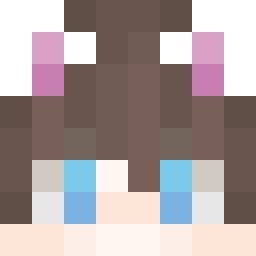
Current Minecraft skin of the player asamoah19, loaded from the official Mojang API. Rotate the 3D model with your mouse or finger, then download the skin as a PNG file and use it in Minecraft: Bedrock Edition or Java Edition for free. When asamoah19 changes their skin, this page updates automatically and the old skin stays in the history below.

Other players with this skin (11149)
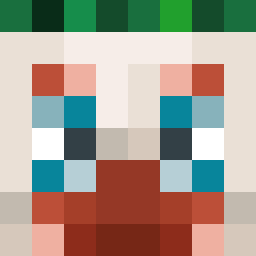
asamoah19 was the 3964th player we have seen with this skin, first spotted on 28.08.2026. The same skin was seen on these players. Open a nickname to see their current skin and skin history.
 Frxsh_exe Ackmoody Luwarik waltuhfish dododododo123 breezycheezy7 DMWM TehTarik4896 Suburn MooieNosso Loupbriatte XiirTaM Waysa nugatho Sliinxp FeetMuncher42 IdizNimp57 yesung2010 olixxx10 Babasco Roguekettle Goobbbers peanut_dudeontop
 Seankb teweeby Lastivity fafnir DE5TRUKTOR MonsterClapper dangl3pYT Programz123 LeoBuilder2022
 not2o Elapheguttata Hidencard7778 UnChouxFrancais vale02 MaxiRsi eliboss23
 Yoyosif632 Tearsofthenight Magonz Farhands Stankton IKA11 tomatenii JUKSON7 SylvesterStewart gr6nit Photal coshing Player557 reuten airforce1991 randombonder14 Mikey1819
 Nonstop_ Whirl0op Sajikbukro Tooky_
How to install the asamoah19 skin
- Press the Download button above to save the skin as a PNG file.
- Minecraft: Bedrock Edition (PE): open the Dressing Room from the main menu (or tap your character → Edit Character), go to Classic Skins → Owned, press the + (new skin) button, choose the downloaded PNG and pick the Classic (Steve) model. Works on PC and mobile; consoles cannot import custom skins.
- Minecraft: Java Edition: open the Minecraft Launcher, go to the Skins tab, click New Skin, load the PNG, pick the Classic (Steve) model and press Save & Use. You can also upload it at minecraft.net → Profile → Change Skin.
The skin does not show up after import - what should I do?
Restart Minecraft and open the Dressing Room again - imported skins sometimes appear only after a restart. Also make sure you selected the imported skin and picked the Classic (Steve) model.
Which model should I choose, Classic or Slim?
This skin is designed for the Classic (Steve) model. If you pick the wrong model, the arms of the skin will look stretched or squeezed.
Is the skin of asamoah19 free to download?
Yes. Press Download, save the PNG file and use it in Minecraft: Bedrock Edition or Java Edition - no payment or registration needed. The skin also works on multiplayer servers and Realms.
More skins
Looking for more? Go back to all Minecraft skins and check the top skins of the week, month and all time, or find any player's skin by nickname.