
artdidib - Minecraft Skins & Skin History
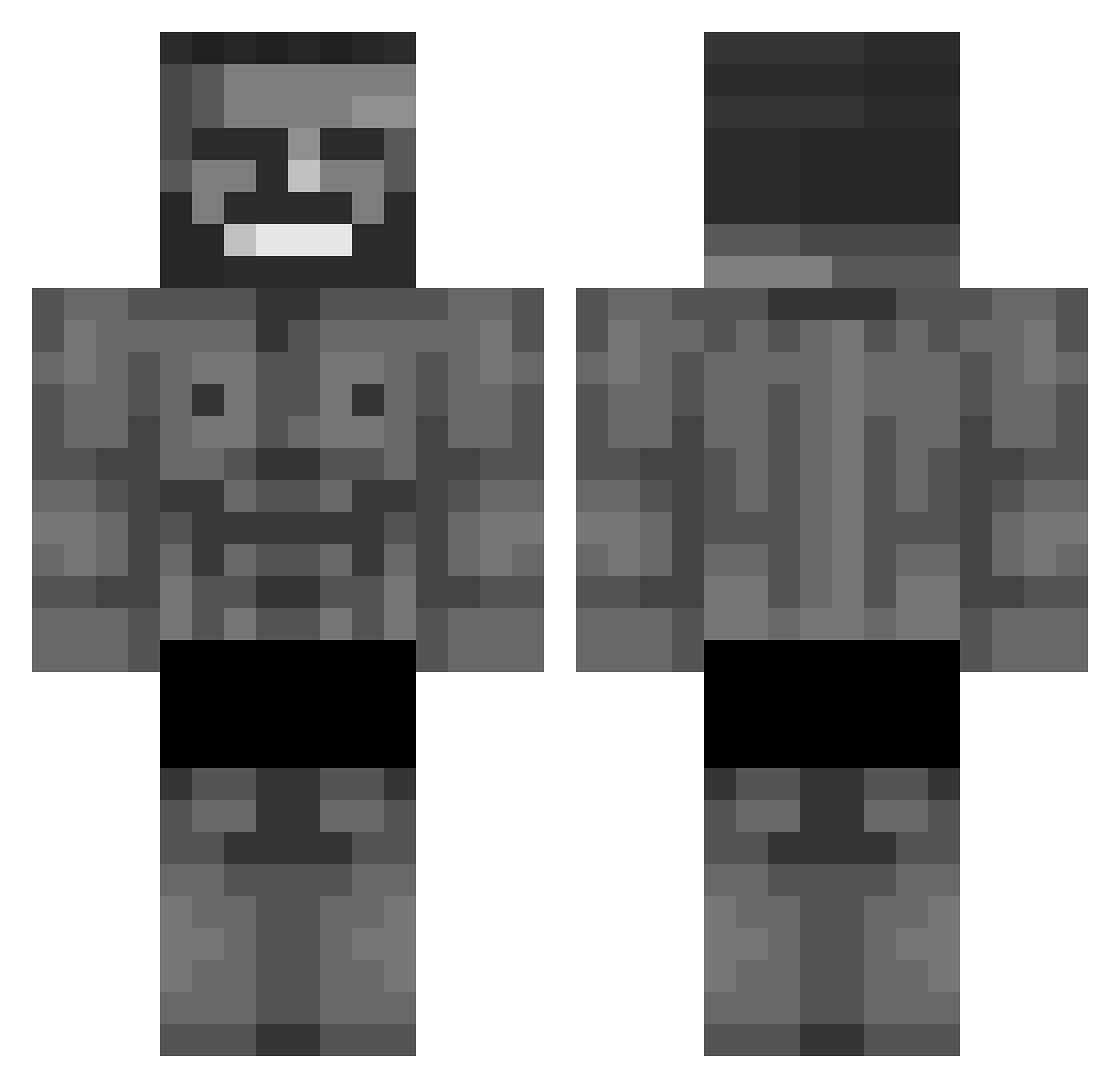
Current Minecraft skin of the player artdidib, loaded from the official Mojang API. Rotate the 3D model with your mouse or finger, then download the skin as a PNG file and use it in Minecraft: Bedrock Edition or Java Edition for free. When artdidib changes their skin, this page updates automatically and the old skin stays in the history below.
Other players with this skin (606)
artdidib was the 71st player we have seen with this skin, first spotted on 07.08.2026. The same skin was seen on these players. Open a nickname to see their current skin and skin history.
 CoffieCap zHexis succulentanimal 3laoOoe11 Yenilmezler2010 Niilou_
 KwispyPotato Little_L0rd haavardowre NoZeLeDivin 21Leithen ExcQuBe Gek2110 tktmonrefton
 MapacheCosmico99 Bangala_ algebraOSCAR bryce_is_ginger G0M0S0 TB_Swat HeshPL
 c0c0sh Hansaplas Ni9a_Slayer Riffiee pabodapotato Dufusbrain09
 Twinkle_Toes7 PavoTlatoani A13X14 Gopado ScorpiLegend JEI_IY Cruspiriki Astralkng
 ShadowN00dles pairity AAAAAAAAGiantMan
 Vict0r_DaBoi Big_Lion69 GrimmJeager Eack Gepard_ _Ouranox_ Tessaractt couniamamanw ChomiG austintexas_26 itscoati Dillpickle1231 Maunjaro600shot bundalengers GetWhoopedBozo ukabys_ Giakkino Crabb_Man May_Moose dinmor4 Ninjamlc Felzuber08
More Gigachad Minecraft skins
How to install the artdidib skin
- Press the Download button above to save the skin as a PNG file.
- Minecraft: Bedrock Edition (PE): open the Dressing Room from the main menu (or tap your character → Edit Character), go to Classic Skins → Owned, press the + (new skin) button, choose the downloaded PNG and pick the Classic (Steve) model. Works on PC and mobile; consoles cannot import custom skins.
- Minecraft: Java Edition: open the Minecraft Launcher, go to the Skins tab, click New Skin, load the PNG, pick the Classic (Steve) model and press Save & Use. You can also upload it at minecraft.net → Profile → Change Skin.
The skin does not show up after import - what should I do?
Restart Minecraft and open the Dressing Room again - imported skins sometimes appear only after a restart. Also make sure you selected the imported skin and picked the Classic (Steve) model.
Which model should I choose, Classic or Slim?
This skin is designed for the Classic (Steve) model. If you pick the wrong model, the arms of the skin will look stretched or squeezed.
Is the skin of artdidib free to download?
Yes. Press Download, save the PNG file and use it in Minecraft: Bedrock Edition or Java Edition - no payment or registration needed. The skin also works on multiplayer servers and Realms.
More skins
Looking for more? Go back to all Minecraft skins and check the top skins of the week, month and all time, or find any player's skin by nickname.