
aron8piper - Minecraft Skins & Skin History
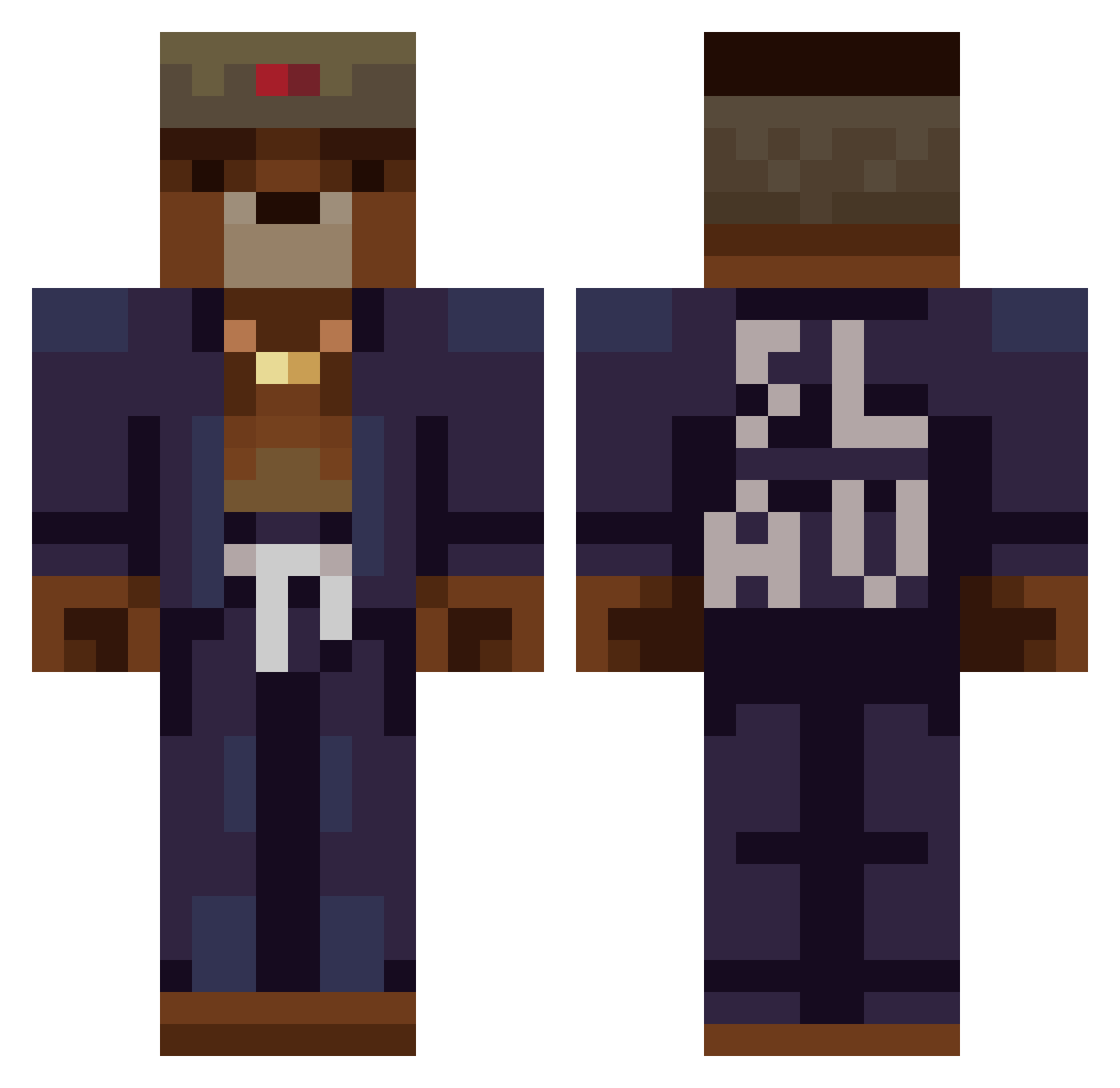
Current Minecraft skin of the player aron8piper, loaded from the official Mojang API. Rotate the 3D model with your mouse or finger, then download the skin as a PNG file and use it in Minecraft: Bedrock Edition or Java Edition for free. When aron8piper changes their skin, this page updates automatically and the old skin stays in the history below.
Other players with this skin (454)
aron8piper was the 423rd player we have seen with this skin, first spotted on 14.11.2026. The same skin was seen on these players. Open a nickname to see their current skin and skin history.
 kastel96 kN1GGhT ben_speed Roldolfo ILLHYHL1234 AlexeiGD Pi1cher Chatlakh_69 Palometin Bloedhond ThariX_One 2Timmmme EmirBlockMaster 0nAir Tonfy generaltjb1 LordEralion MeatBallfreack joebobslyd TheBearOwner Meatman_ JustBreakers BlockDanis88 kijube LataBetch69 GGItsJem Kamuuii Mileuda MTH2810 papa0profu Festian WiLDuS mlodyprzemo trombone_ saotsao OfficialTrippy TyJima Nellov 2eekoehu RoketBret JaTimHalt JulioKings1 Gottkanzler RenFx DaePuga Matsutoyo DefaultVIII WaRusT yungmuzyd9 mordakrivo Arcziblad SERGIJANES KoiZeroo wrigley1106 Lx557 Morphjne WILL182014SGT Daniil_lou Milwaukede_05 Krokodylson
More Slav Minecraft skins
How to install the aron8piper skin
- Press the Download button above to save the skin as a PNG file.
- Minecraft: Bedrock Edition (PE): open the Dressing Room from the main menu (or tap your character → Edit Character), go to Classic Skins → Owned, press the + (new skin) button, choose the downloaded PNG and pick the Classic (Steve) model. Works on PC and mobile; consoles cannot import custom skins.
- Minecraft: Java Edition: open the Minecraft Launcher, go to the Skins tab, click New Skin, load the PNG, pick the Classic (Steve) model and press Save & Use. You can also upload it at minecraft.net → Profile → Change Skin.
The skin does not show up after import - what should I do?
Restart Minecraft and open the Dressing Room again - imported skins sometimes appear only after a restart. Also make sure you selected the imported skin and picked the Classic (Steve) model.
Which model should I choose, Classic or Slim?
This skin is designed for the Classic (Steve) model. If you pick the wrong model, the arms of the skin will look stretched or squeezed.
Is the skin of aron8piper free to download?
Yes. Press Download, save the PNG file and use it in Minecraft: Bedrock Edition or Java Edition - no payment or registration needed. The skin also works on multiplayer servers and Realms.
More skins
Looking for more? Go back to all Minecraft skins and check the top skins of the week, month and all time, or find any player's skin by nickname.