
arno3211 - Minecraft Skins & Skin History
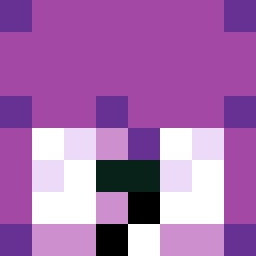
Current Minecraft skin of the player arno3211, loaded from the official Mojang API. Rotate the 3D model with your mouse or finger, then download the skin as a PNG file and use it in Minecraft: Bedrock Edition or Java Edition for free. When arno3211 changes their skin, this page updates automatically and the old skin stays in the history below.

Other players with this skin (1783)
arno3211 was the 480th player we have seen with this skin, first spotted on 25.08.2026. The same skin was seen on these players. Open a nickname to see their current skin and skin history.
 santslol taxiarch Zlaman64
 Gaduru Discrimm
 thedurkside iisahooll KingGOCC Entangler Solaceful tims1987 Zahncreme IchTrageSlips Iurmi CordonRed HEHEHE556 Enrapturing
 RiceGod2016 ToxicSt4r OrXhub Bomtan lunettes Joshtart capartist Nicolino2002 _NARWA_ Facilitates Syphilitic comedump69 EagleFern0 xxMaciox Effizjens5 mkung_2007
 Bitz701 mellohi8 crudeness Snuffle byJMO Jasondu81291 TrueDATMAN
 gademn BautiSpawnerProt rlarhkdgus Tomaskonub Kazys3 Kuroko6 dymitrpietruszko Young_burg talon0820 mefflan Sv2p6FCSfl1INSv2 Estranger Lil_Peep__
 Leonarro Headstone Jixs8 BaddyNoah Giancpn Proxy56 wildproject
How to install the arno3211 skin
- Press the Download button above to save the skin as a PNG file.
- Minecraft: Bedrock Edition (PE): open the Dressing Room from the main menu (or tap your character → Edit Character), go to Classic Skins → Owned, press the + (new skin) button, choose the downloaded PNG and pick the Classic (Steve) model. Works on PC and mobile; consoles cannot import custom skins.
- Minecraft: Java Edition: open the Minecraft Launcher, go to the Skins tab, click New Skin, load the PNG, pick the Classic (Steve) model and press Save & Use. You can also upload it at minecraft.net → Profile → Change Skin.
The skin does not show up after import - what should I do?
Restart Minecraft and open the Dressing Room again - imported skins sometimes appear only after a restart. Also make sure you selected the imported skin and picked the Classic (Steve) model.
Which model should I choose, Classic or Slim?
This skin is designed for the Classic (Steve) model. If you pick the wrong model, the arms of the skin will look stretched or squeezed.
Is the skin of arno3211 free to download?
Yes. Press Download, save the PNG file and use it in Minecraft: Bedrock Edition or Java Edition - no payment or registration needed. The skin also works on multiplayer servers and Realms.
More skins
Looking for more? Go back to all Minecraft skins and check the top skins of the week, month and all time, or find any player's skin by nickname.